USTER®
HVI 1000
Instruction Manual
Uster Technologies, Inc. Chapter 8
(5/08) System Diagnostics - Page 8-7
3.3 Optics Zero
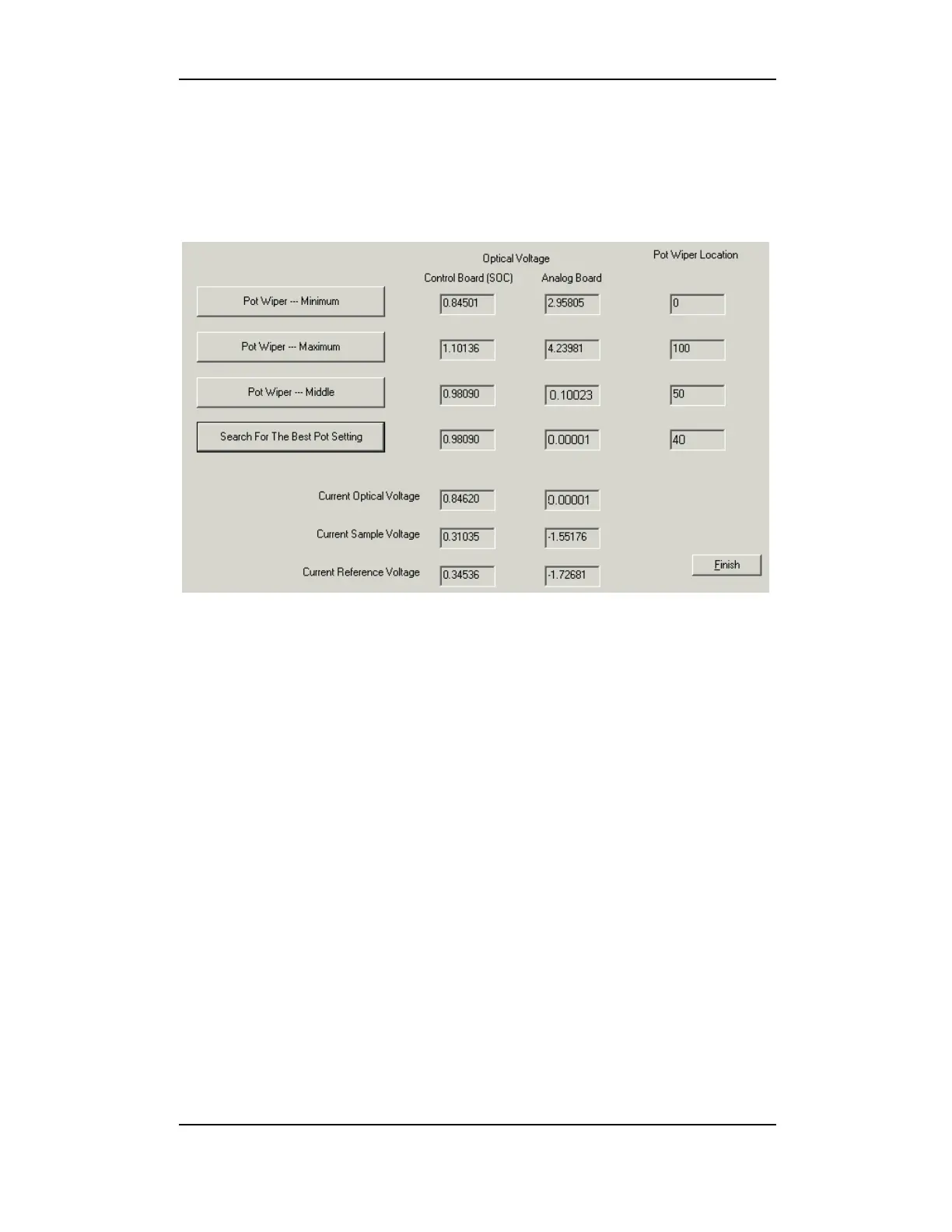
There are 100 pot wiper locations. This area allows you to search for
the best pot setting (median value of all settings).
Figure 8-6: Optics Zero Menu
Click the Optics Zero button on the DIAGNOSTICS MAIN MENU. The
current optical, sample and reference voltages are listed on the lower
portion of the screen.
1. Click the Pot Wiper – Minimum button.
2. When Control Board and Analog Board values become stable,
click the Pot Wiper – Maximum button.
3. Next, click the Pot Wiper – Middle button. The Current
Optical Voltage of the analog board should be close to Zero
(0).
4. When cycle completes, click the Search for the Best Pot
Setting button. This value should represent the median value of
the previous tests. The Pot Wiper Location (best setting)
should be between 40 and 60.
5. Click the Finish button to return to the DIAGNOSTICS MAIN MENU.



 To Next Page