USTER®
HVI 1000
Instruction Manual
Uster Technologies, Inc. Chapter 5
(3/08) Calibration - Page 5-28
5.2.3 Check Calibration
Highlight Color + Trash in the Module Window, then highlight Trash
Tiles in the Calibration window and click Check Calibration. This
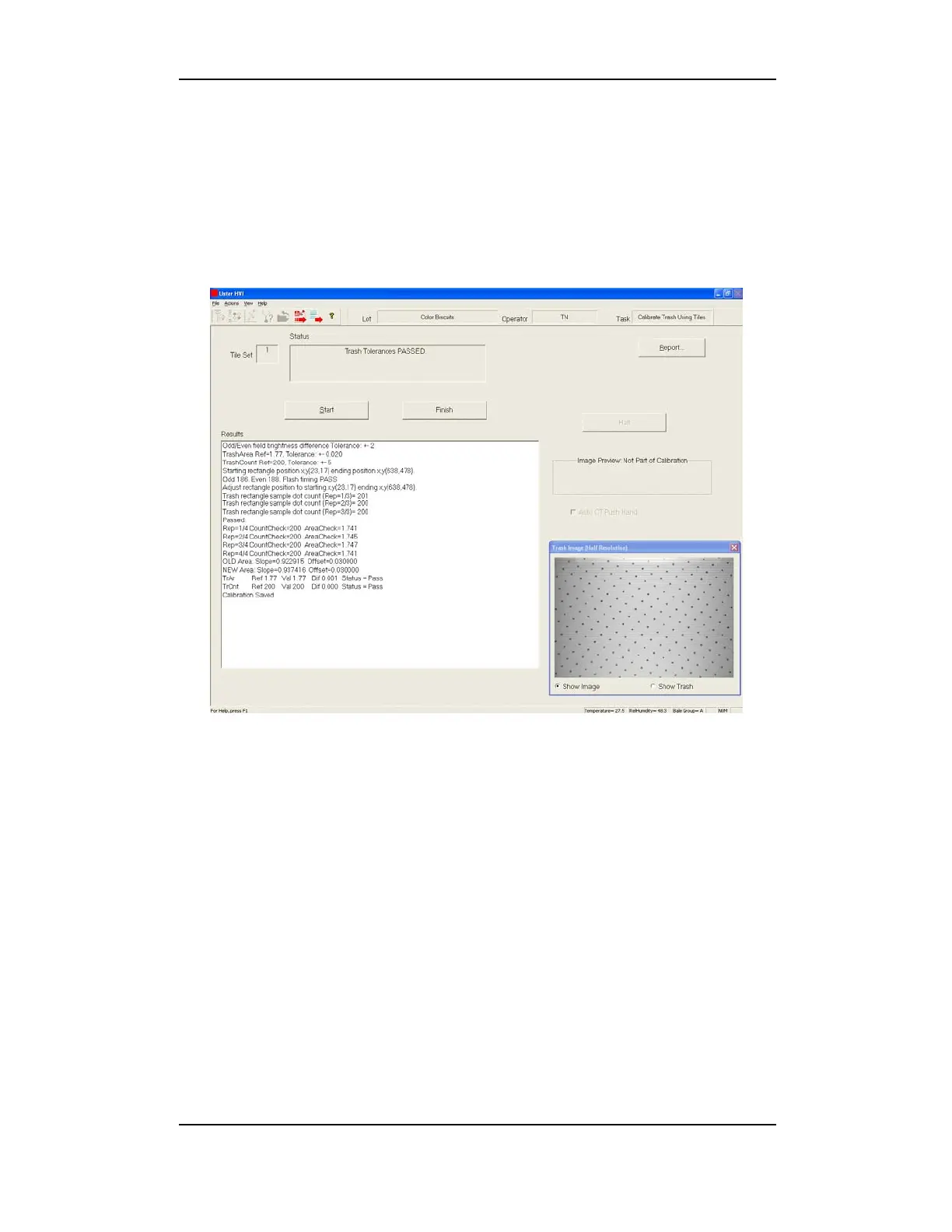
will launch the Trash Tile Calibration screen and a trash image window
from which you can select Show Trash or Show Image.
Figure 5-19: Trash Tile Calibration Screen
The Status window displays instructions for completing calibration.
1. Click the START button
(on the screen)
to begin calibration.
2. Hold the WHITE tile glossy side down to the window on the color
head and press the Start button
(on the Mic cabinet)
.
The push
hand will NOT operate during calibration.
3. Hold the TRASH calibration tile (approximately 200 dots) onto the
color head window and press the Start button
(on the Mic
cabinet)
.
4. The system will prompt you
(several times)
to reposition the TRASH
tile and click OK on the screen as it progresses through calibration
for Trash Rectangle Size and for Trash Area.


 To Next Page