USTER®
HVI 1000
Instruction Manual
Uster Technologies, Inc. Chapter 5
(3/08) Calibration - Page 5-18
4.3 Check Calibration
This calibration procedure allows you to calibrate the micronaire unit for
low MIC (fine) or high MIC (course) cotton.
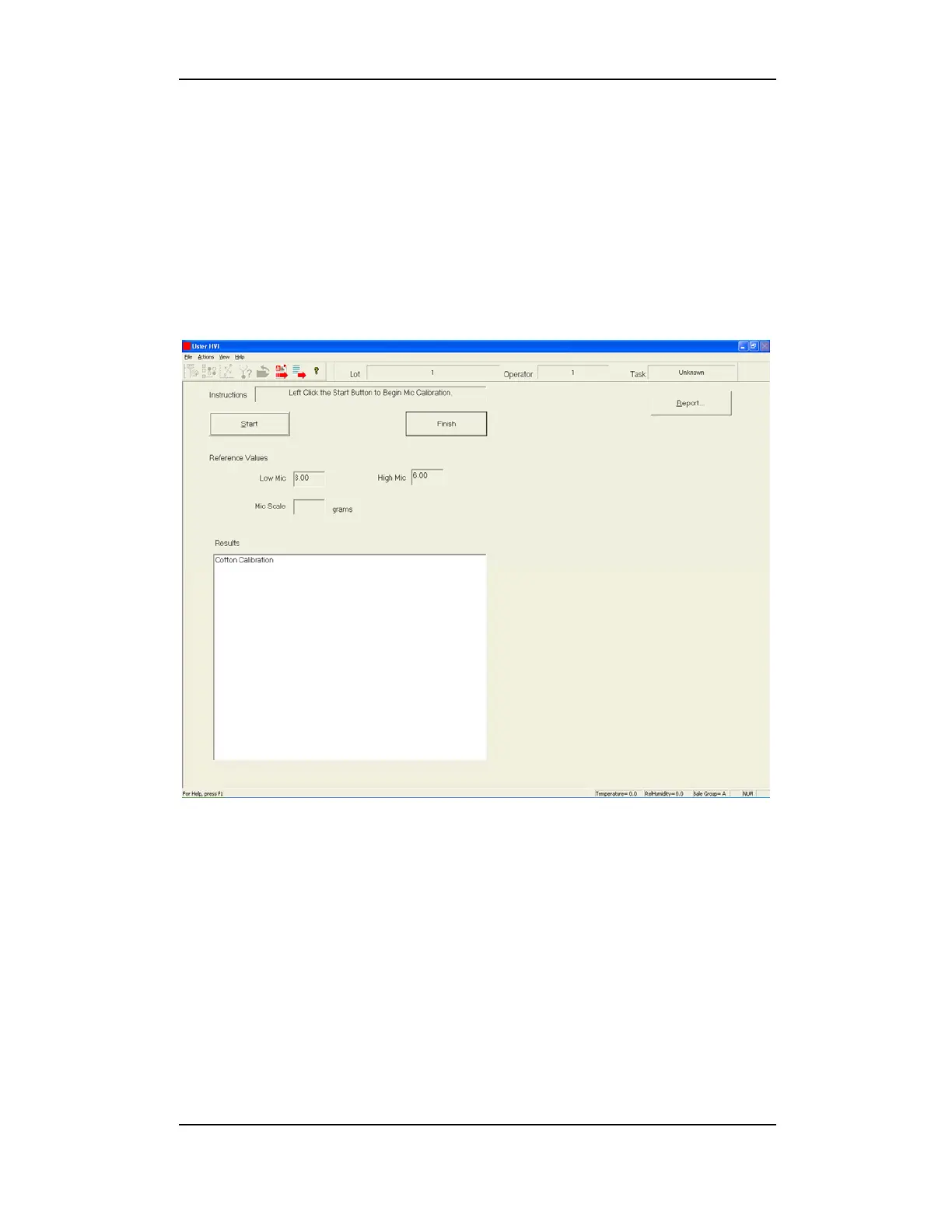
To access the MICRONAIRE CALIBRATION MENU from the CALIBRATION MENU
highlight Micronaire in the Module window, then highlight Mic
Cotton in the Calibration Type window and click Check Calibration.
Figure 5-9: Micronaire Calibration Screen
To perform the Mic Cotton orifice calibration:
1. Insert the low mic cotton into the micronaire chamber.
2. Click the Start button on the screen.
3. Remove the low mic cotton.
4. Insert the high mic cotton into the micronaire chamber.
5. Click the Start button on the screen.
6. Remove the high mic cotton.


 To Next Page