USTER®
HVI 1000
Instruction Manual
Uster Technologies, Inc. Chapter 4
(3/08) Configuration - Page 4-2
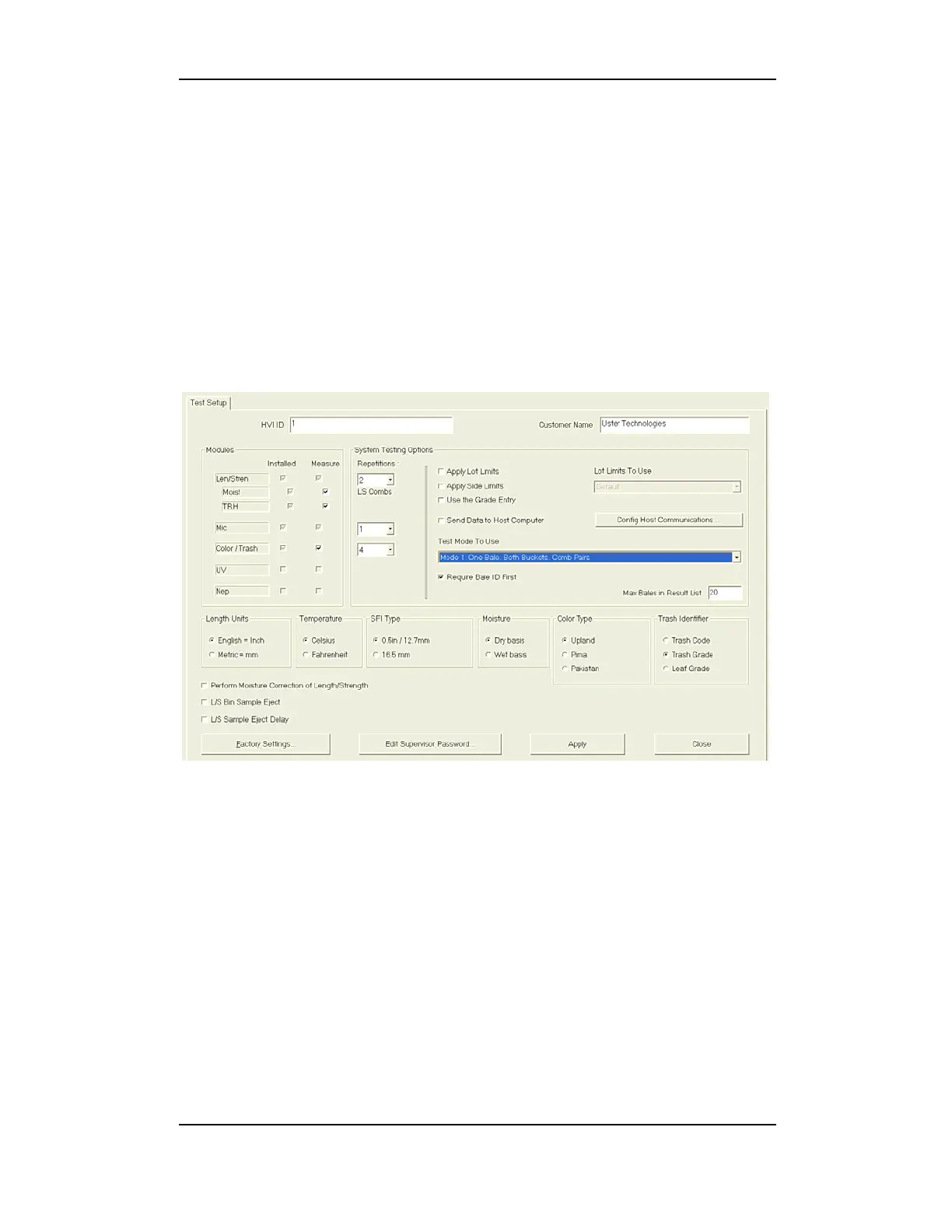
2 Test Setup
This area is primarily used to set options for system testing, including the
number of repetitions, whether to apply lot limits or side limits, use
grade entry, send data to the host, perform moisture correction of
length/strength, and more. Installed components are selected here, as
are configuration features for the supervisor password, host
communications and test mode. System Testing Options will differ
depending upon which Test Mode is selected.
See part 2.4 this
chapter.
Figure 4-1: Test Setup Configuration
Note: Once all settings have been selected, go to File and select Log
Configuration Settings. This will put all configuration options,
settings, and calibration constants into the log file.



 To Next Page