Chapter 4: Setting up the Monitor
4-8 VS2000 Vital Signs Monitor Operation Manual
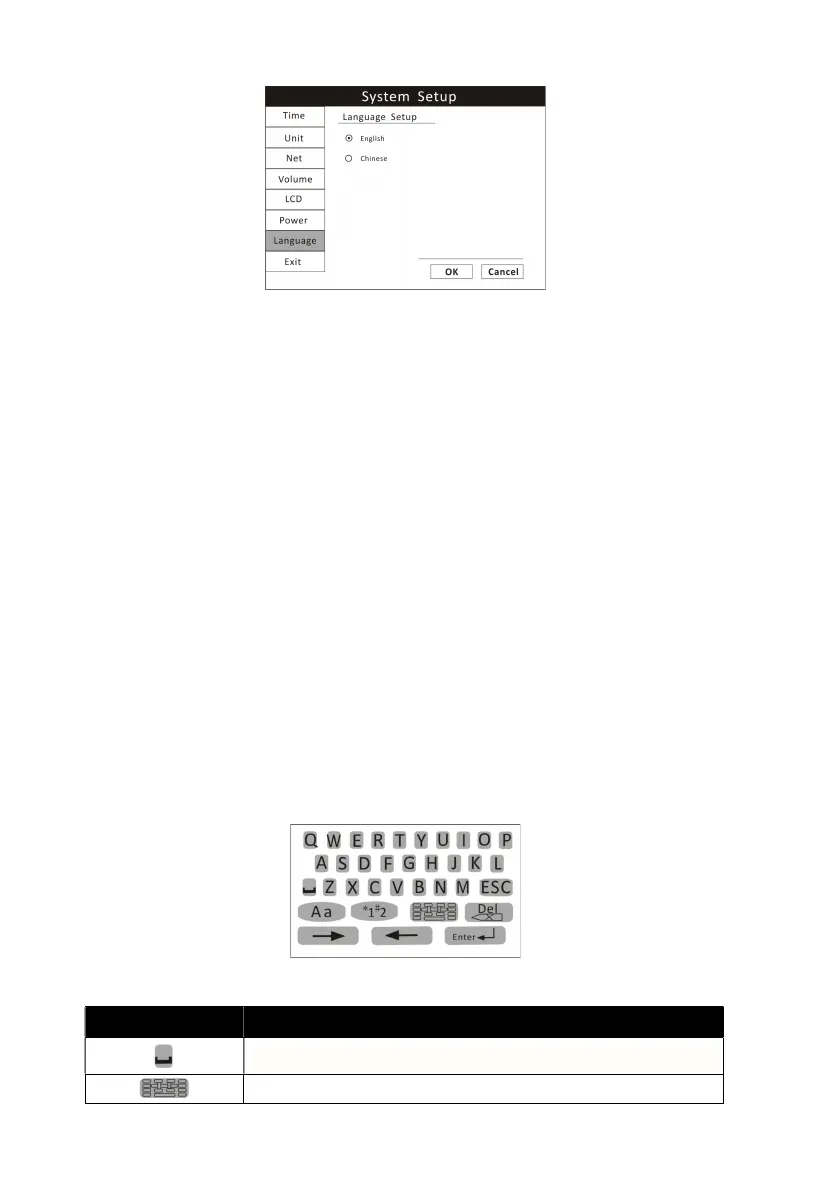
Figure 4.8: Language Setup
1. Press the menu key to pop up the main menu and turn the rotary knob to
move the cursor to the “System” option.
2. Push the rotary knob to access the “System” submenu. Turn the knob to
highlight the “Language” option.
3. Push the rotary knob to access the language setup submenu and turn the
knob to highlight the desired language and push to select.
4. Turn the rotary knob to “OK” or “Cancel” button and push it to save or
delete your settings.
4.6 Set Patient Information
4.6.1 How to use the keyboard
To enter characters and data to the monitor, the on-screen keyboard will be
used. If there is information needs to be entered, push the rotary knob and
then the on-screen keyboard will pop up.
Figure 4.9: On-screen Keyboard
BUTTONS INSTRUCTION
Spacebar. Press it when a space is needed.
Press this key to access the character board.


 To Next Page