44 PT-55 User’s Guide
Supervisor Settings Screen D291308.7M.fm
Constant Input Type
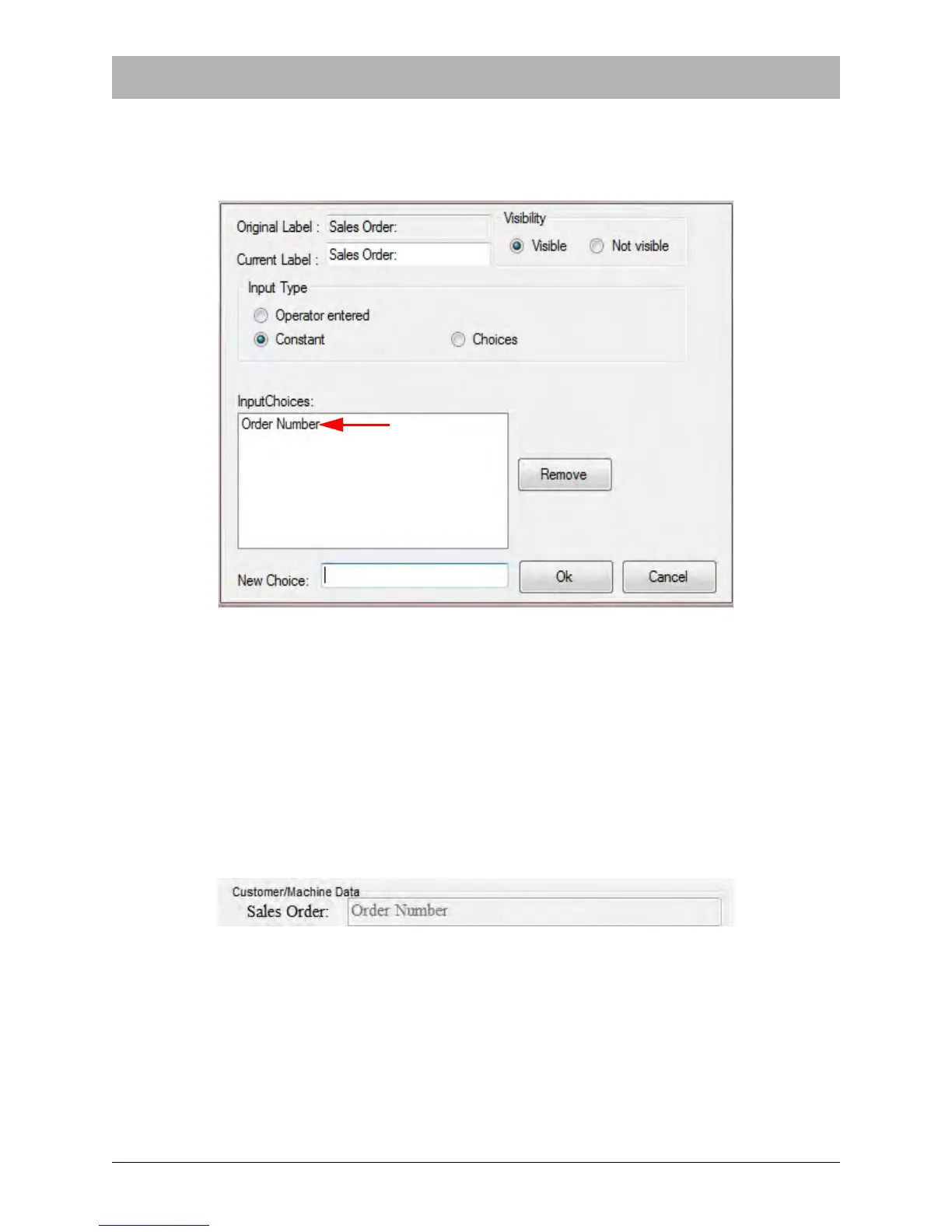
When Constant is selected, an Input Choices section appears in the Change Data form. This
allows the supervisor to set the field data at a constant value that cannot be changed by the oper-
ator.
Enter the desired text in the New Choice field at the bottom of the screen, then press the Enter
key. The text will now appear in the Input Choices section.
To change the Input Choice, select the current choice and click Remove. Then enter the desired
data in the New Choice field and press the Enter key. Click OK to close the Change Data Form
and return to Supervisor Settings.
When a Constant input type has been selected, the field will display the information that was pre-
set in the Change Data screen. The field will appear greyed out in the Main Screen, indicating it
cannot be edited.



 To Next Page