D291308.7M.fm Configuring & Running a Peel Test
Chapter 3: Operation 55
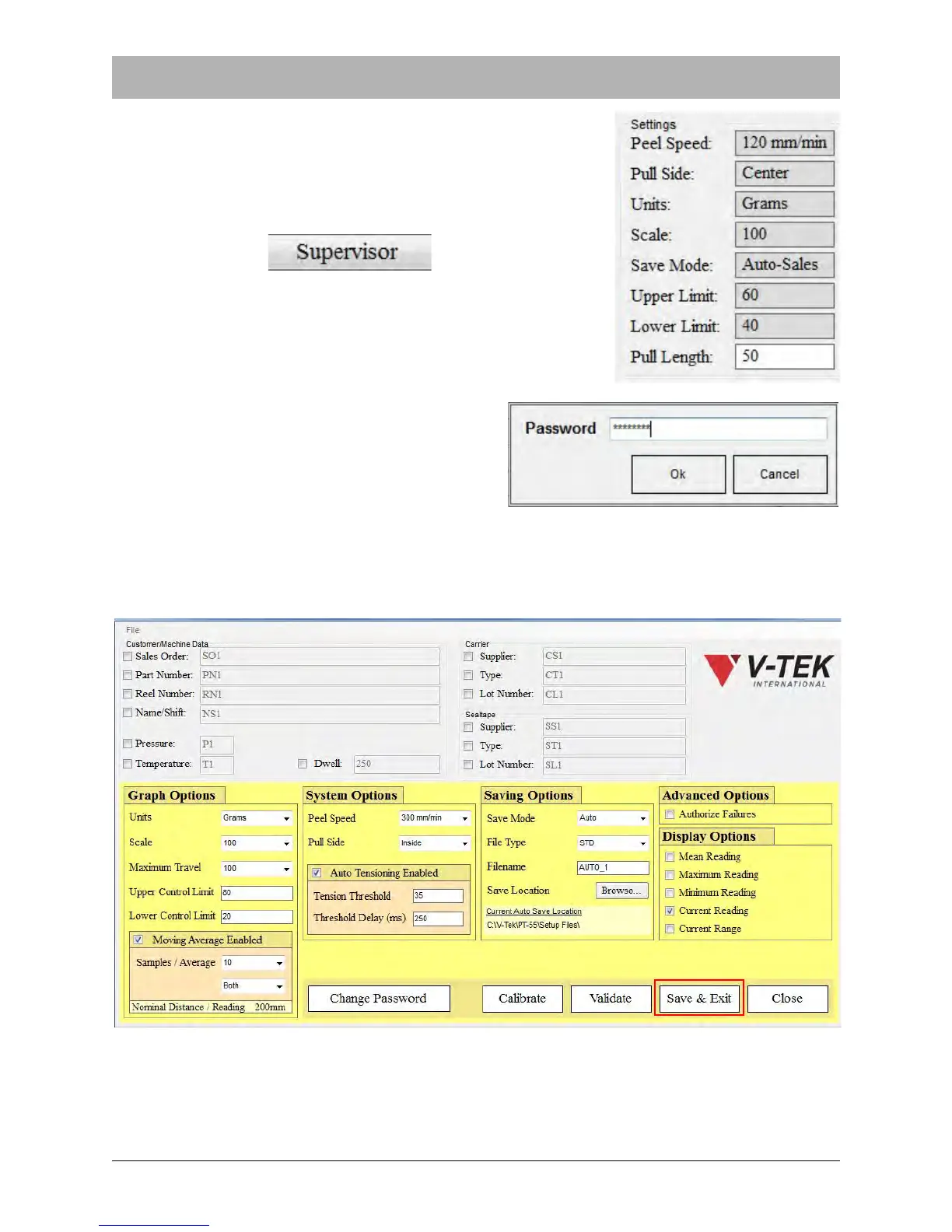
5. Enter the Peel Test Settings. These are set in the Supervi-
sor Settings screen.
Click the Supervisor button to access the Password Input
screen and open Supervisor Settings.
The Password Input screen will appear. Enter
the password at the prompt and click OK.
Note: The default password is “password”.
6. After the correct password is entered, the Supervisor Settings screen will appear. Adjust set-
tings as needed for the current job, then click Save & Exit.



 To Next Page