XTi- VBox Android TV Gateway User
Manual 4. Configuring your Router and PC to Use the UPnP Protocol
4.1. Accessing XTi-VBox TV Gateway on PC using “My Network Places”
7
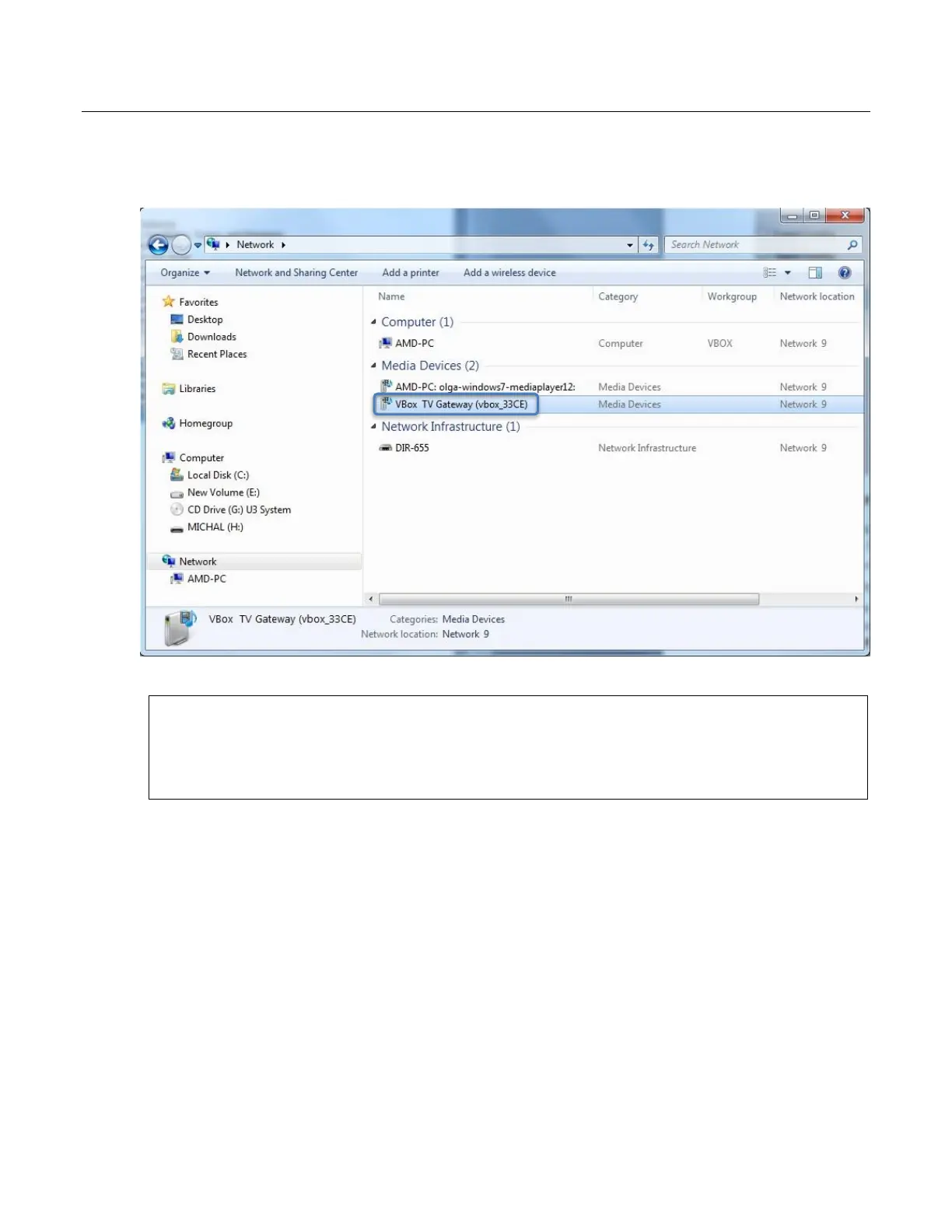
Windows – go to Network > Media Devices (Figure 4), right click VBox TV Gateway (xbox_xxxx)
and select View device webpage from the context menu.
Figure 4: Windows 7 – Network Media Devices showing VBox TV Gateway
NOTE: The XTi device’s default name is VBox TV Gateway (vbox_xxxx), where “xxxx” is the product’s
number. This name appears on devices that are connected to your network and have the UPnP
Protocol enabled. When Setting up XTi-VBox TV Gateway using the Web Interface as explained in the
next section, you have the option to rename this device (using the System Name property).



 To Next Page