EasyManua.ls Logo

VBOX XTi 4144 - Figure 9: Quick Setup Wizard - Step 3: Channels Setup Page

VBOX XTi 4144
90 pages
Print Icon
To Next Page IconTo Next Page
To Previous Page IconTo Previous Page
Loading...
XTi- VBox Android TV Gateway User
Manual 5. Setting up XTi-VBox TV Gateway using the Web Interface
5.4. Step 2 Scan for XTi 4144/74 Models
13
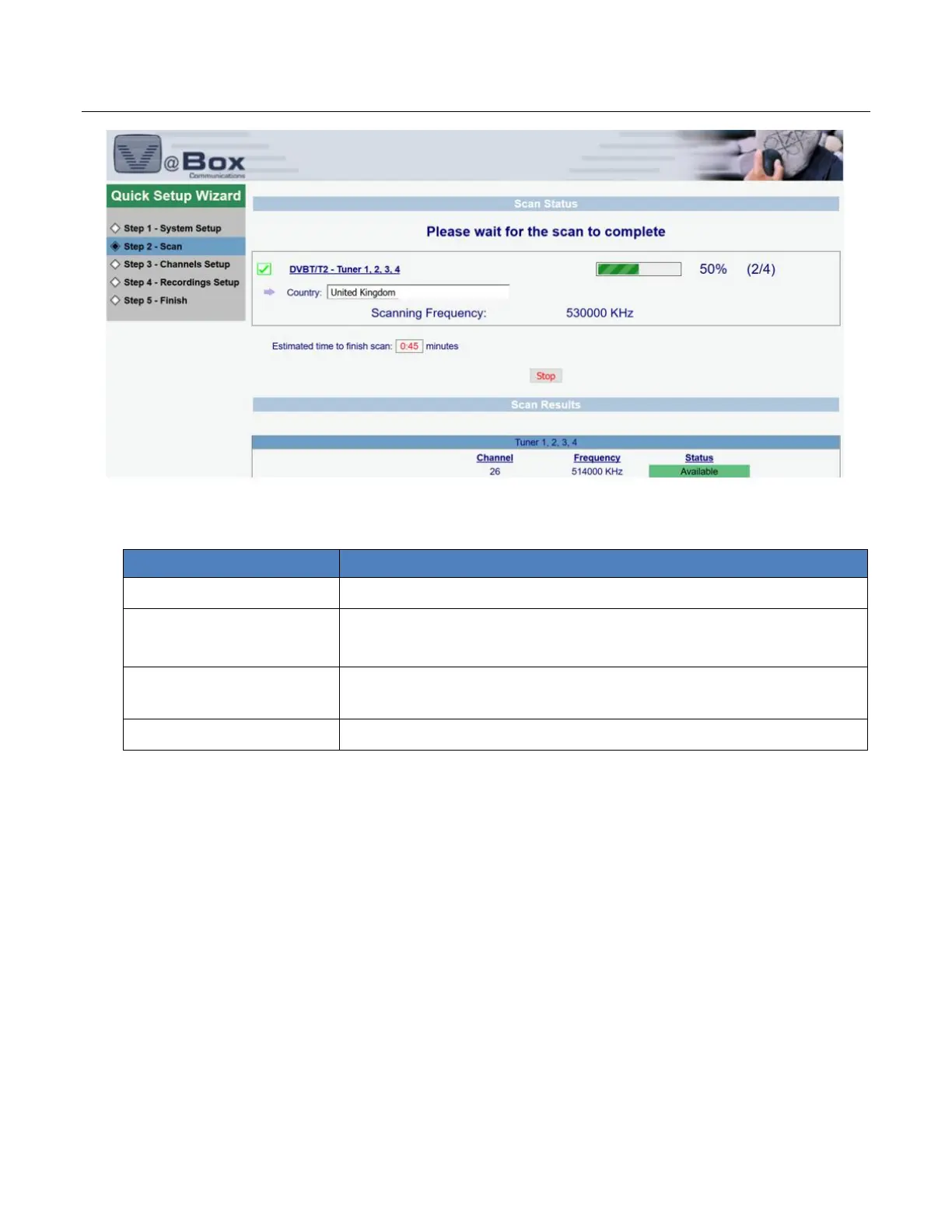
1. Review your scan settings and then perform the scan as explained in Table 3:
Table 3: Quick Setup Wizard Step 3 Scan: Scan Settings Review page (XTi-4144/74(
Option
Description
Scan Settings Review
Summarizes your current scan settings.
Tuners
[Tuner Numbers]
Lists the names of the tuners
Estimated Time for Scan
Finish (Minutes)
Calculates how long it should take (in minutes) to complete the scan of
the selected DVB-T/T2/ISDB-T/ATSC and frequencies.
Stop
Performs the scan stop

Table of Contents

Related product manuals