XTi-VBox Android TV Gateway User
Manual 14. Frequently Asked Questions/Troubleshooting
14.4. How to set an External XML TV path manually
80
14.4 How to set an External XML TV path manually
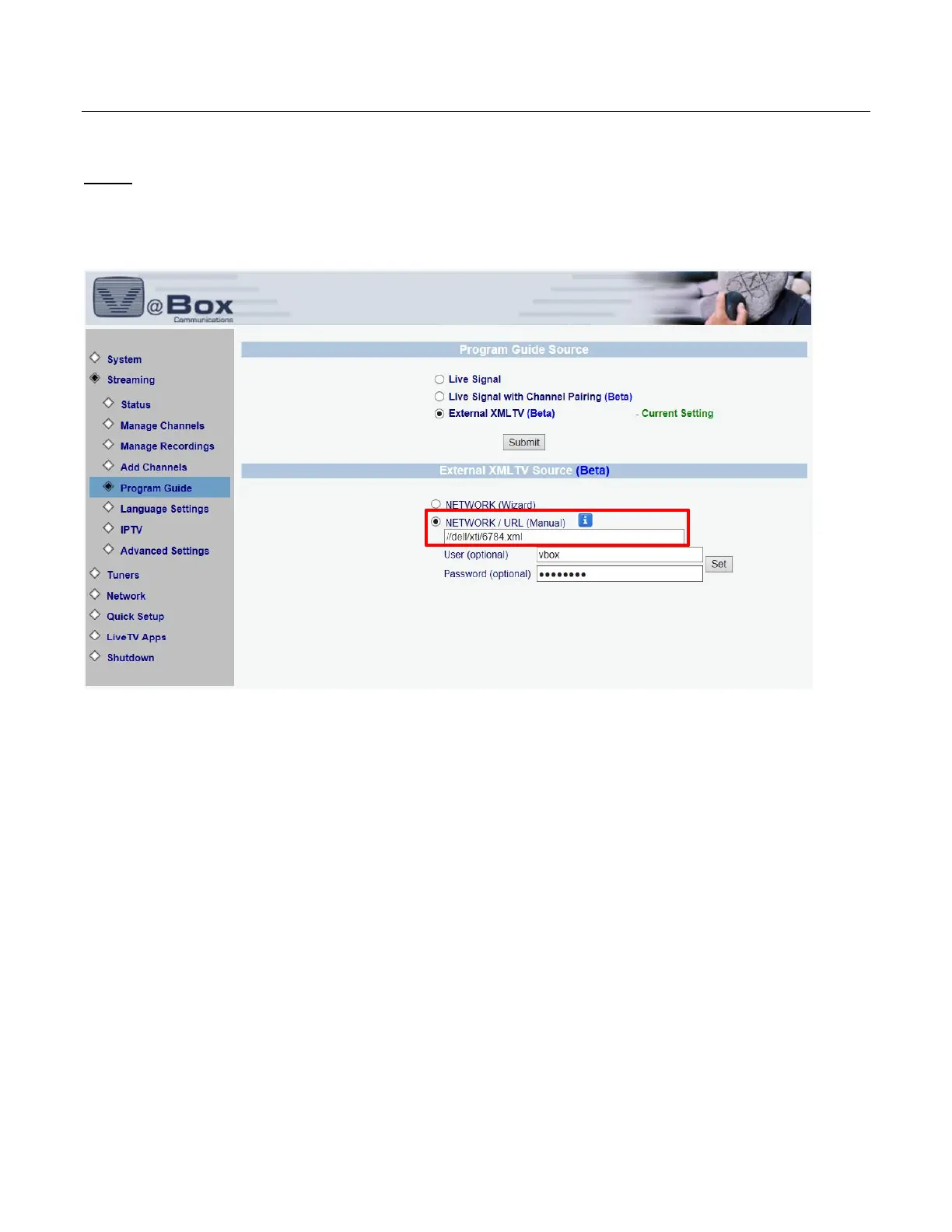
Step 1: Open your VBox Setup menu, go to Streaming and then to Program Guide.
Under program Guide Source select External XML TV (Beta) and click Submit.
Under External XML TV Source (Beta) select Network/URL (Manual) and enter the path manually in the
following ordered: //<PC name or NAS name>/<folder path>/<xml tv file name>
(see example in the red box below) and then click Set



 To Next Page