XTi- VBox Android TV Gateway User
Manual 5. Setting up XTi-VBox TV Gateway using the Web Interface
5.8. Step 4- Recordings Setup
19
Check the types of channels you wish to scan:
Free to Air (FTA) Video channels
To scan all types of channels, check Select All.
Discards your settings and restarts the Quick Setup Wizard.
Saves your settings and completes your XTi-VBox TV Gateway setup
NOTE: Since channels list may be very long, the Start Over and Finish buttons appear both above and
below the list, for your convenience.
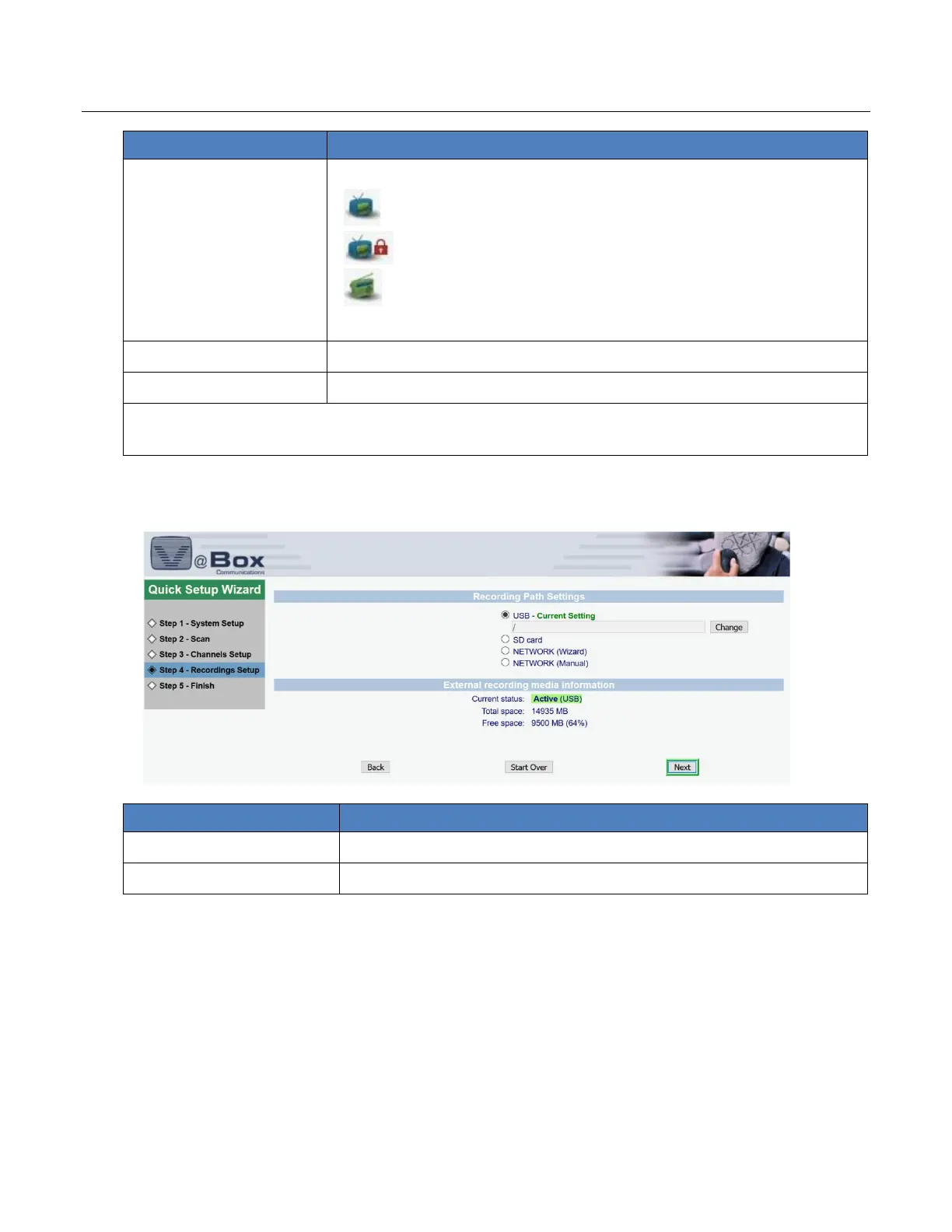
5.8 Step 4- Recordings Setup
Figure 9: Quick Setup Wizard – Step 4: Recordings Setup page
Select the recording media.
Choose whether you want to go back to Start over or next



 To Next Page