XTi-VBox Android TV Gateway User
Manual 14. Frequently Asked Questions/Troubleshooting
14.2. Enabling UPnP (Universal Plug and Play) in a Windows-based computer
73
14.2 Enabling UPnP (Universal Plug and Play) in a Windows-based computer
Universal Plug and Play (UPnP) is used by certain programs to automatically open ports for
communication. Linksys routers have UPnP feature enabled by default.
To learn how to check the UPnP setting on a Linksys router, click. To check the UPnP setting on a router, see
your router documentation or contact your router manufacturer.
Follow the steps below to learn how to enable UPnP on your computer
Windows Vista/ Windows 7
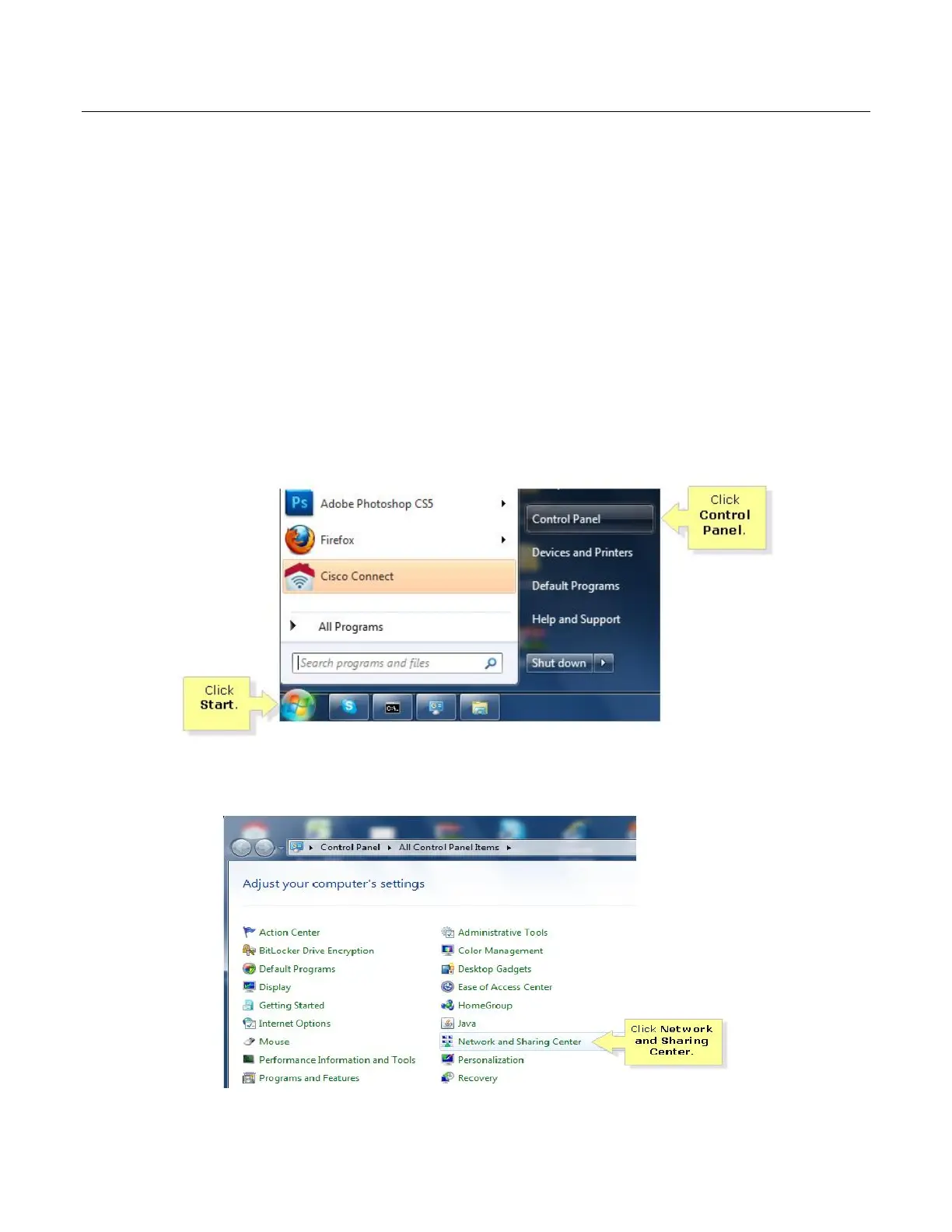
Step 1:
Click Start and then click Control Panel.
Step 2:
Click Network and Sharing Center.



 To Next Page