XTi-VBox Android TV Gateway User
Manual 13. Recording
13.3. Using the VBox applications
64
13.3 Using the VBox applications
Follow the below steps to record a TV program using the free VBox LiveTV application
13.3.1 Recording a live TV show
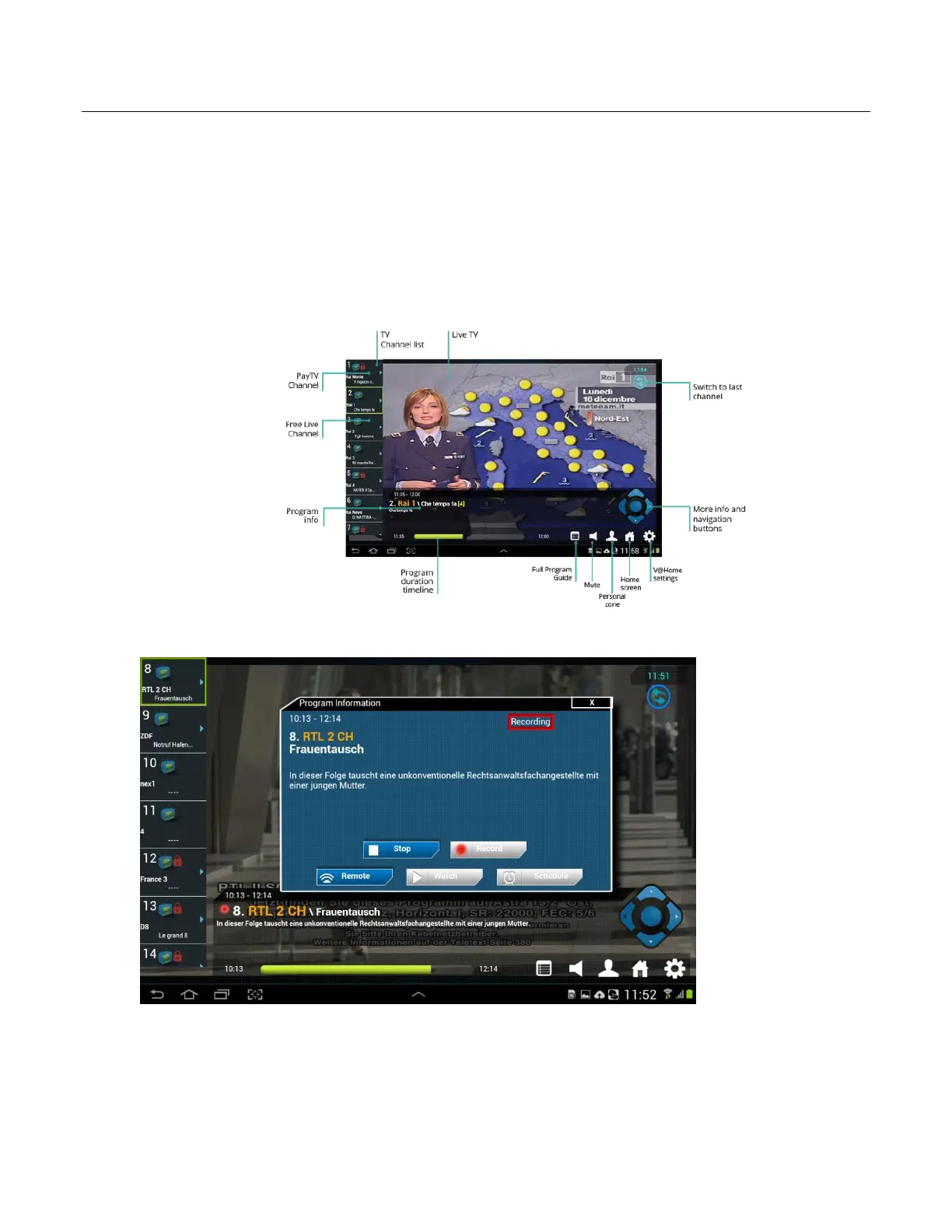
1. To record a TV program while watching it simply press the “More info” button found at the center of the
navigation buttons.
2. Press the recording button
3. To make sure that the recording is in progress go back to the more info menu or click one of the
navigation buttons to see the channel info. On recorded channels a red circle will is shown next to the
channel number indicating that the channel is being recorded.
4. You can switch to a different channel while recording a channel, as long as you have sufficient available
tuners, to see how many users / channels you can view and record at the same time see product table
on page 1 of this User manual.



 To Next Page