XTi-VBox Android TV Gateway User
Manual 13. Recording
13.1. Hardware installation
56
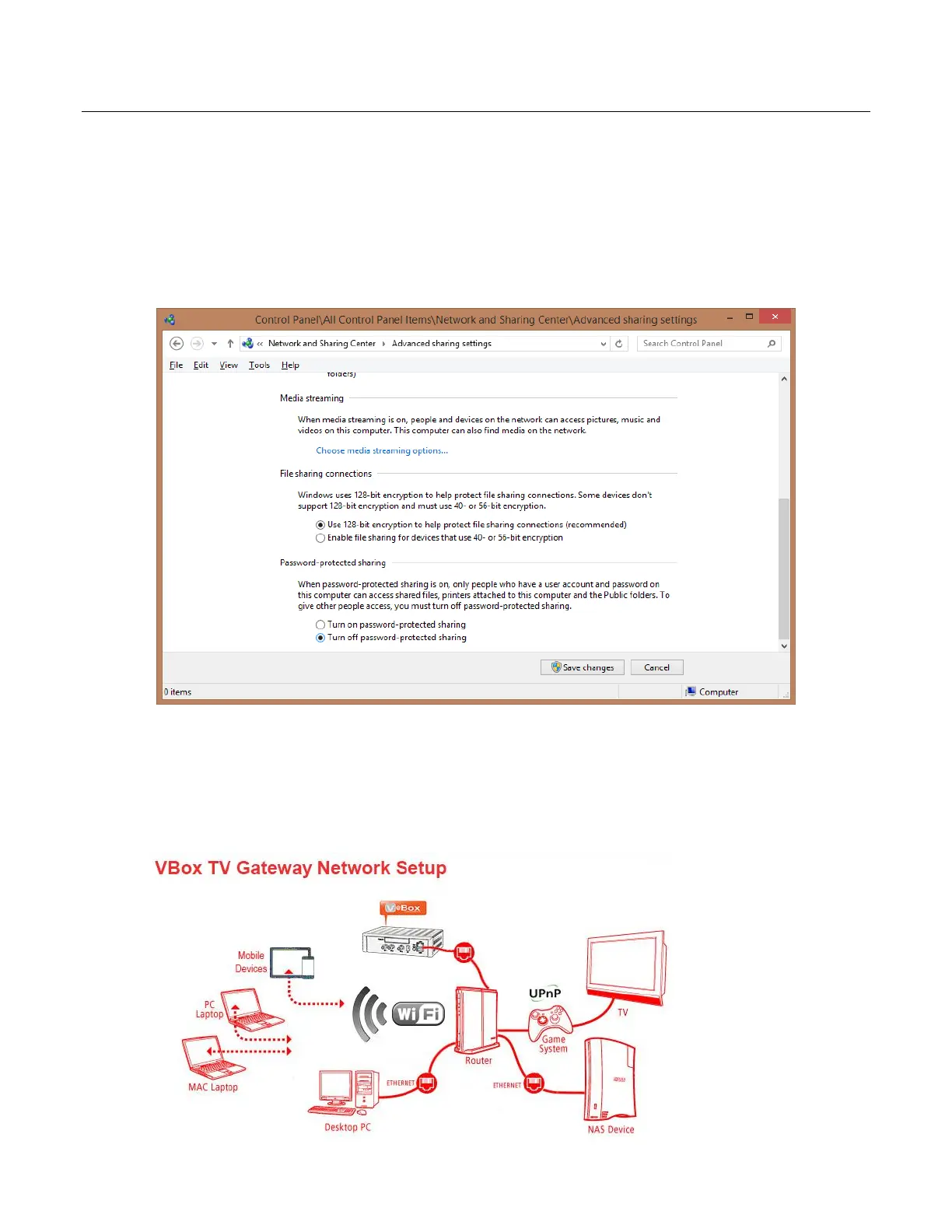
! IMPORTANT – if your PC does not require a password for login please follow the below steps
1. Open “Control Panel” and choose “Network and Internet”
2. Choose “Network and Sharing Center” and press “Change advanced sharing settings”
3. Make sure that “Password-protected sharing” is turned off
13.1.3 Network Storage (NAS) Shared folder
1. Make sure that you have sufficient free space for recording
2. Make sure that your NAS is Samba (SMB) Windows network file system compatible
3. Create a new folder in your NAS
4. Grant both Read and Write permissions



 To Next Page