XTi-VBox Android TV Gateway User
Manual 7. Streaming option
7.2. Manage Channels
38
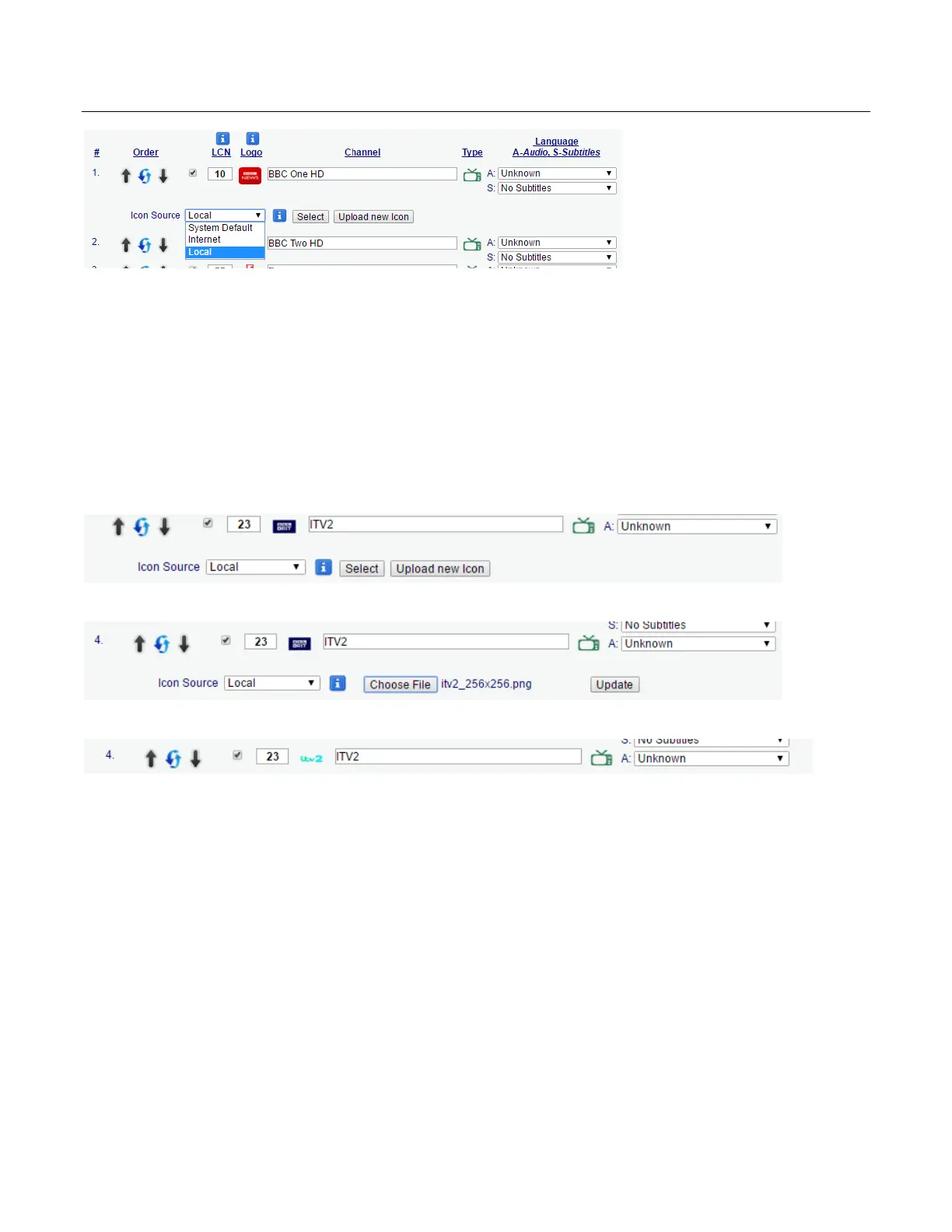
There are a number of ways to upload the logo
Internet – Enter the full URL (including http://) for the channel's logo.
Local upload – upload the logo to your storage device
Local copy – copy all the logos to the icon folder found on your storage device
7.2.2.1 Local Upload
Choose Local and press on the Upload new Icon button
Press Choose file and point to the logo file and press the Update button
The page will refresh and the channel logo will be replaced with the new one
7.2.2.2 Local Copy
You can manually copy all the channel logos to the VBox’s icon folder
Open the VBox’s recording storage path
o On attached USB storage – remove the storage device from the VBox and connect it to your
PC / Mac
o On network NAS or folder – open the recording path on your PC / Mac
Locate the Icons folder
o USB attached storage – The icons folder will be located on the storage root directory, if you
do not see the folder you can create a new folder and name it icons



 To Next Page