XTi-VBox Android TV Gateway User
Manual 7. Streaming option
7.3. Program Guide
43
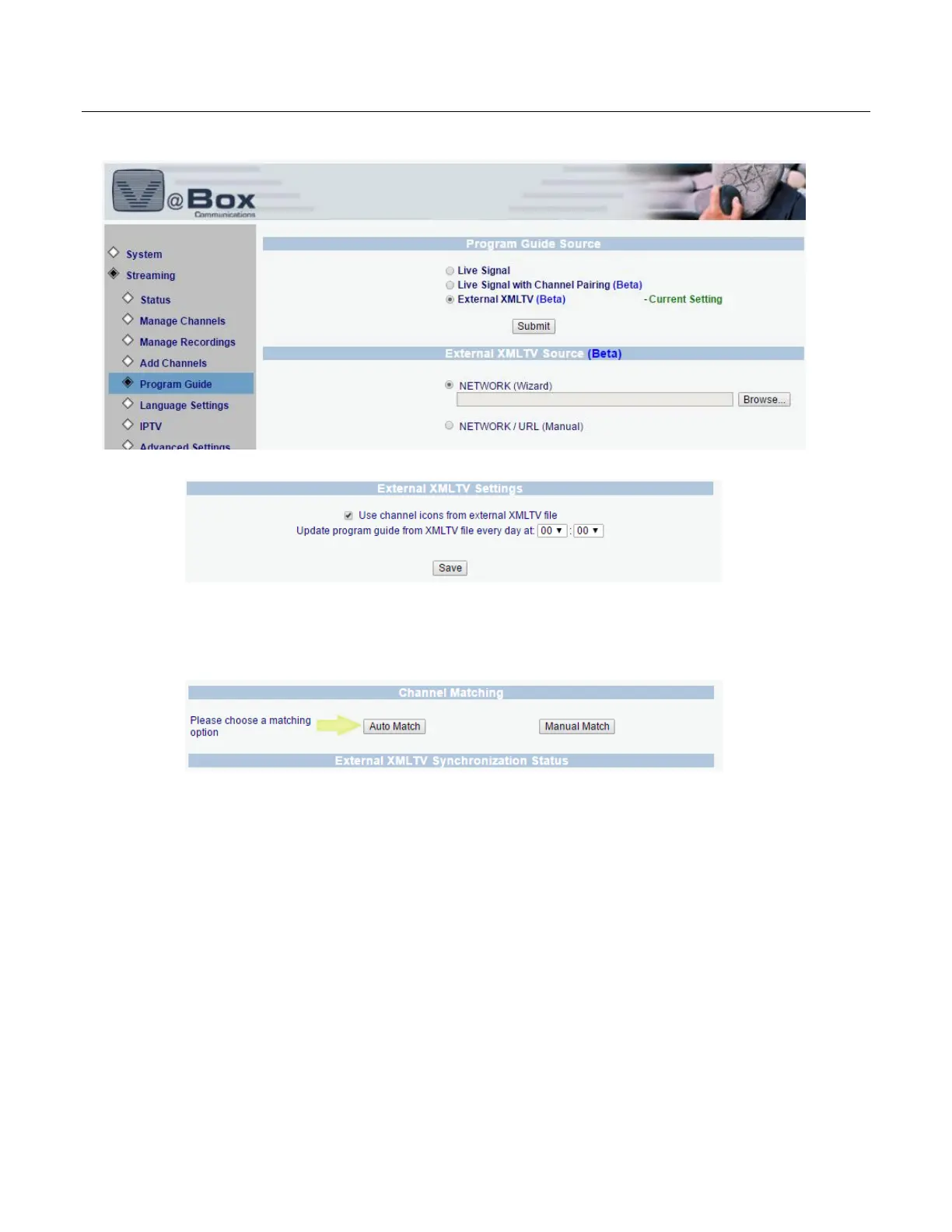
1. Locate the XMLTV file source
2. Set the sync time - Set the VBox sync time to after the XMLTV file is updated
3. Match XMLTV source with TV channel
Auto Match will try to match channel name found on the XMLTV file with the actual channel name as
received from the broadcaster, after automatic matching is completed you can manually set additional
channel matching
4. Channel matching is identical to the matching process described in Channel Pairing
5. Once the matching process is completed, the VBox will import the guide data and will update the data
once a day according to the preset time.



 To Next Page