XTi-VBox Android TV Gateway User
Manual 14. Frequently Asked Questions/Troubleshooting
14.1. How to switch between DVB-T and DVB-C Configuration.
71
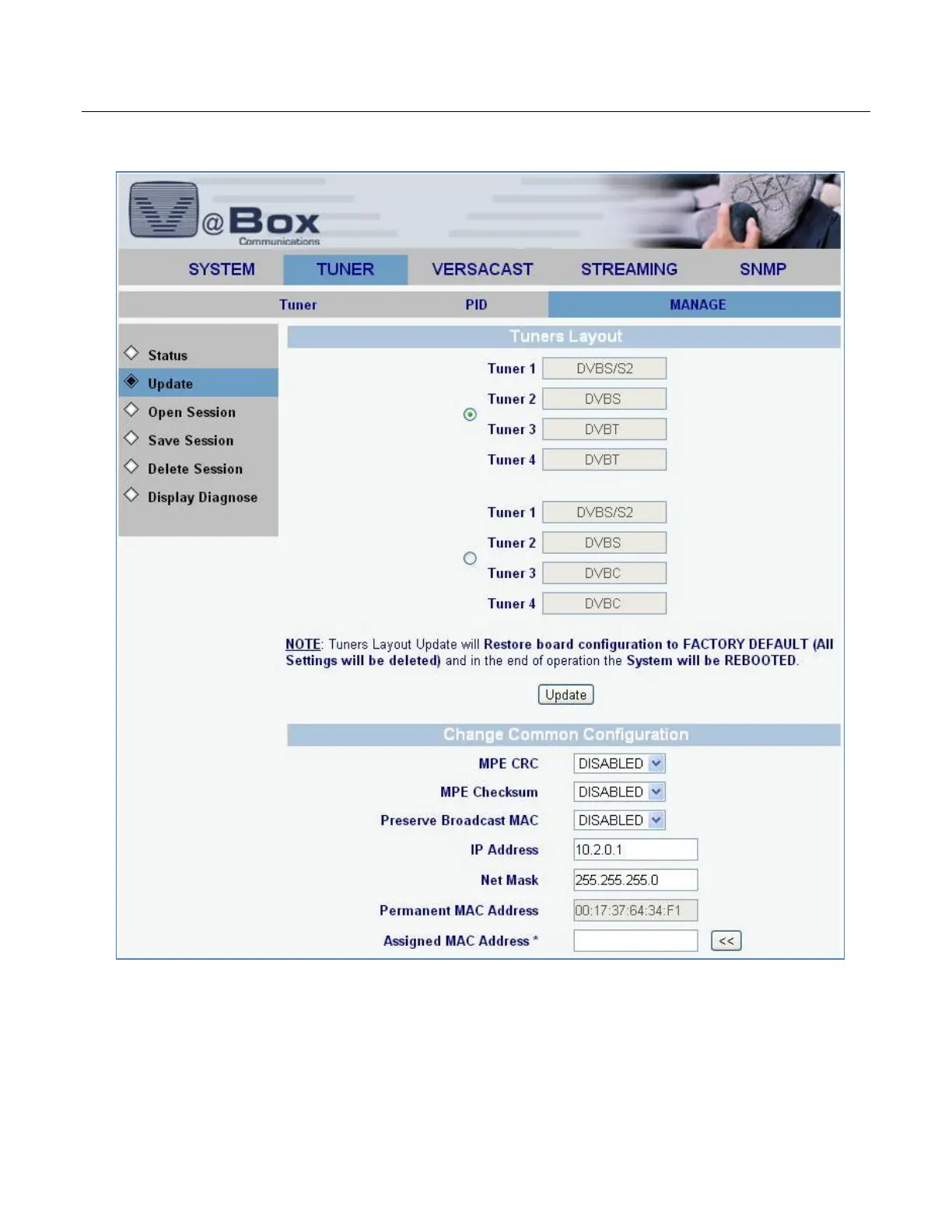
10. Select TUNER/MANAGE/Update option. The following screen displays.
11. Select DVBC option radio button and click Update button. The system is getting rebooted.
12. Upon Reboot the SYSTEM/MANAGE/Status option is displayed. Select Exit Advanced option. The
following screen is displayed.



 To Next Page