XTi-VBox Android TV Gateway User
Manual 14. Frequently Asked Questions/Troubleshooting
14.2. Enabling UPnP (Universal Plug and Play) in a Windows-based computer
76
Step 3:
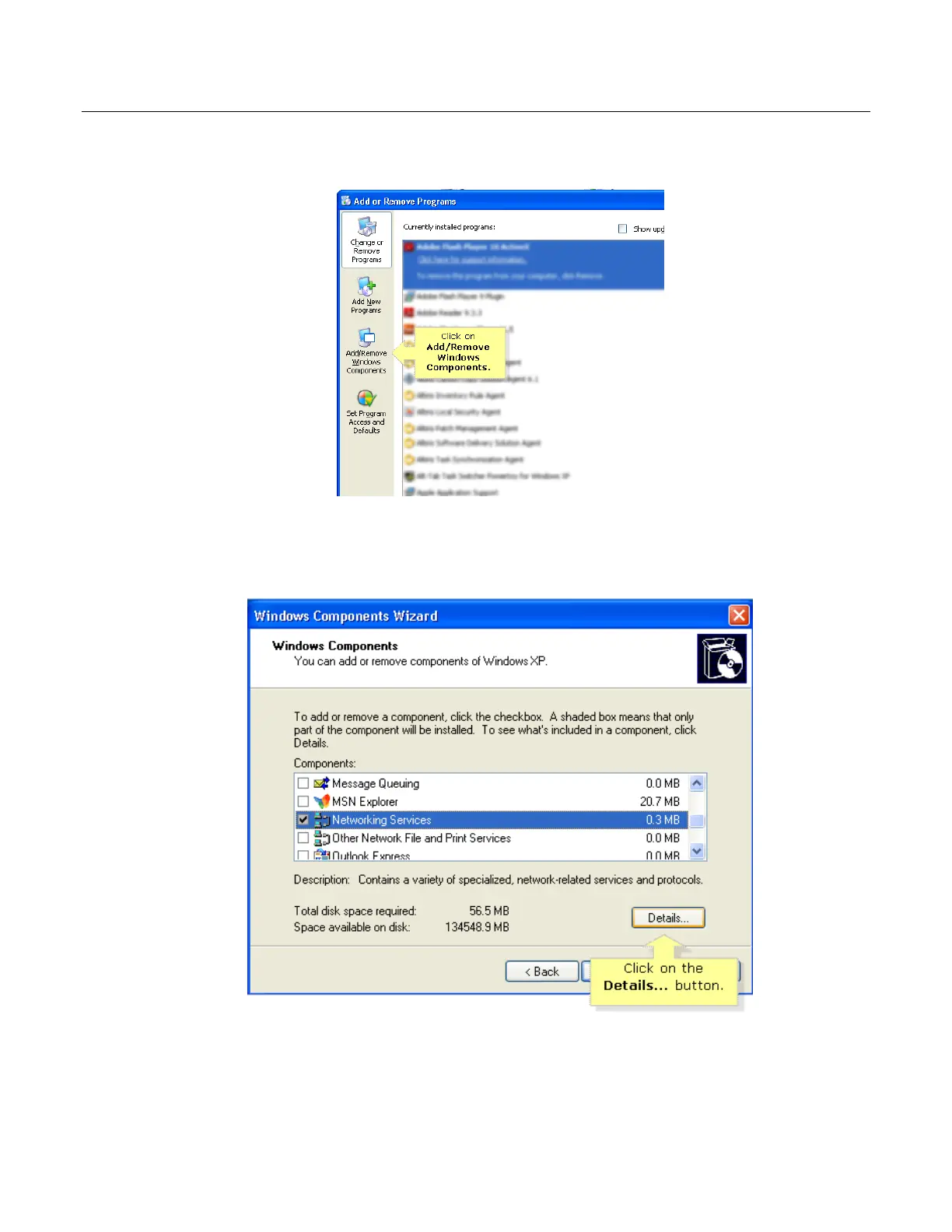
On the Add or Remove Programs window, click on Add/Remove Windows Components.
Step 4:
The Windows Components Wizard window should open, scroll down the list and click on Networking
Services, then click on the Details... button.
Step 5:
On the Networking Services window, check the boxes for Internet Gateway Device Discovery and
Control Client and UPnP User Interface then click OK.



 To Next Page