XTi-VBox Android TV Gateway User
Manual 14. Frequently Asked Questions/Troubleshooting
14.4. How to set an External XML TV path manually
82
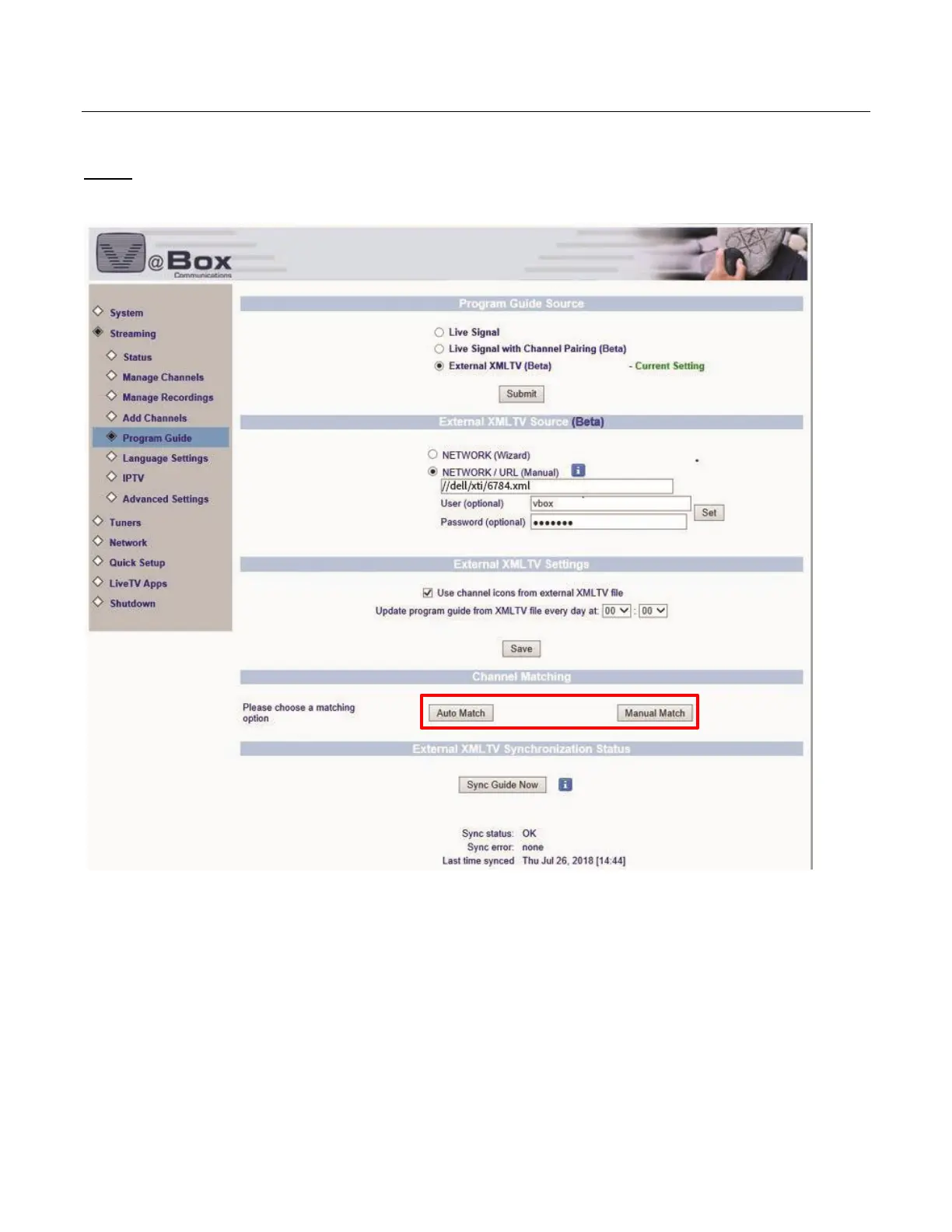
Step 3: under Channel Matching select a matching option, Auto Match or Manual Match.
Please note that the Auto Match option works on crossing channels names, existing vs new.
When the process is done, click Sync Guide Now, wait for a success message and you are done!



 To Next Page