TROUbLEShOOTING TIPS
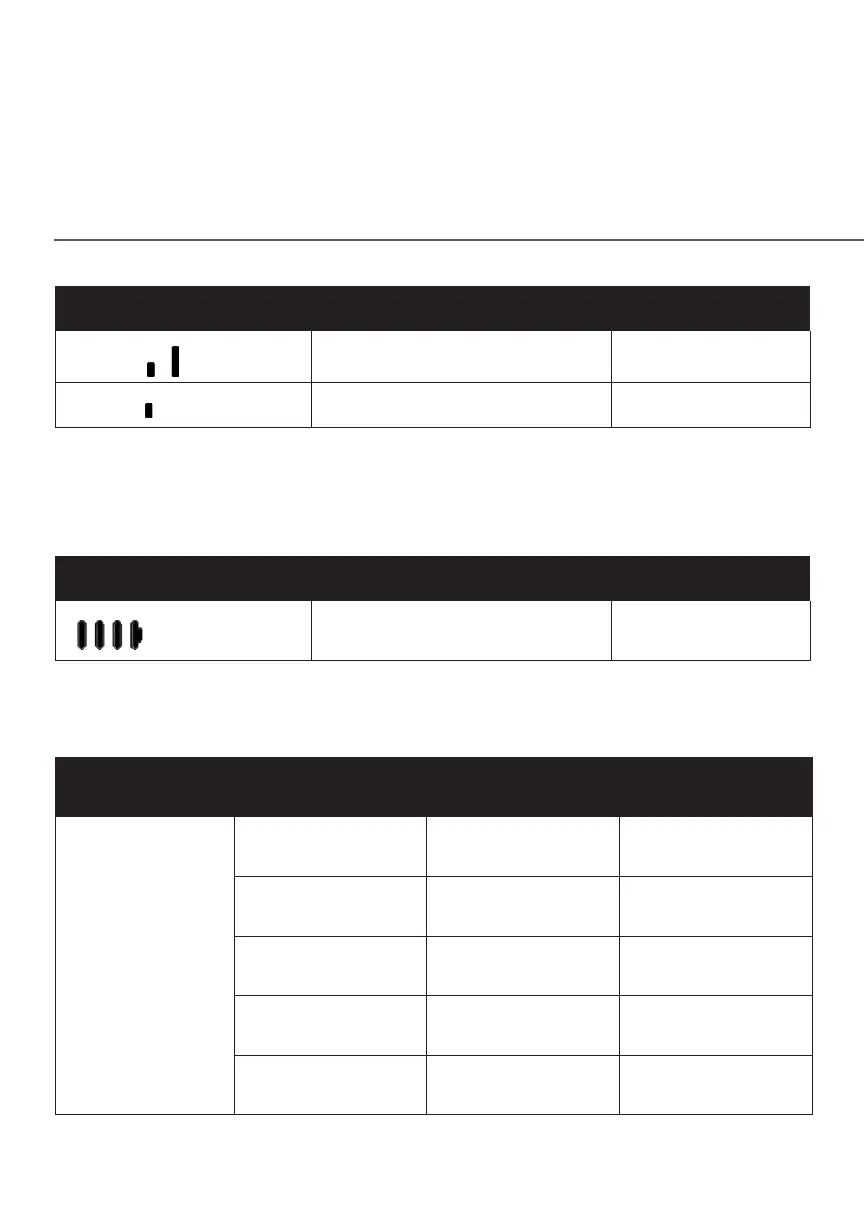
LED Mode Status LED Pattern
2 bars (
)
Good 5G or 4G coverage Solid white
1 bar ( )
Weak 5G or 4G coverage Solid white
The rear panel’s WPS Button allows quick access to the Wi-Fi Protected Setup
(WPS) feature and handset paging/pairing mode.
battery LEDs
LED Mode Status LED Pattern
More bars indicates more
battery life
Solid white
6.0h/ REAR LIGhTED INDICATORS
Ethernet Port
LED Mode
Status Left LED Right LED
Wired LAN
connection
* Threshold level
can be decided
based on port
capability
Ethernet > 100M*
Link
Off Solid white
Ethernet > 100M*
Activity
Off Blinking white
Ethernet < 100M*
Link
Solid yellow Off
Ethernet < 100M*
Activity
Blinking yellow Off
No Ethernet
connection
Off Off















 To Next Page