05 / CONFIGURING
ADVANCED SETTINGS
91
http://setup.verizon.com/businessinternetgateway |
©2024 Verizon. All Rights Reserved
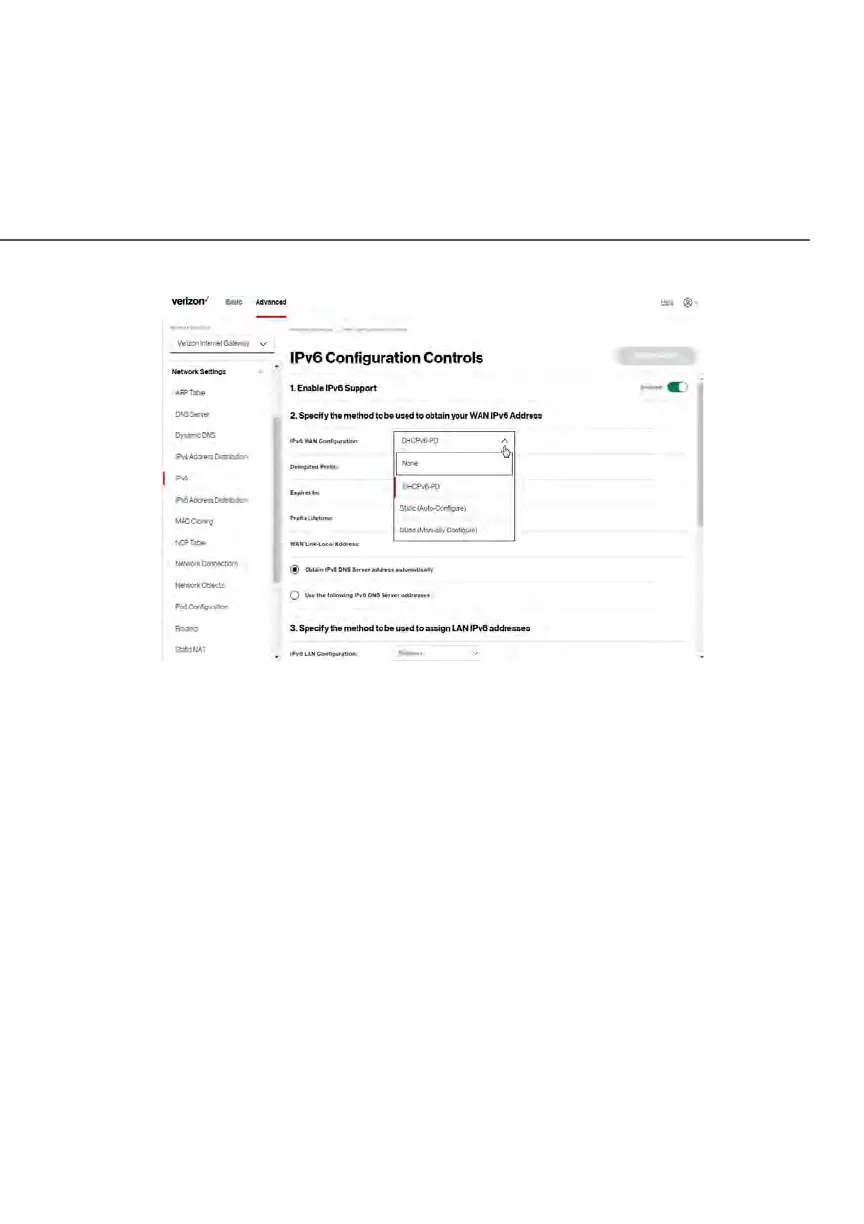
2. Select Enabled in the Enable IPv6 Support field.
3. Click Apply Changes to have changes take effect.
Note: The Internet IPv6 service is required for this feature to work over the
internet.
4. To disable the IPv6 service, move the selector to off in the Enable IPv6
Support field.
5. Click Apply Changes to have changes take effect.
Once configured using valid IPv6 WAN and LAN configurations, you should
not see any errors when you click on the Apply Changes button and the Basic/
System/System Status page will reflect the Gateway’s new IPv6 address.
You should also see the IPv6 address for all IPv6 supported devices on your local
network displayed on the Basic/Devices/Devices page by selecting the Settings
icon to access the Device Settings page for that device.















 To Next Page