Edge 5000 Installation / Configuration Guide
Chapter 5
Troubleshooting
Information
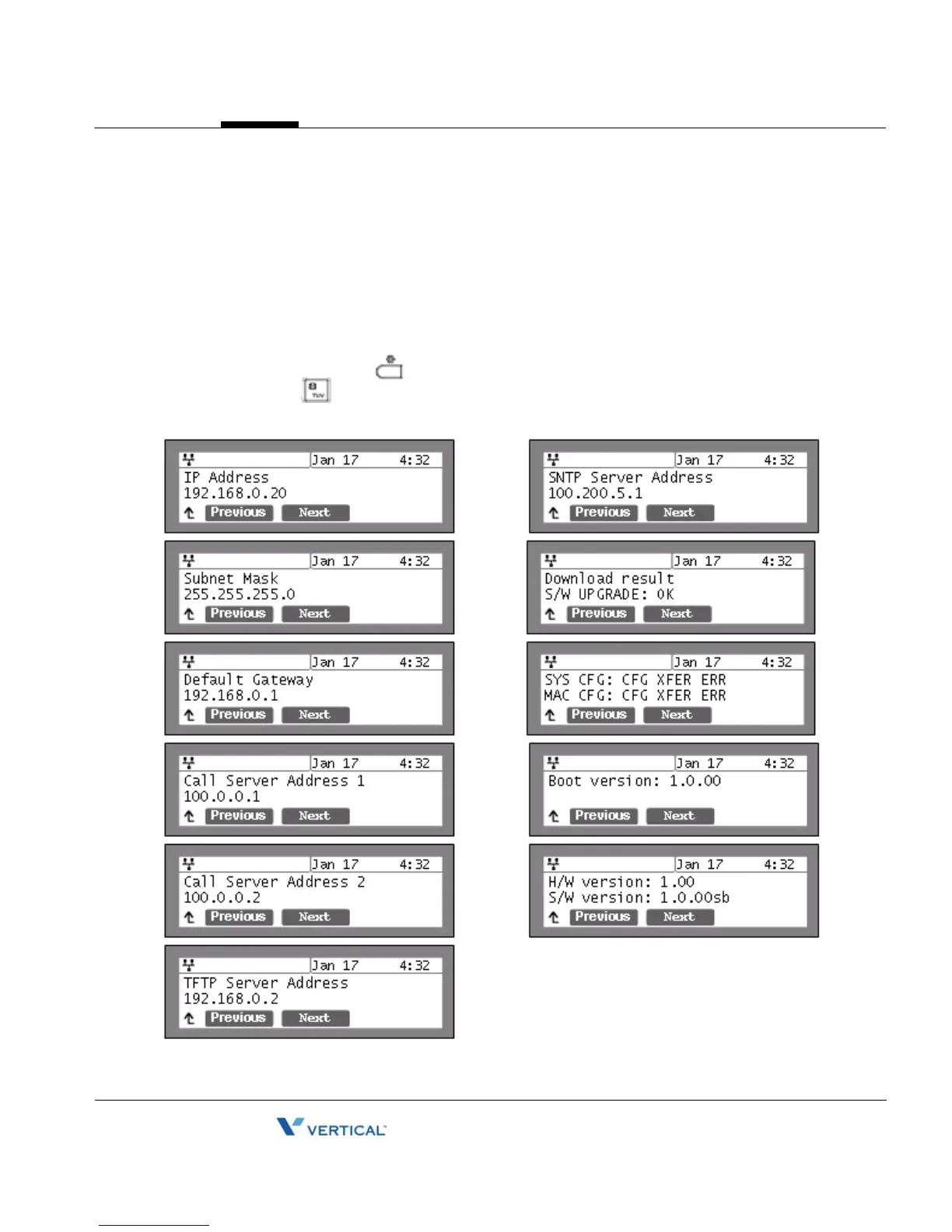
The 5000-series phones provide the means to quickly view the Network parameters (IP
address, default gateway address, and subnet-mask), server IP addresses (call server, TFTP
server, and SNTP server), and results of the last file download attempt.
• Press the Settings ( ) button.
• Press the digit, or move cursor to 8.Information using the [Next]-[Previous]
softkeys, and press the [OK] softkey.



 To Next Page