Edge 5000 Installation / Configuration Guide
Appendix H
IP Phone Icons
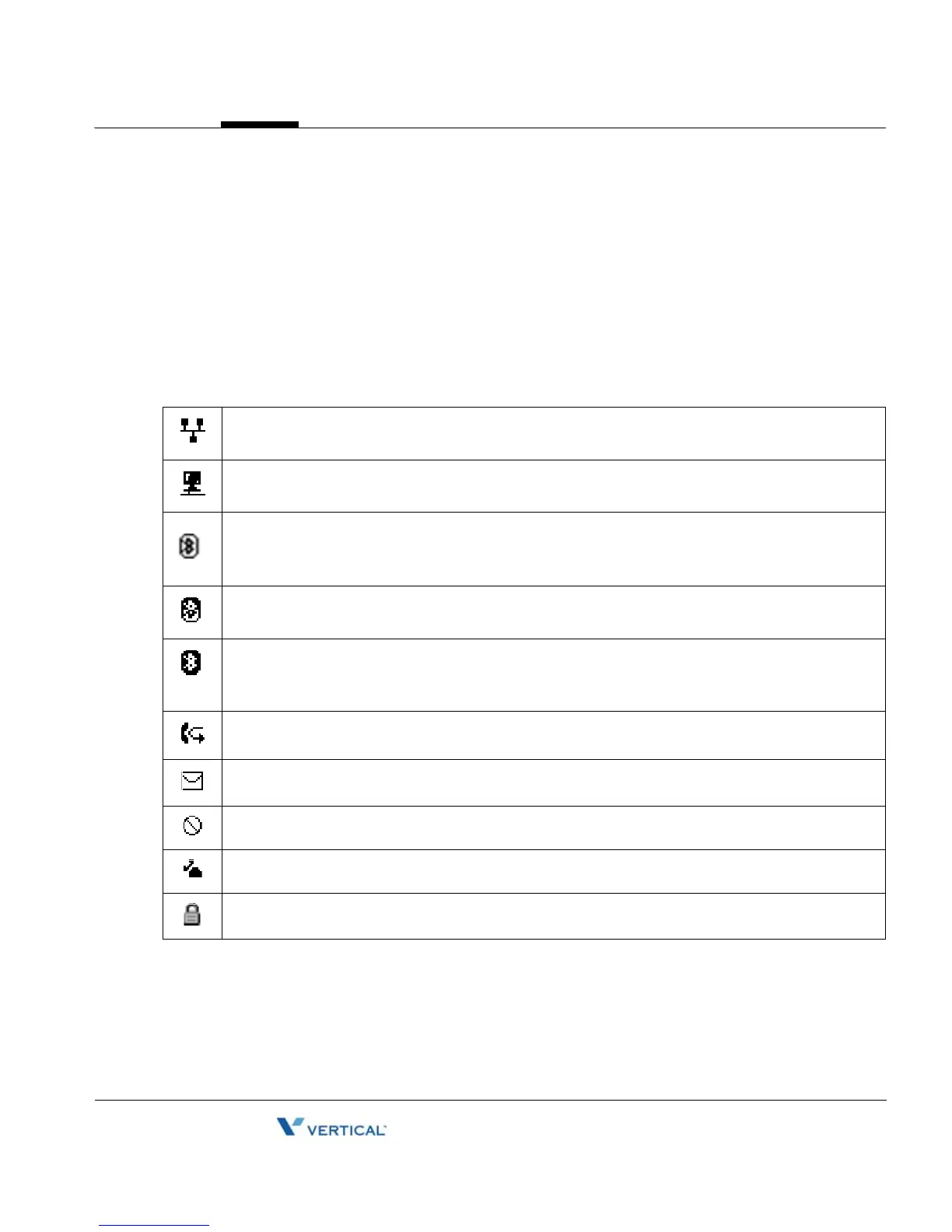
The Edge 5000 displays various icons in the upper line of the LCD to assist the user in
understanding the status of the phone. Below is a list of icons and their meaning.
UPPER LINE ICONS
LAN or Network connection icon indicates the status of the LAN connection to the IP Phone.
If the icon is blinking, the LAN connection is faulty. This icon displays as the first icon on the left
PC Port icon, when displayed, indicates a device, generally, a PC is connected to the PC port
of the IP Phone.
Only one of the following Bluetooth icons may display based on status
Bluetooth module icon indicates the optional Bluetooth module is installed with no paired
headsets. When blinking, the IP Phone is searching or attempting to pair with a headset.
Bluetooth paired icon, indicates one or more (maximum 5) headsets are paired with the module
but none are active. When blinking the IP Phone is attempting to pair or connect a headset
Bluetooth connected icon indicates headset is connected to IP Phone. When blinking rapidly,
the IP Phone is searching or attempting to pair or disconnect a headset. When blinking slowly,
the Bluetooth headset is in use.
Forward icon indicates calls to the extension are forwarded
Message icon, indicates one or more messages waiting in Voice Mail.
DND icon indicates the IP Phone is in DND and will not notify you of incoming calls.
Hold icon indicates extension has calls on hold.
Locked icon indicates the IP Phone is locked and a password is required to place calls.



 To Next Page