Edge 5000 Installation / Configuration Guide
Chapter 2
Installing the IP Phone
Connecting the IP Phone
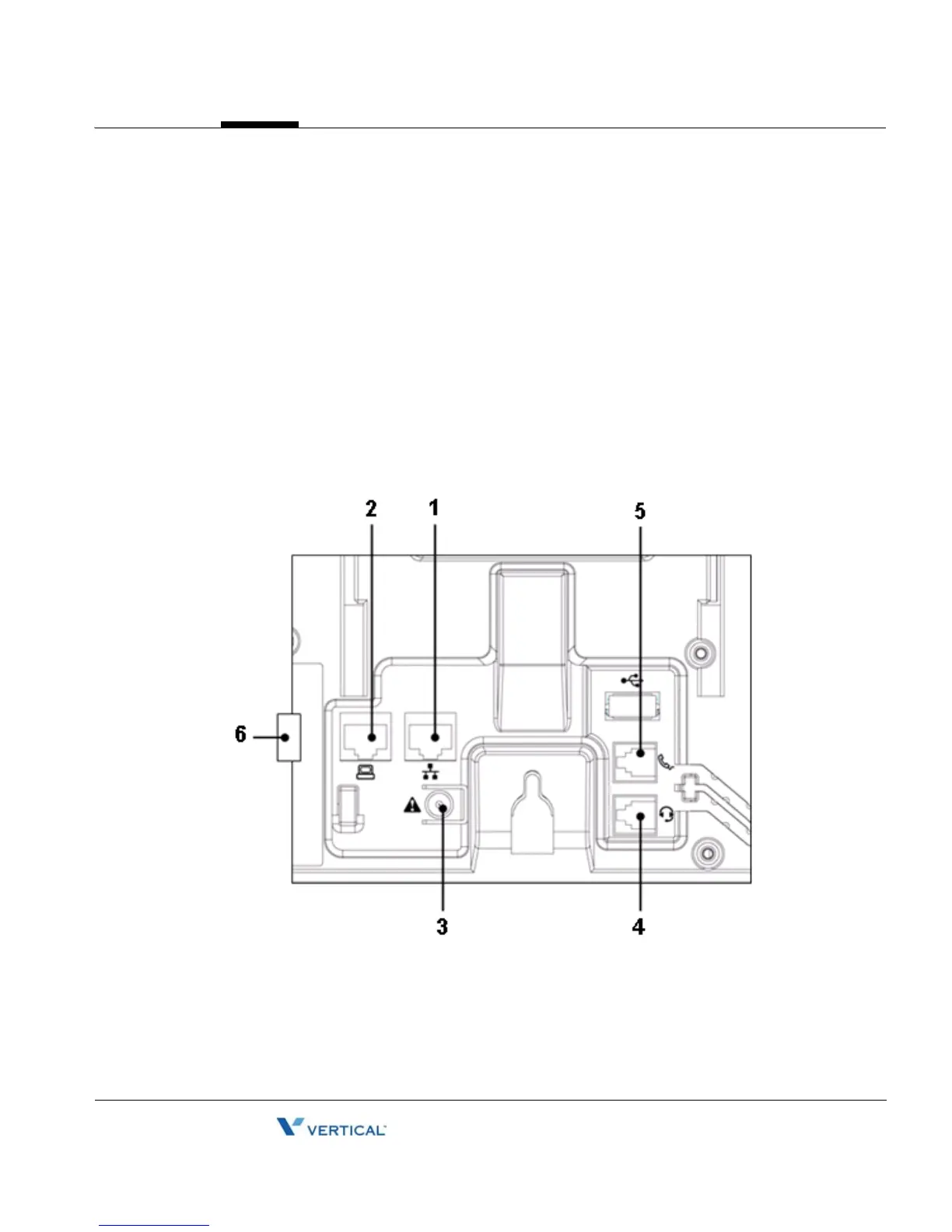
The figure below shows the cable connections for your IP Phone. The LAN and desktop PC
connections employ standard 5 cables terminated with RJ-45 connectors. The Edge 5000
series phones support PoE (Power over Ethernet) in accordance with the IEEE-802.1af
standard.
When connected to a PoE complaint LAN port, the IP Phone derives power from the port. If the
LAN port does not support PoE, use the AC/DC adaptor, available separately, for connection to
power. The handset connects to the base with the supplied standard handset coiled cord. Use
the chart below to make connections to the IP Phone.
IP Phone Connections



 To Next Page