Phone Information 4-17
Chapter 4: Using Web Manager for Configuration
Edge 5000 Installation / Configuration Guide
Phone Information
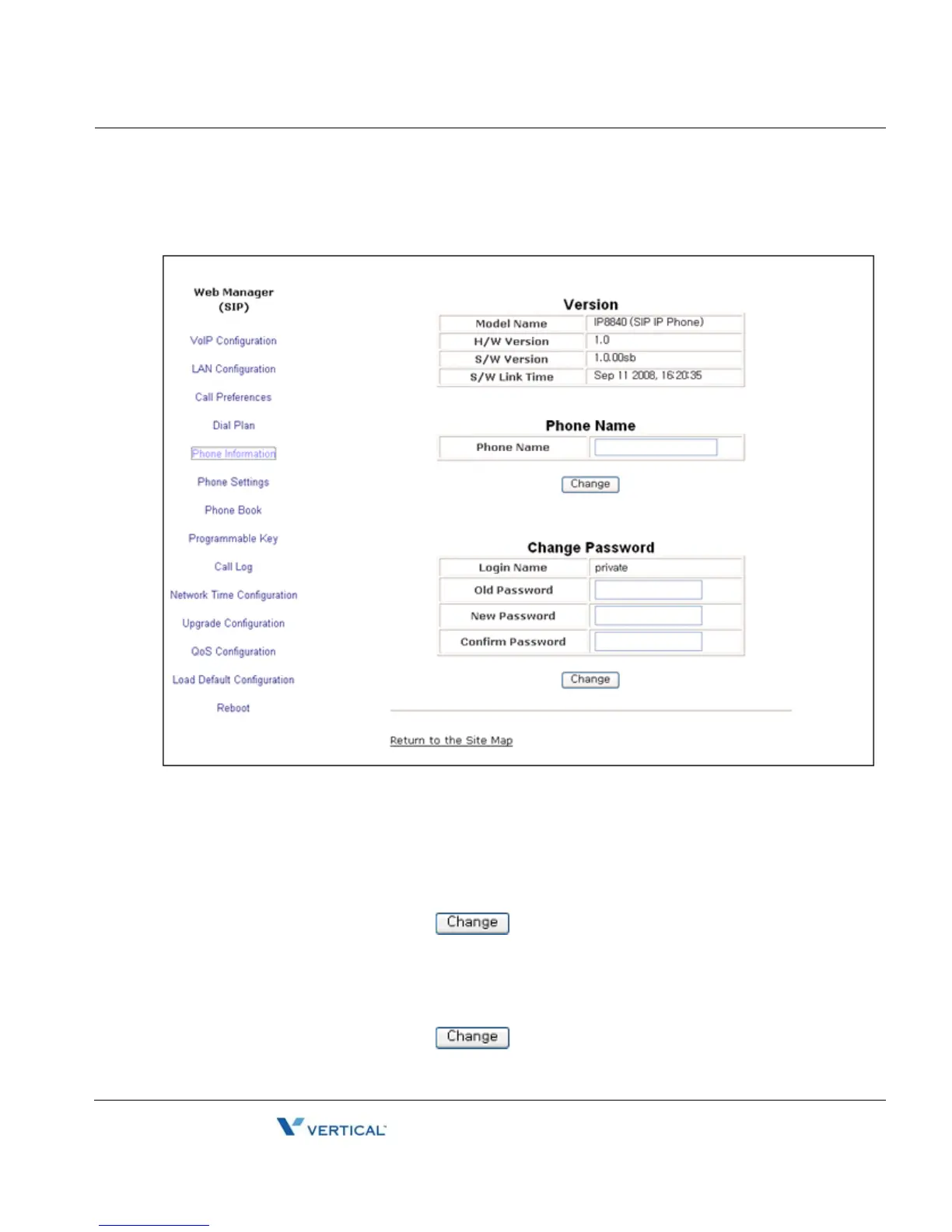
The Phone Information screen displays the version information of the IP8800 series phone and
the phone name. In addition, it is possible to change the Web Manager password through this
screen.
To change the phone name:
• Enter the desired name.
• When complete, select the button to load new values to IP Phone memory.
To change the password:
• Enter the existing password.
• Enter the new password and confirm.
• When complete, select the button to load new values to IP Phone memory.



 To Next Page