Attaching the Foot Stand 2-3
Chapter 2: Installing the IP Phone
Edge 5000 Installation / Configuration Guide
Attaching the Foot Stand
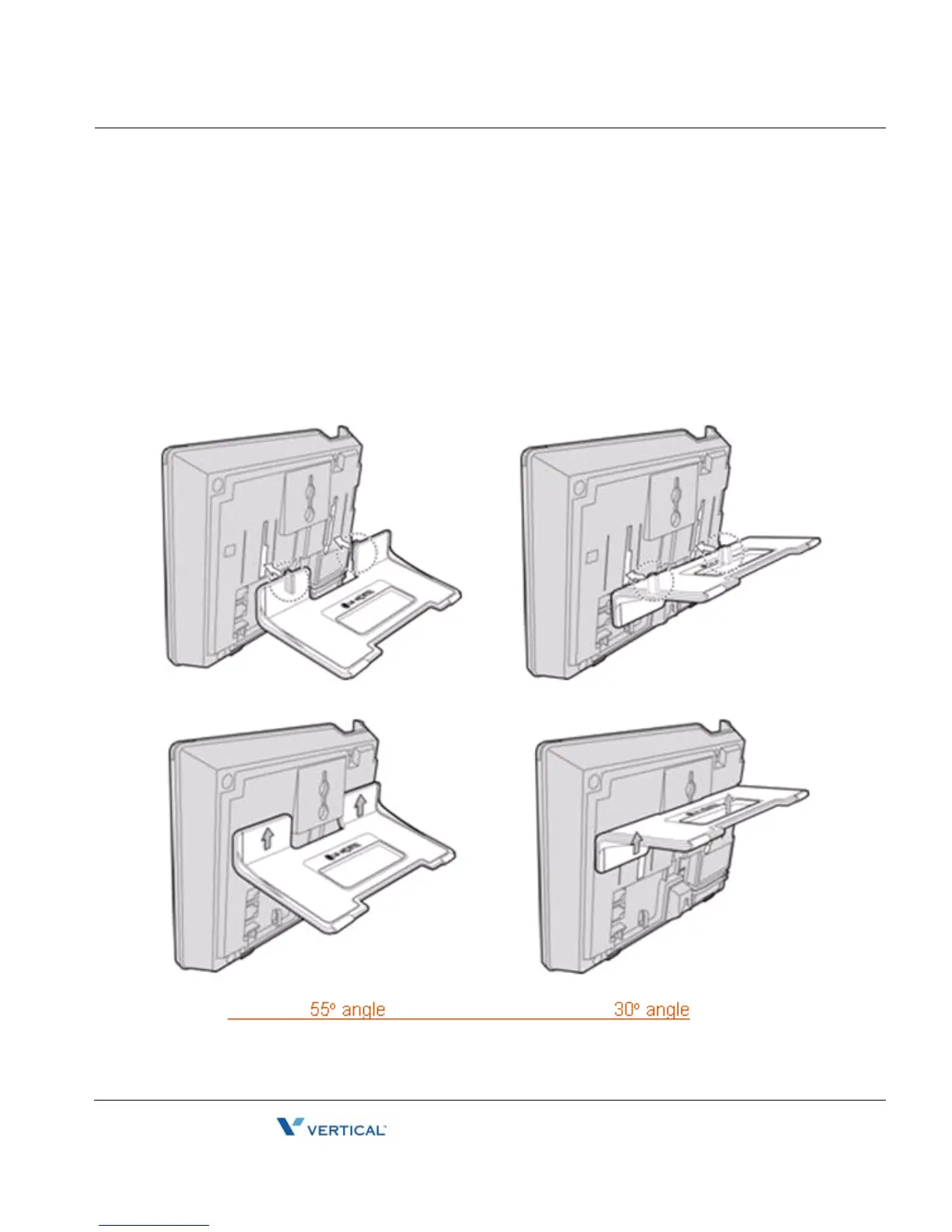
The IP Phone is designed to use a Foot Stand to set the angle of the face of the phone. The
Foot Stand can be installed at an angle of about 30o or 55o based on the orientation of the Foot
Stand. The Foot Stand is attached to the base of the IP Phone as shown below.
To attach the Foot Stand,
Align the tabs on the Foot Stand with the notches in the base of the IP Phone.
Push the Foot Stand upward until it clicks indicating it is fully engaged.



 To Next Page