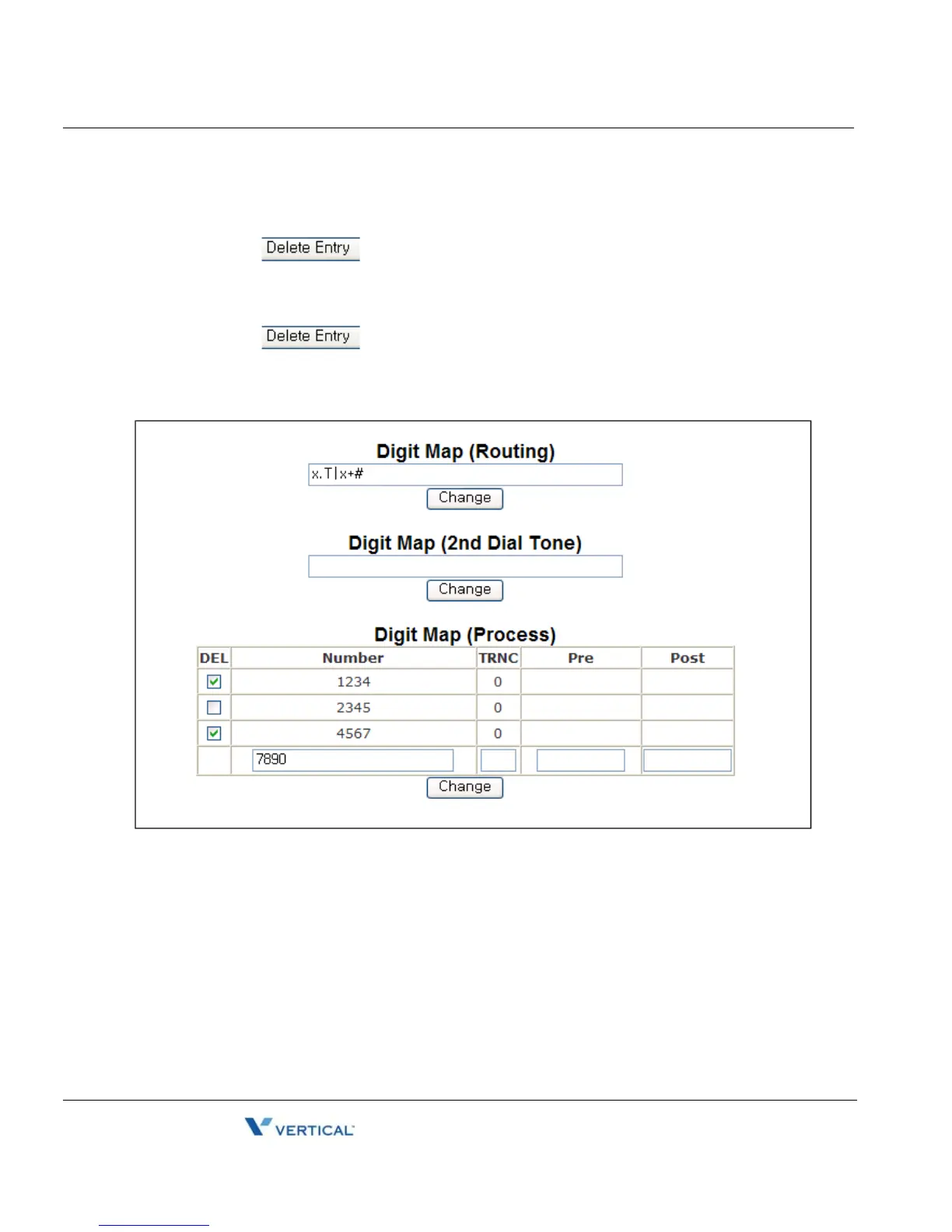
Digit Map Table 4-14
Chapter 4: Using Web Manager for Configuration
Edge 5000 Installation / Configuration Guide
To delete an entry from the Current Routing Table:
• Select the check box in front of the desired entry.
• Click the button.
To delete all the entries:
• Enter 'all' as the index.
• Click the button.
Digit Map Table
Using the Digit Map Table, a string of 512 characters may be entered to define the dial plan.
Within the string individual numbers are entered, separated by a '|'. In addition to dial pad digits,
special characters may be entered as follows:
- An 'x' matches any single digit, (0 to 9).
- A 'T' inserts a timed pause for additional digits.
- A '.' matches any number of occurrences of a digit, including zero occurrences and
includes special character matches.
- A '+' matches any number of occurrences of the previous match, including special
characters.



 To Next Page