Flexible Button 4-24
Chapter 4: Using Web Manager for Configuration
Edge 5000 Installation / Configuration Guide
Flexible Button
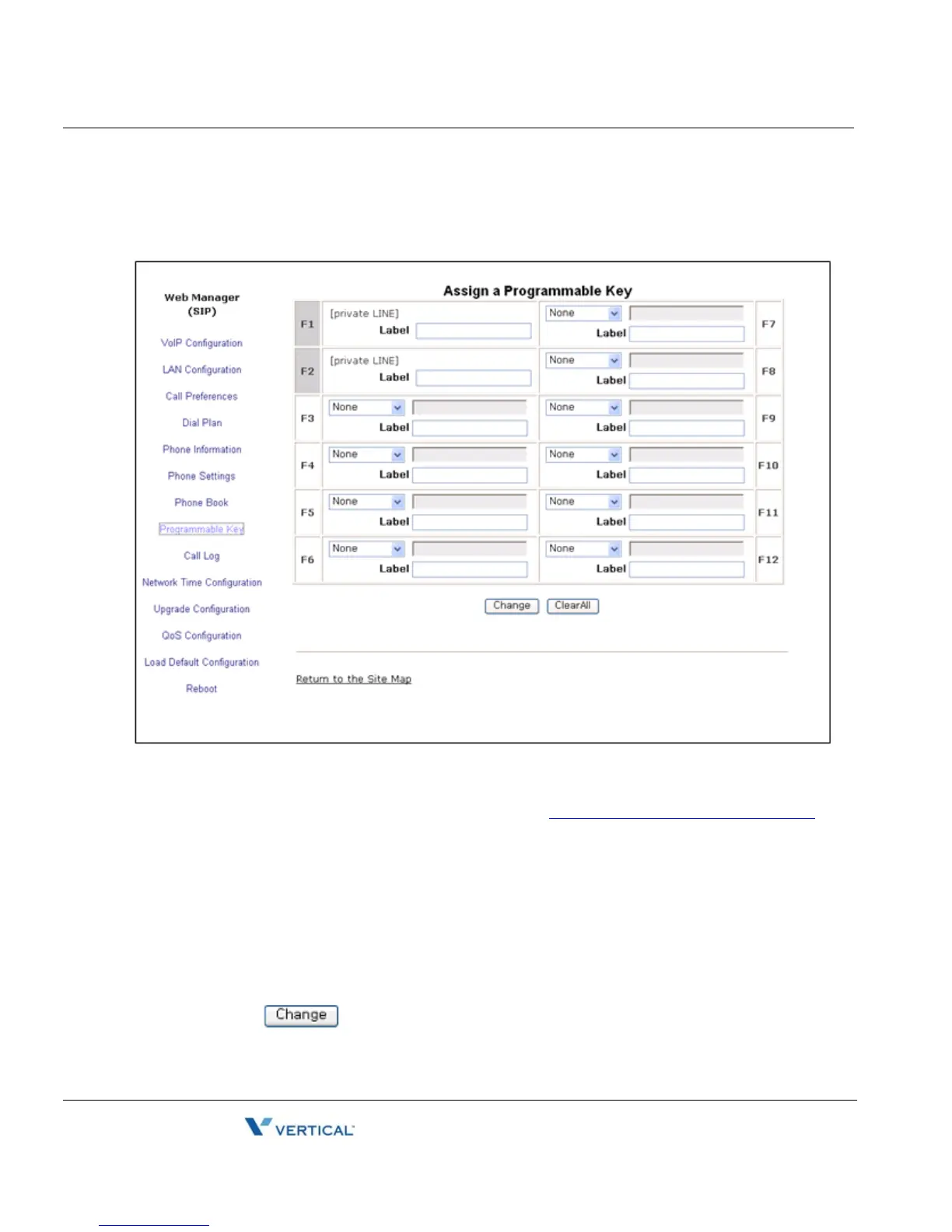
The IP5000 has 24 flexible buttons. The buttons not used for lines can be assigned to various
functions. In addition, an Expansion Module can be connected to the IP8800 series phone to
expand the number of flexible buttons by 12. Refer to
“Flexible Button Setting” on page 3-31 for
available functions.
To change button functions:
• Select the function from the drop-down menu next to button.
- For a Speed dial button, enter the contact number or user id.
- For a Message button, enter the address or phone number of the Voice Mail
Server.
- Each button of the LIP-8812LSS DSS can display a 10-character label.
• Click the button to store changes.



 To Next Page