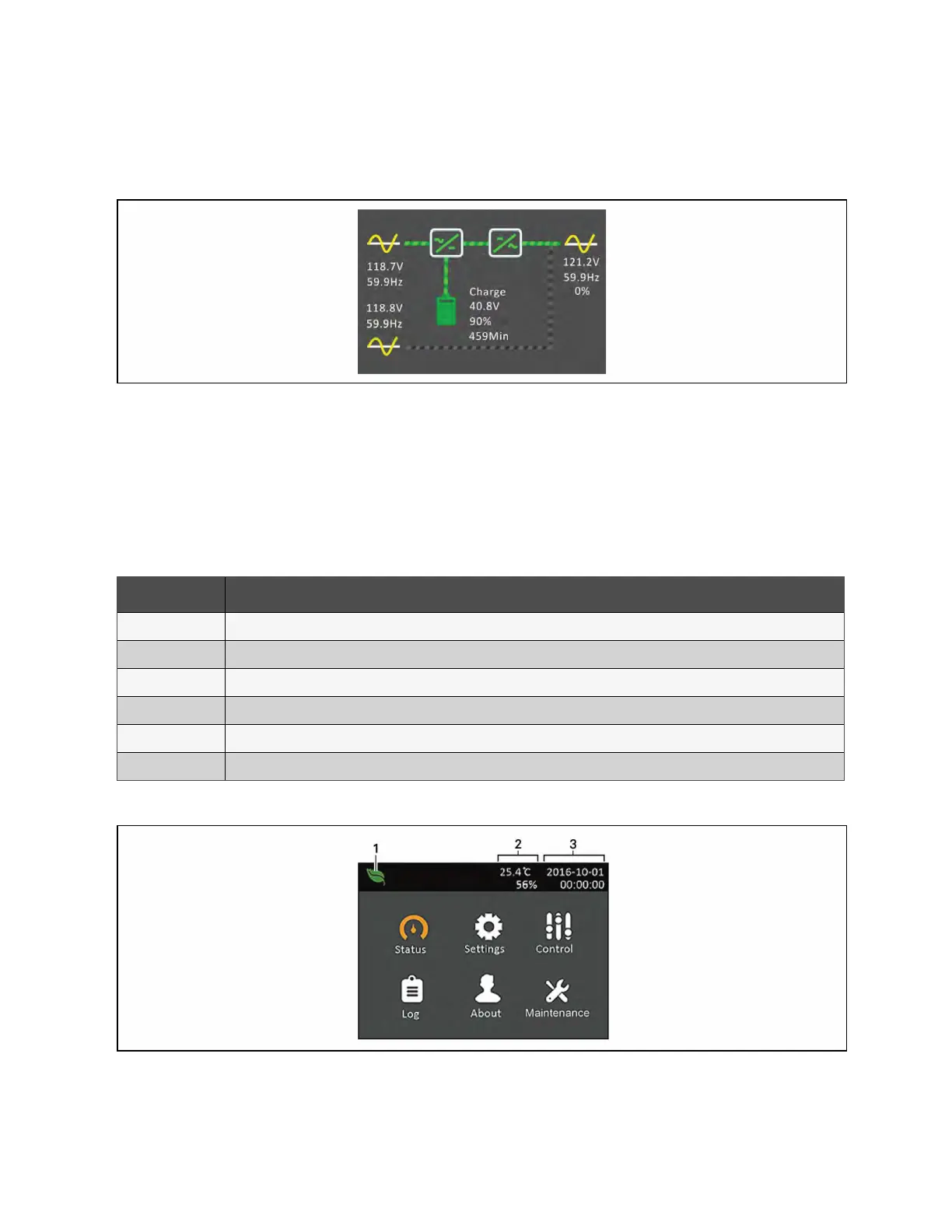
NOTE: Figure 5.3 below is an example flow screen and does not reflect the actual values that you may see on your
unit.
Figure 5.3 UPS Flow Screen
5.2.2 Main Menu
To access the main menu, press Enter while at the flow screen. Table 5.3 below, describes the menu options, and Figure 5.4
below, describes the display.
Use the arrow buttons to select the sub-menu options, and press Enter to open the sub menu. Press ESC to return to the flow
screen.
Item Description
Status Voltage, current, frequency, and parameters for UPS components, see Status Screen on the next page.
Setting Display and system parameter settings, see Settings Submenu on page41.
Control UPS controls, see Control Screen on page47.
Log Current alarms and event history, see Log Screen on page48.
About Product and network information, see About Screen on page52.
Maintenance Service only, service password protected page for use only by Vertiv service representatives.
Table 5.3 Menu Options
Figure 5.4 Main Menu
5 Operation and Display Panel Proprietary and Confidential ©2024 Vertiv Group Corp. 37
Vertiv™ Liebert® GXT5 UPS Installer/User Guide



 To Next Page