The UPS requires no internal cleaning. If the outside of the UPS becomes dusty, wipe with a dry cloth. Do not use liquid or
aerosol cleaners. Do not insert any objects into the ventilation holes or other openings in the UPS.
6.5 Replacing the UPS using Maintenance Bypass
Use the following procedures to replace the UPS from the power distribution box.
WARNING! Risk of electric shock. Can cause injury or death. Disconnect all local and remote electric power
supplies before working with the UPS. Ensure that the unit is shut down and power has been disconnected
before beginning any maintenance.
NOTE: Do not operate the UPS with the POD removed. To shut off all power to the POD and to the load, utility input
power must be disconnected.
1. Transfer the connected equipment to bypass mode.
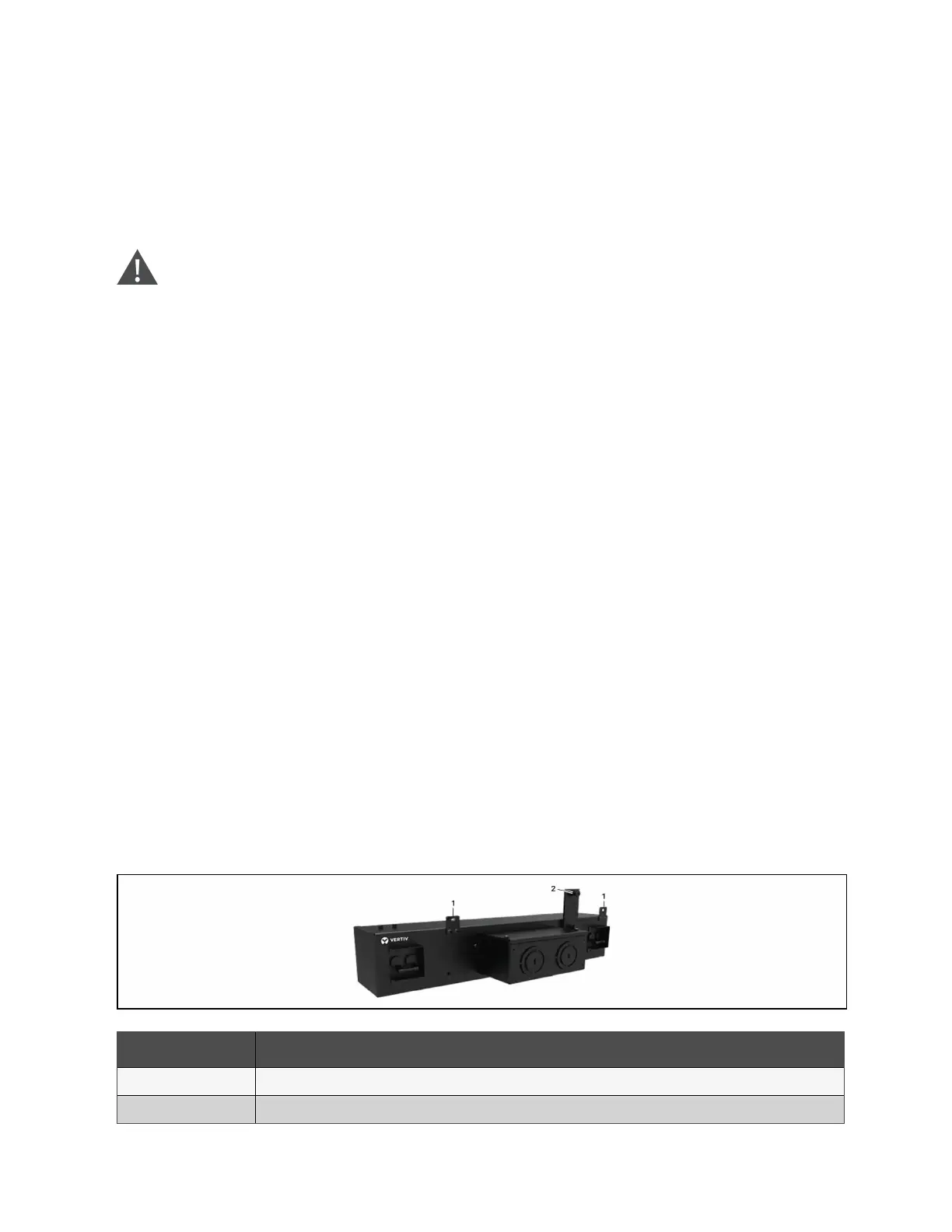
a. Loosen the upper captive screw over the maintenance bypass breaker, see Figure 6.2 below.
b. Lift the maintenance bypass breaker cover up and tighten the lower captive screw.
2. Confirm that the UPS is operating in bypass mode. If not, then manually transfer the connected equipment to
bypass as follows:
a. Press and hold the Power button for 2 seconds.
b. Select Turn to bypass and press Enter.
NOTE: The load is unprotected from disturbances in the power supply while the UPS is on bypass.
3. Turn the maintenance bypass breaker On.
4. Wait 1 minute if the UPS is working on battery mode, then confirm that the UPS is turned off.
5. Turn the output and input breakers Off.
6. On 5 kVA models, loosen the remaining screws until the POD releases the UPS.
7. Remove the UPS from the power distribution box and set it aside.
NOTE: The captive screws and maintenance bypass breaker cover is similar for all models. Figure 6.2 below, shows an
example on the 5 kVA/6 kVA model.
NOTE: Secure only one captive screw on the maintenance bypass breaker cover; do not attempt to force the second
screw.
Figure 6.2 Maintenance Bypass Breaker Cover and Captive Screws
Item Description
1 Captive screws for POD
2 Maintenance bypass breaker
60 Proprietary and Confidential ©2024 Vertiv Group Corp. 6 Maintenance
Vertiv™ Liebert® GXT5 UPS Installer/User Guide



 To Next Page