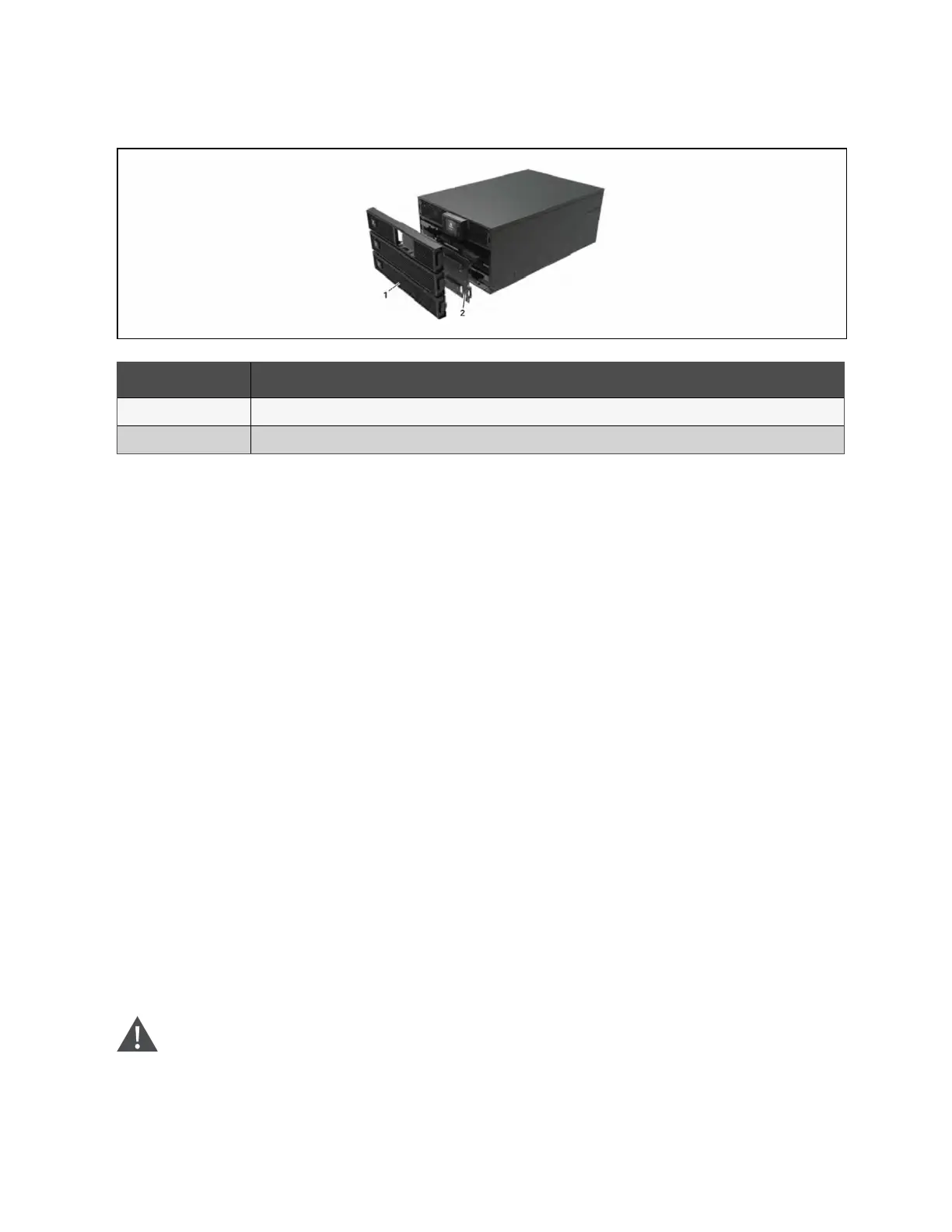
Figure 6.1 Replacing the Battery Pack
Item Description
1 Front panel
2 Battery door
6.2 Charging Batteries
The batteries are valve-regulated, non-spillable, lead acid and should be kept charged to attain their design life. The UPS
charges the batteries continuously when it is connected to the utility input power.
If the UPS will be stored for a long time, We recommend connecting the UPS to input power for at least 24 hours every 4 to 6
months to ensure full recharge of the batteries.
6.3 Checking UPS Operation
NOTE: Operation check procedures may interrupt power supply to the connected load.
We recommend checking the UPS operation once every 6 months. Ensure that output power loss to the connected load will
not cause data loss or other errors before conducting the check.
1. Press the Enter button to check the indicators and display function.
2. Check for alarm or fault indicators on the operation/display panel.
3. Make sure that there are no audible or silenced alarms. Select the Log, and look at the current tab for alarm and
fault history, see Log Screen on page48.
4. Select the Setting menu, and look at the log for alarm and fault history.
5. Check the operating mode for Normal mode. If the UPS is operating in bypass mode, contact Vertiv Technical
Support.
6. Check to see if batteries are discharging (operating in Battery mode) and utility power is normal. If so, contact
Vertiv Technical Support.
6.4 Cleaning the UPS
WARNING! Risk of electric shock. Can cause injury or death. Disconnect all local and remote electric power
supplies before working with the UPS. Ensure that the unit is shut down and power has been disconnected
before beginning any maintenance.
6 Maintenance Proprietary and Confidential ©2024 Vertiv Group Corp. 59
Vertiv™ Liebert® GXT5 UPS Installer/User Guide



 To Next Page