Message Description
System over temp
Internal heat sink temperature is too high, and the inverter is off. The alarm can only be silenced if the heat sink temperature is lower
than the alarm setting. The system can automatically start after overtemperature fault is corrected. If an overtemperature occurs,
check if:
1. The ambient temperature is too high.
2. Dust is blocking any of the UPS vents.
3. A fan fault has occured.
Turn on fail
The UPS does not start because there is no mains/utility power or it is outside of the range of the voltage required to supply the full
load. Check the AC input power.
UPS has no
output
Both Inverter and Bypass are not supplying power due to the UPS output being turned off remotely or via the LCD or are unavailable
due to no input power or input power out of range. Check that UPS is on and input power is available.
Table 5.4 Alarm Message (continued)
5.2.7 About Screen
The About screen offers tabs that list information about the product.
• Product tab—shows UPS identification information, firmware versions, and information about the communication
card (when the card is installed).
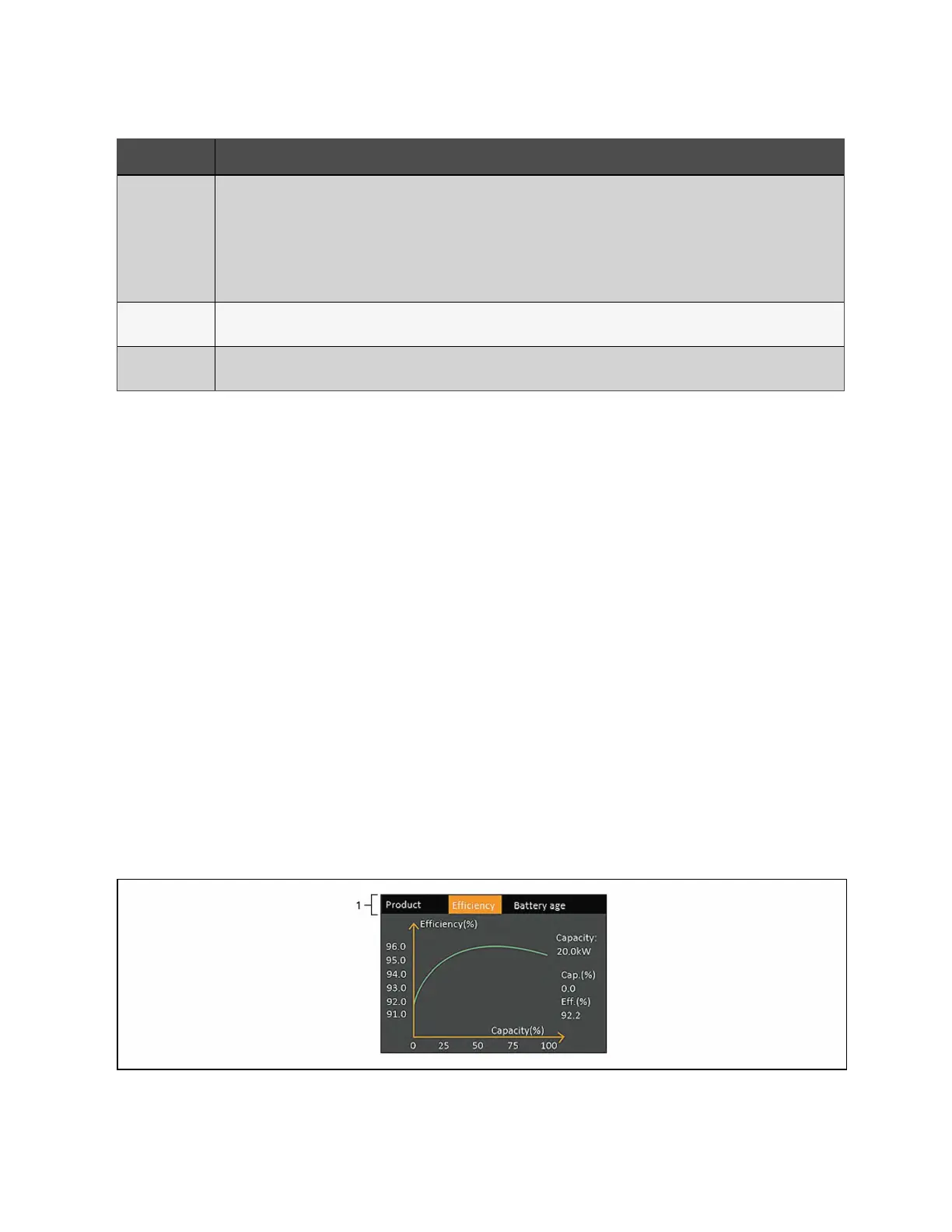
• Efficiency tab—shows curve of the efficiency of your UPS model vs the load. The efficiency at the current load is
shown to the right of the graph.
• Battery age tab—Shows the curve of the state of health (SOH) percentage of the installed battery over time. The
SOH is measurement of the installed battery's condition and ability to deliver the specified performance
compared to a fresh battery. During the lifetime of a battery, its health will deteriorate gradually due to
irreversible physical and chemical changes which take place with usage and with age until eventually the battery
will no longer usable. The UPS calculates one value per week and plots it on the graph. The value are based on
battery temperature, age, and the total amount of energy discharged from the battery that week. With use over
time, this percentage will decrease until the Battery Aged alarm is generated is at 25% . It is recommended to
replace the battery at or before this time.
To view the product, efficiency, and battery age information:
1. At the main menu, select the About icon, and press Enter.
2. Use the arrow buttons to move the cursor left/right and select a tab, then press Enter to display the information
for the selected tab.
Figure 5.8 About Screen Tabs
52 Proprietary and Confidential ©2024 Vertiv Group Corp. 5 Operation and Display Panel
Vertiv™ Liebert® GXT5 UPS Installer/User Guide



 To Next Page