Vertiv™ | Liebert® LDMF™ Distribution Monitoring User Manual | 26
5.4.3 Panel Status and Real-Time Clock
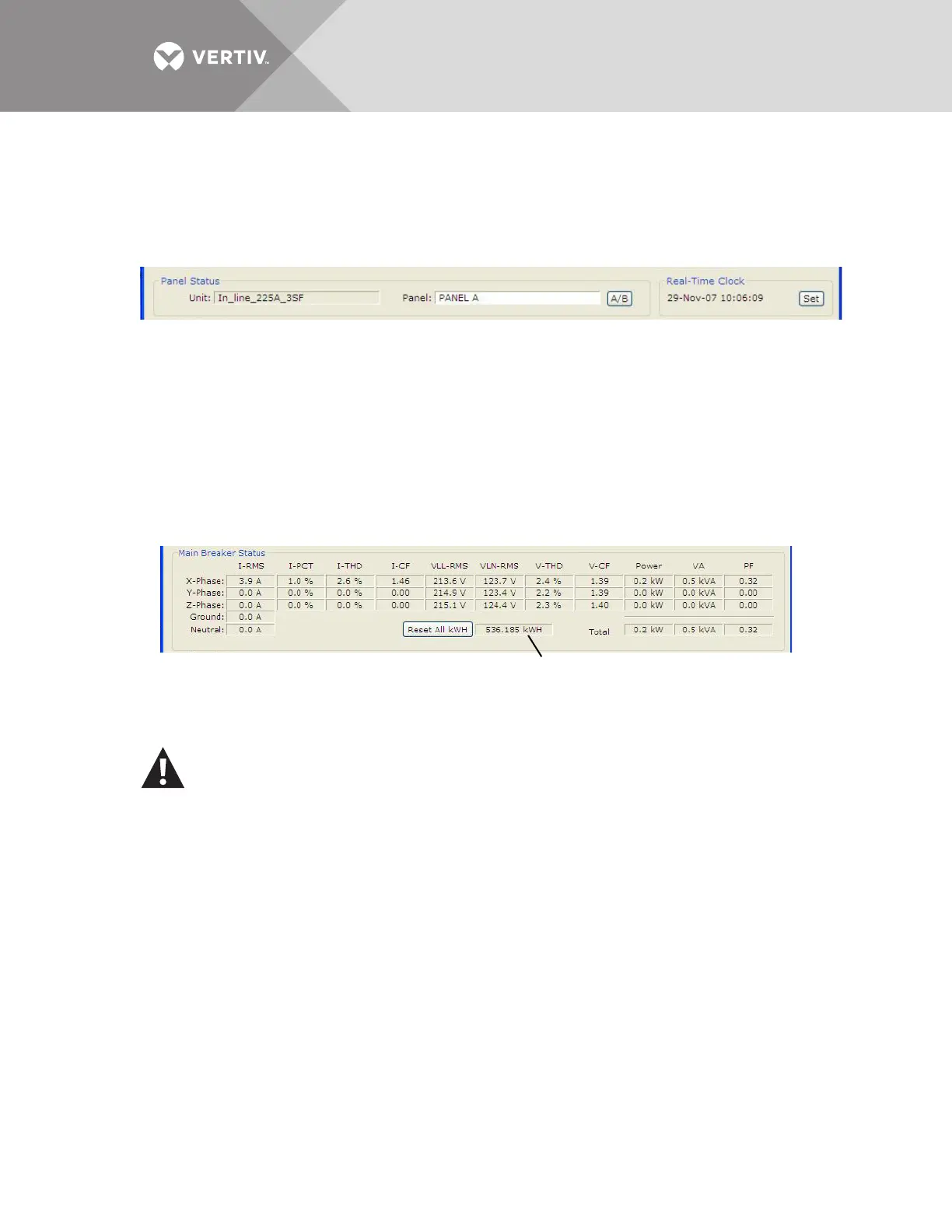
The Panel Status area displays:
• The name of the Liebert LDMF in the Unit box.
• The currently selected panel in the Panel box.
To choose a different panel, click on the panel name or the A/B button. If the selected panel has any active
alarms, the panel name appears in white text with a red background.
The Real-Time Clock displays the time as stored in the Liebert LDMF unit. The time will not
display correctly if the time zone is incorrect in the PC. If the time displayed is incorrect and the
problem is not caused by a time-zone configuration problem:
• Click the Set button to force the real-time clock to synchronize with the time set on the PC.
5.4.4 Main Breaker Status
The Main Breaker Status area displays RMS current, percent load (PCT), total harmonic
distortion (THD), crest factor (CF), line-to-line voltage (VLL-RMS), line-to-neutral voltage
(VLN-RMS), average power (Power), VA and power factor (PF) for each input phase. If any phase
voltage or current is in alarm, the associated field displays white text with a red background.
The metered energy usage for the panel is also displayed in kilowatt hours (kWh), as shown
above. To clear all metering information, click the Reset All kWh button.
5.4.5 Breaker Status
The Breaker Status area displays detailed status for every branch or subfeed breaker on the
selected panel. The information may appear in table format or in a list with icons indicating status,
depending on whether the Table or Icons button is active (see 5.4.6 - Mode Buttons).
The example below left shows the table format with details for each branch breaker: type and
rating, percent load, individual phase current in amps (I1, I2, I3), power, apparent power (VA),
CAUTION
Exercise care before using the Reset All kWh button, which resets the kWh usage for the
main breaker as well as all branch breakers and subfeed breakers on the panel.
Metered energy usage for the panel



 To Next Page