Vertiv™ | Liebert® LDMF™ Distribution Monitoring User Manual | 27
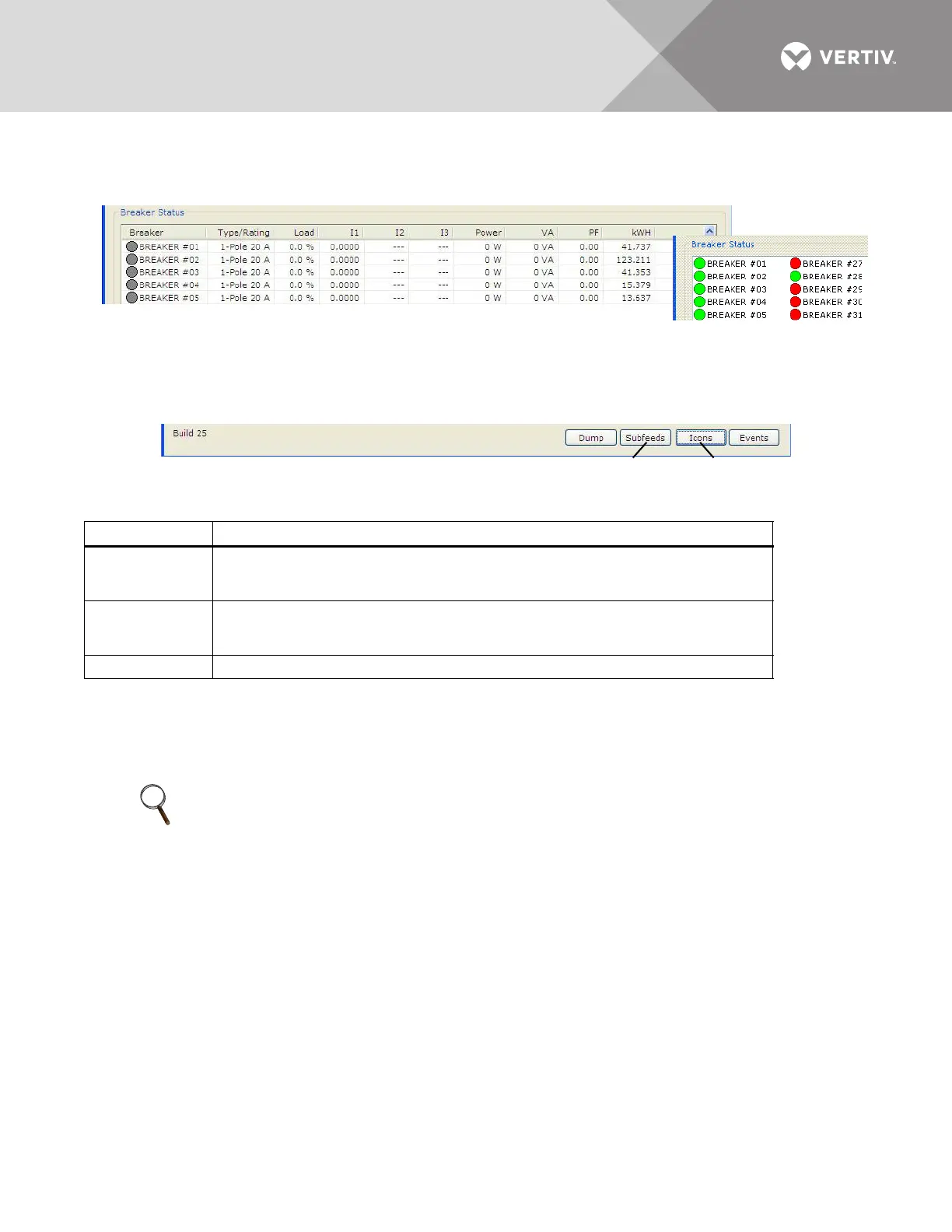
power factor (PF) and accumulated kilowatt hours (kWh). The example below right shows the
icon format.
5.4.6 Mode Buttons
Mode buttons at the bottom of the window allow users to toggle the Breaker Status display
between subfeed and branch breakers (Subfeeds/Breakers) or between icon and table formats
(Icons/Table) and access the Event Log (Events).
5.5 Using the Configuration Tool
The Configuration tool allows users to set up breakers and view or change their parameters and
alarm setpoints.
Table 9 Monitor mode buttons
Button Function
Subfeeds/
Breakers
Toggles between component types in the Breaker Status area: subfeed breakers and
branch breakers.
The button label changes when the display is changed.
Icons/ Table
Toggles between formats for displaying data in the Breaker Status area: icon view and
table view.
The button label changes when the display is changed.
Events Displays the Event Log dialog box.
NOTE
End users have the ability to modify an existing configuration file by using the Configuration
software available on the Liebert Web site, www.vertivco.com (see 5.3 - Downloading the
Software). Ensure the existing configuration file is saved locally before making any
modifications. Please contact your local Vertiv representative or call Vertiv Support at
800-543-2378 for assistance.
Icon View of
Breaker Status
Table View of Breaker Status
Subfeeds/Breakers
Button
Icons/Table
Button



 To Next Page