Vertiv™ | Liebert® LDMF™ Distribution Monitoring User Manual | 43
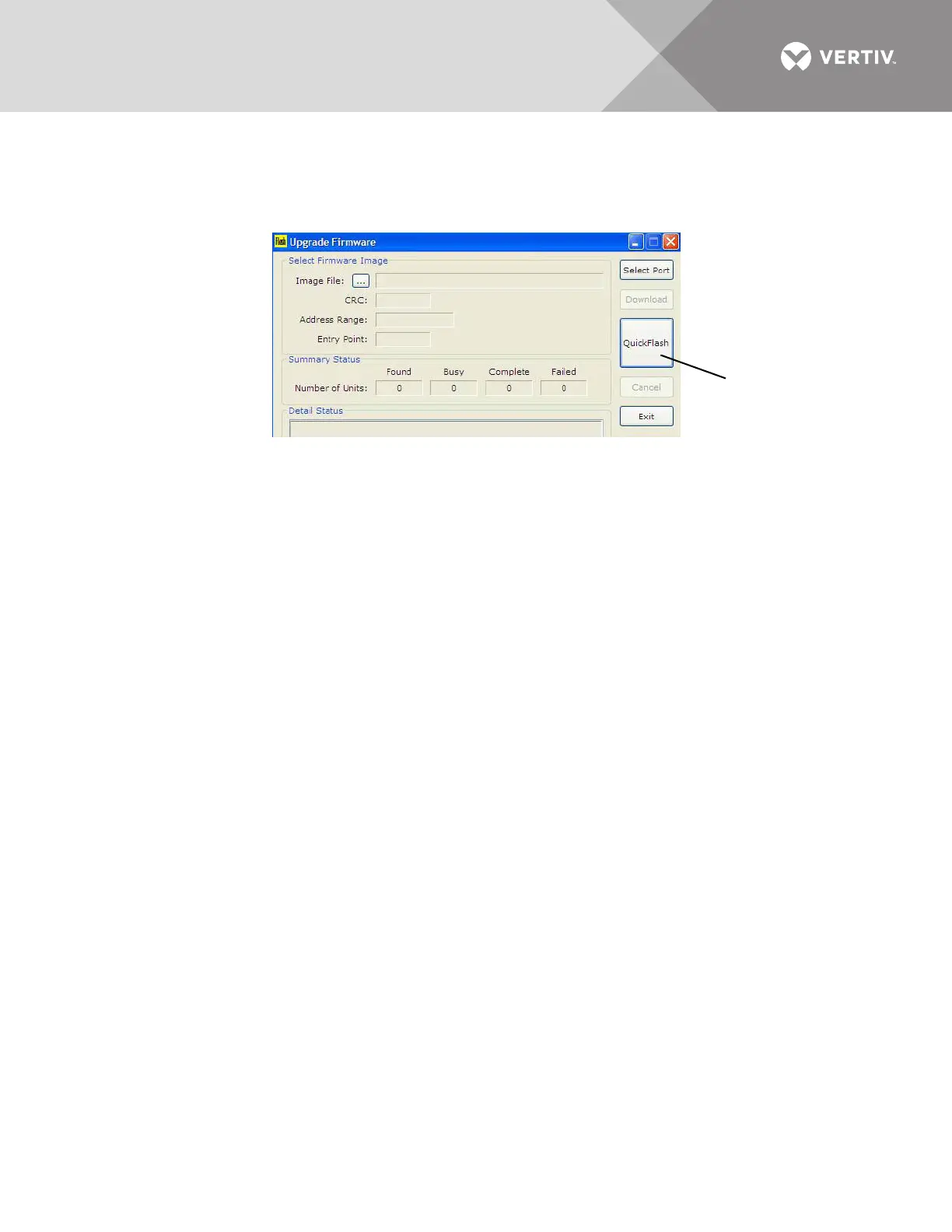
12. The Flash program has a Quick Flash feature that keeps track of where the file is stored on the local PC.
This feature becomes active after the initial firmware update has been completed. This makes upgrading
numerous LDMF Systems easier and less time-consuming.
Connect to each additional LDMF System, then click on the QuickFlash button to begin the update
automatically without having to specify the file location.
13. Once all LDMF Systems have been upgraded, click Exit to close the Flash program.
5.7 Display Controls (HMI)
The Liebert LDMF displays panelboard data via a local display in conjunction with the remote
capabilities. This display gives the end user a quick and easy way of viewing the panelboard
branch circuit breaker currents, panelboard voltages, alarms and status. An audible alarm is also
provided in the event that any programmed alarm threshold is exceeded.
The user interface and menu selections have been developed to make it easy to scroll through
panelboard data points with clearly labeled variable function keys. These function keys change
features depending on the menu selected to maintain a clearly visible view area.
There can be up to two HMI’s on a unit and each can display up to four panelboards.
5.7.1 Controls and Indicators
The left side of the display includes indicators and an alarm speaker:
• Power Indicator (Green LED) - illuminates when power has been applied to the Liebert power product.
• Alarm Status Indicator (Red LED - illuminates when the Liebert LDMF detects an alarm. The audible alarm
will also sound until the Silence/Reset push button is depressed. The LED will remain illuminated until the
alarm condition is cleared.
• Audible Alarm speaker (represented by the white dot) - a speaker behind the bezel will sound when the
Liebert LDMF records an alarm condition. Pressing the Silence/Reset push button mutes the audible alarm
until another alarm is generated or the alarm condition has cleared.
The middle section includes the display area and navigation keys to change the display:
• LCD viewing area - displays parametric or alarm data for selected components
• Navigation keys (soft function keys F1 through F4 and Help)—some of these keys vary in function, as
indicated in the text description above each key:
• F1 selects the next major item such as Next Main, Next Subfeed, or Next Branches.
• F2 is the Sequence key. It selects the next set of items at the current level or the next item on a list.
• F3 can select Subfeeds at the top level or can select a menu item at lower levels.
• F4 can select Branch Breakers at the top level or provide a Back function at lower levels.
Pressing the Back key (F4) navigates to the top level (Main) except from the Help screen. From the Help
screen, the Back key navigates to the previous screen.
• Pressing the Help key navigates to the Help screen.



 To Next Page