Vertiv™ | Liebert® LDMF™ Distribution Monitoring User Manual | 31
5.5.5 Save the Configuration File to Disk
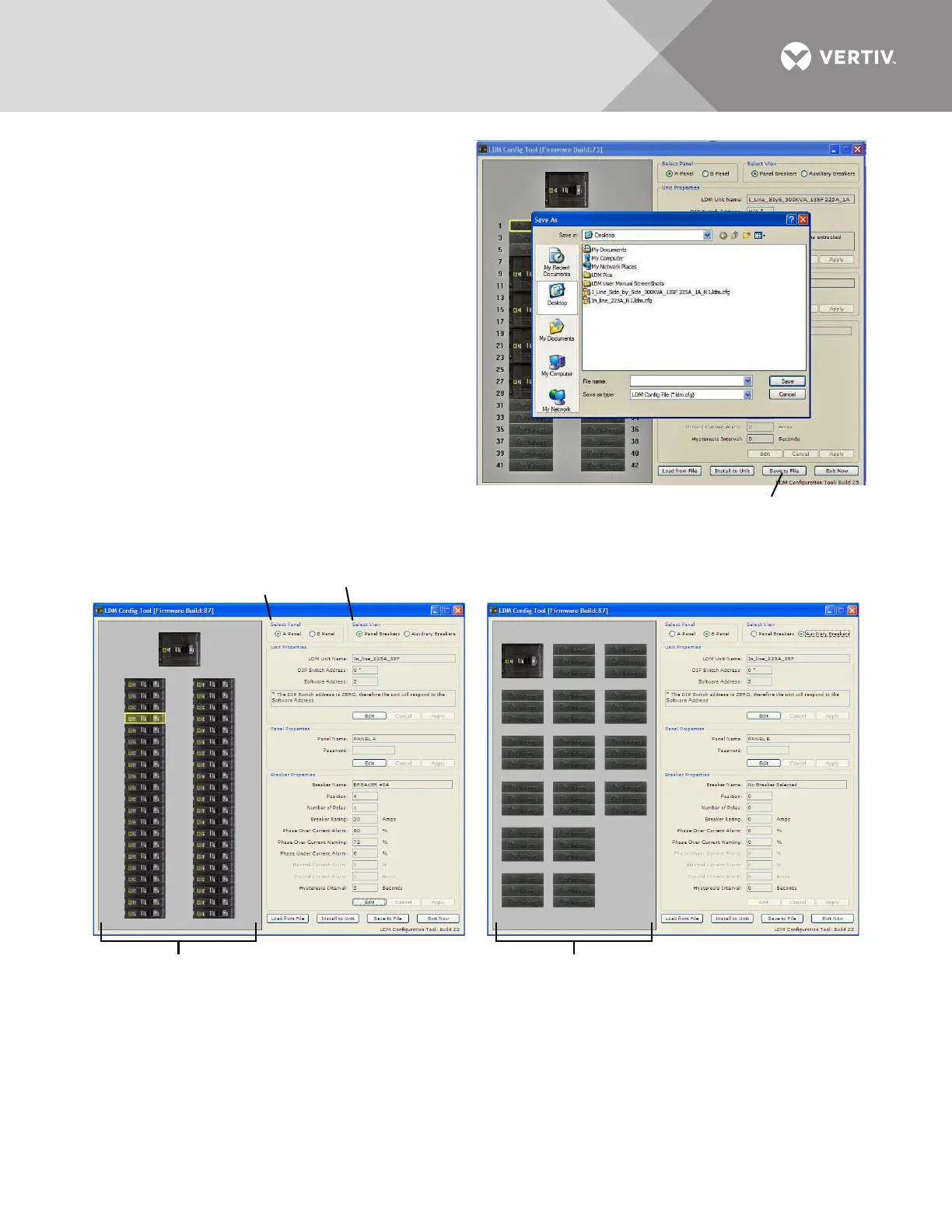
Saving the configuration file creates a copy of
the current configuration, ensuring a backup is
available in the event of file corruption or some
other problem.
• Click on the Save to File button at the bottom of
the Configuration window.
•In the Save As window:
• Specify the location where you want to save
the file in the Save In box.
• Enter a unique name in the File Name box.
•Click Save.
5.5.6 Select Panel to View
Up to two panelboards may be connected to
the Liebert LDMF (see 4.1.1 - Connecting
Panelboards A and B). Each may be viewed in
the Configuration main window.
To switch the view to a different panel:
•In the Select Panel box, click on Panel A for Panelboard A or Panel B for Panelboard B. The panel name
appears in the Panel Name box, as in the following examples.
5.5.7 Select Breakers to View
For each panelboard, two types of breakers may be configured.
To switch the view, click on a button in the Select View box (shown above):
• Panel Breakers to view circuit breakers installed in the panelboard (see example above left).
• Auxiliary Breakers to view breakers installed outside the panelboard—for example, subfeed breakers (see
example above right).
Select Panel
Select View
Panel Breakers view Auxiliary Breakers view
1
3
5
7
9
11
13
15
17
19
21
23
25
27
29
31
33
35
37
39
41
2
4
6
8
10
12
14
16
18
20
22
24
26
28
30
32
34
36
38
40
42



 To Next Page