Vertiv™ | Liebert® LDMF™ Distribution Monitoring User Manual | 44
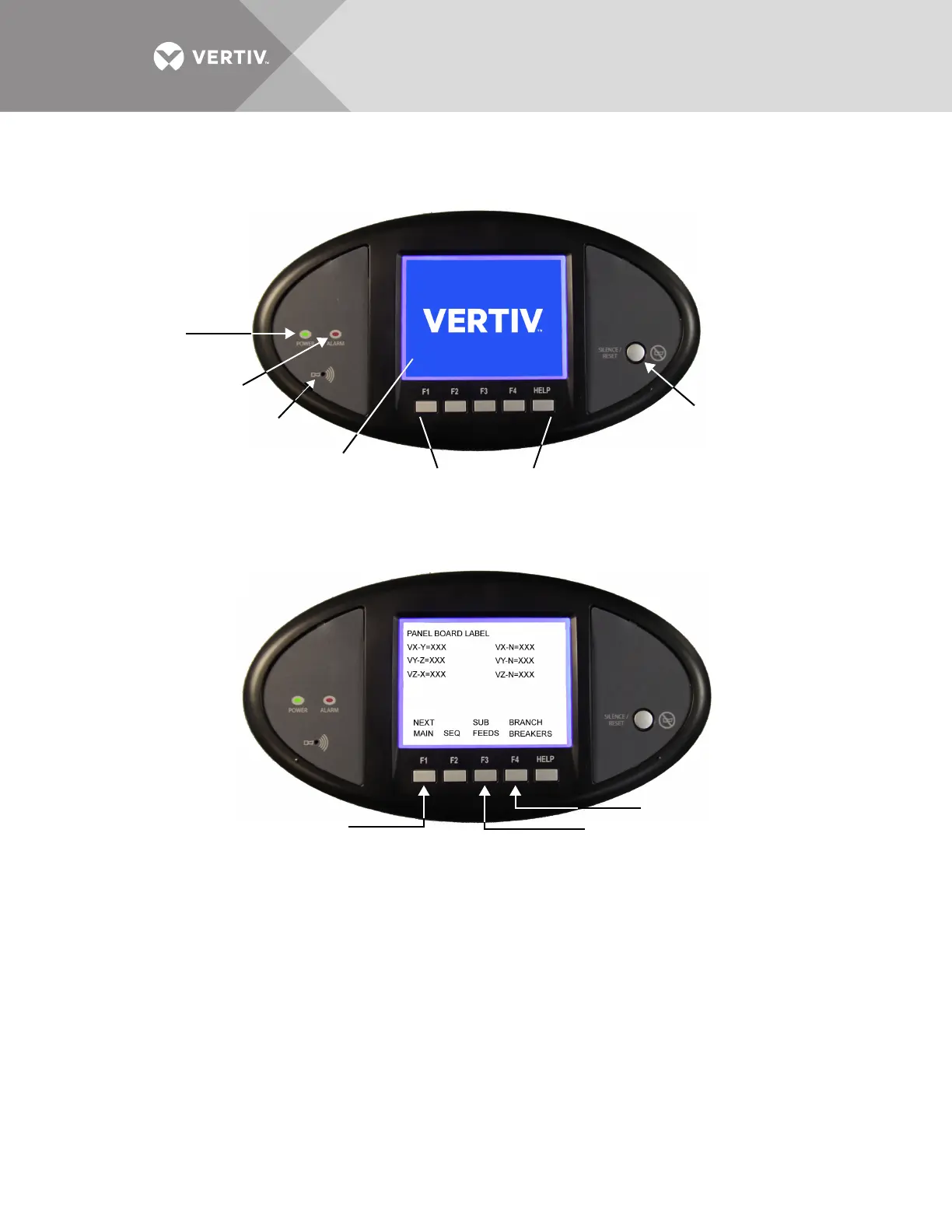
At right is the alarm Silence/Reset button:
• Press the Silence/Reset button once and hold to silence the audible alarm.
• Press the Silence/Reset button a second time to clear the alarm and turn Off the red LED.
5.7.2 Liebert LDMF Parameter Screens
Three types of parameter screens may be selected from the Main Screen by pressing the soft
keys labeled Next Main, Subfeeds and Branch Breakers to display the applicable information.
Next Main
Press the Next Main key to display parameters for the main breaker feeding power to a
panelboard. There may or may not be a physical circuit breaker installed. The Next Main key
toggles between the two Main Panelboard breakers in a Liebert Power product with more than
one panelboard.
Subfeeds
Press the Subfeeds key to show parameters for subfeed breakers—these are usually circuit
breakers that feed remote circuits or panelboards. They may reside as separate entities within a
Liebert Power product or a special large panelboard.
Branch Breakers
Press the Branch Breakers key to view parameters for one-, two- or three-pole circuit breakers
that reside in the panelboard. The branch data resides at the lowest level except for the alarm
summary.
Navigation Keys
Alarm
Silence/Reset
Push Button
Audible
Alarm
Speaker
Alarm Status
Indicator
Red
Power
Indicator
Green
LCD Viewing
Area
Next Main
Subfeeds
Branch Breakers



 To Next Page