Vertiv™ | Liebert® LDMF™ Distribution Monitoring User Manual | 41
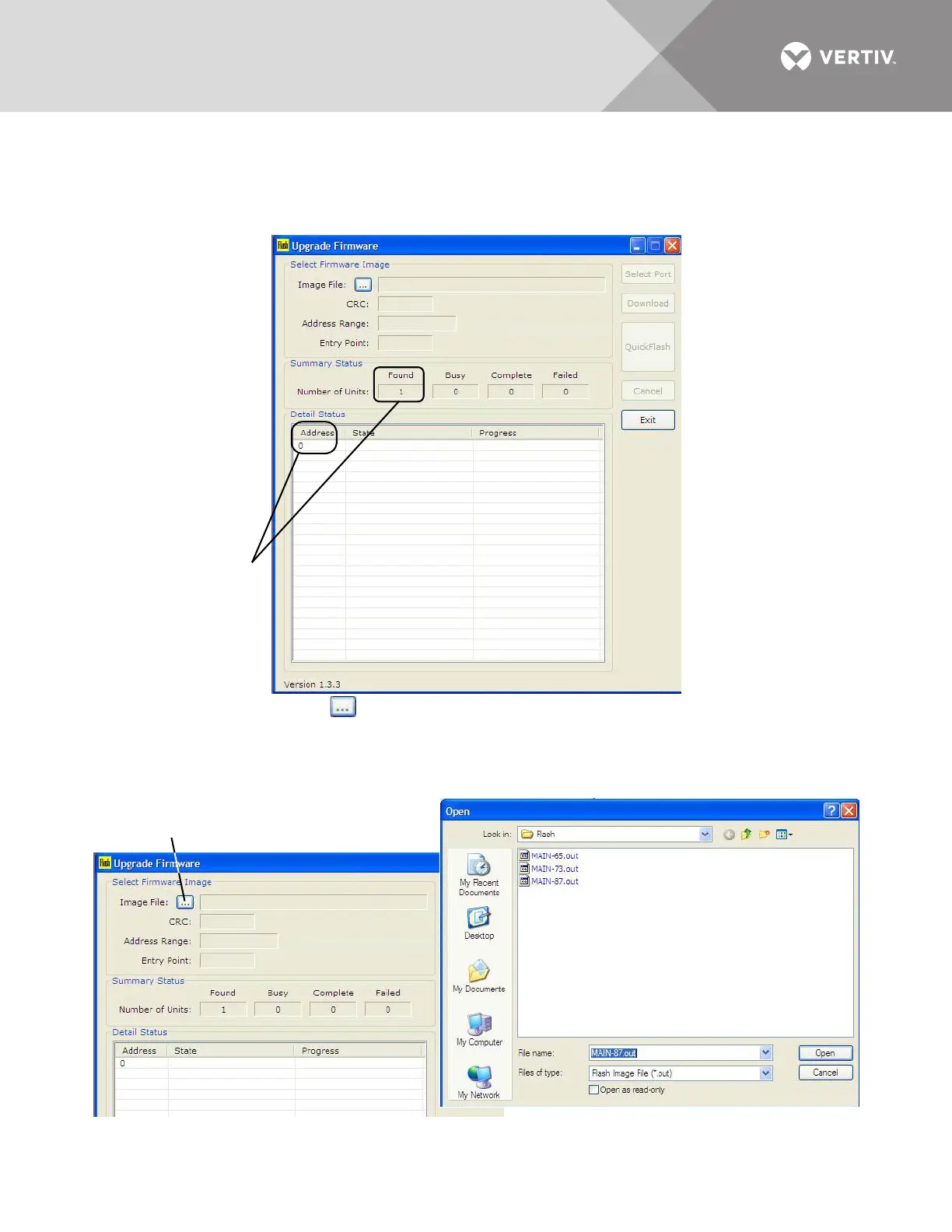
7. Verify the Upgrade Firmware window displays the following indications that the connection was
successful (shown in the example below):
•In the Summary Status box, the Number of Units should be 1 in the Found box.
•In the Detail Status box, 0 should appear in the Address column.
•The Select Port, Download, Quick Flash, and Cancel buttons are grayed-out
8. Click the Image File button (below left), and the Open window appears (below right).
• Browse to the folder where the Flash files are located—this should be the same folder where the Flash
program was installed.
• Select the file you want to download.
•Click the Open button.
Image File button
Navigate to File



 To Next Page