6.4.3 Mounting the block holder in the work-
ing chamber
1. Open the working chamber door.
2. Open the blank holder.
3. Remove the blank from the blank holder if any.
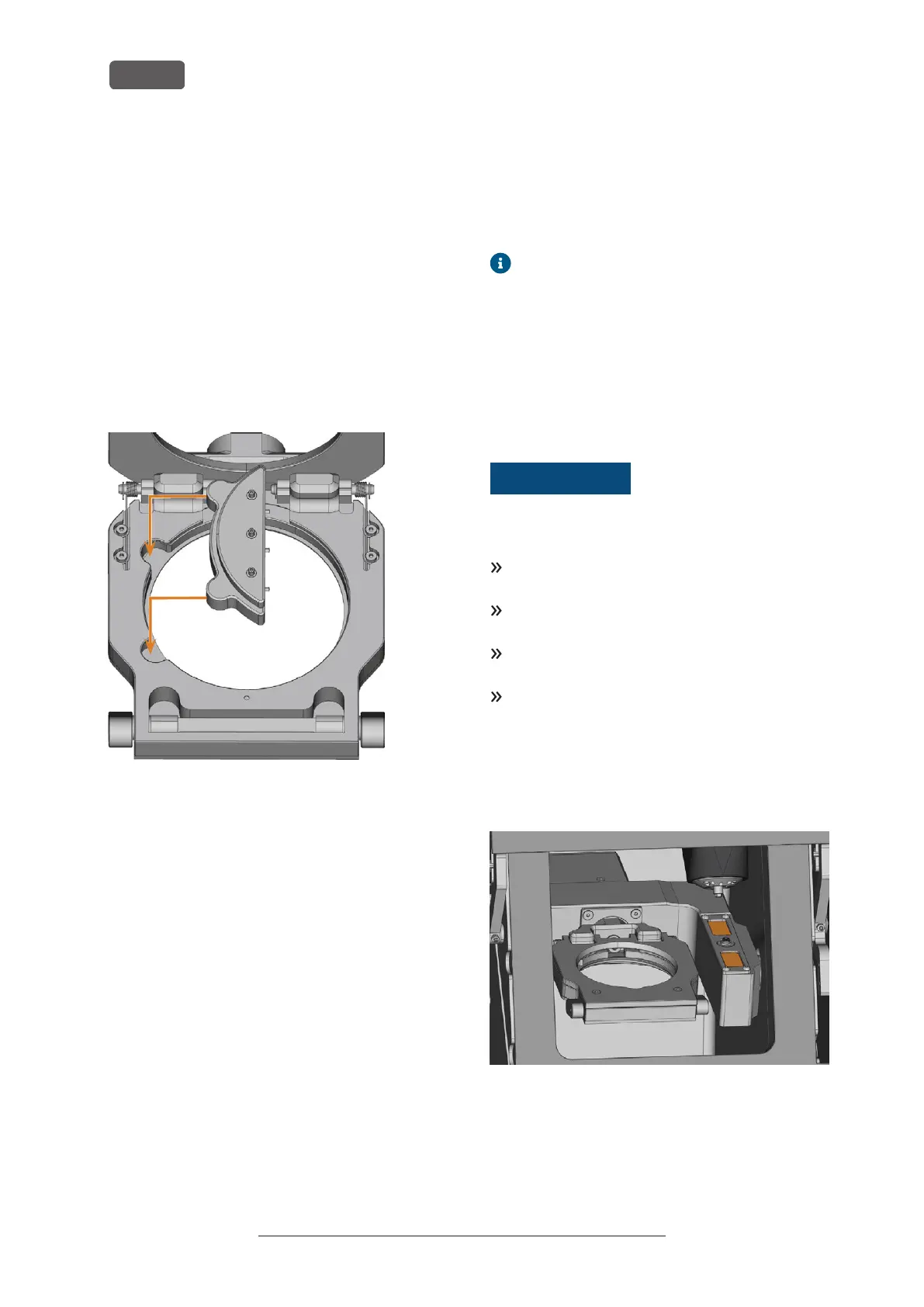
4. Correctly orient the block holder:
n
The fixing screws must face upwards.
n
The positioning aids must be positioned on
the left side.
5. Insert the block holder into the blank holder and
hold it in place with one hand from below.
FIG. 42 INSERTING THE BLOCK HOLDER INTO THE BLANK HOLDER
6. Close the blank holder with the other hand.
6.4.4 Using an optional abutment holder
With an optional abutment holder, your machine can
process prefabricated abutments with prefabricated
connection geometries.
Abutment holders for common abutment
systems can be obtained from customer
service.
You can find more information about abutment
holders and abutment blanks at the following internet
address:
dentalportal.info/abutments
6.5 Managing tools
NOTICE
Damaging of the spindle or
the tool positions if you use
improper tools
Improper tools can damage the collet chuck of the
spindle and / or the tool positions.
Only use tools with a sufficiently large chamfer at the
tool shank.
Install a retaining ring as a stop ring according to
DIN 471-A3.
Only insert tools with a maximum diameter of 3mm
at the thickest part into the collet chuck.
Only insert tools with a maximum cutting edge dia-
meter of 2.6 mm into the tool magazine.
We recommend original tools as they are designed
especially for the designated jobs.
You can insert up to 16 tools into the tool magazine.
FIG. 43 TOOL MAGAZINE IN THE WORKING CHAMBER (MARKED ORANGE)
Normally, the machine loads tools from the tool
magazine of the machine. In the following cases, this is
not possible:
n
A tool magazine position is worn so that it can no
longer properly hold a tool
Original Operating Instructions:K5+
Version: 12/16/2021
K5+ – Operation: Preparing jobs
EN 34



 To Next Page