17
Multi-Sensor 360 User Manual
Chapter 2: Camera Configuration
Copyright © 2021 Vicon Industires Inc. All Rights Reserved.
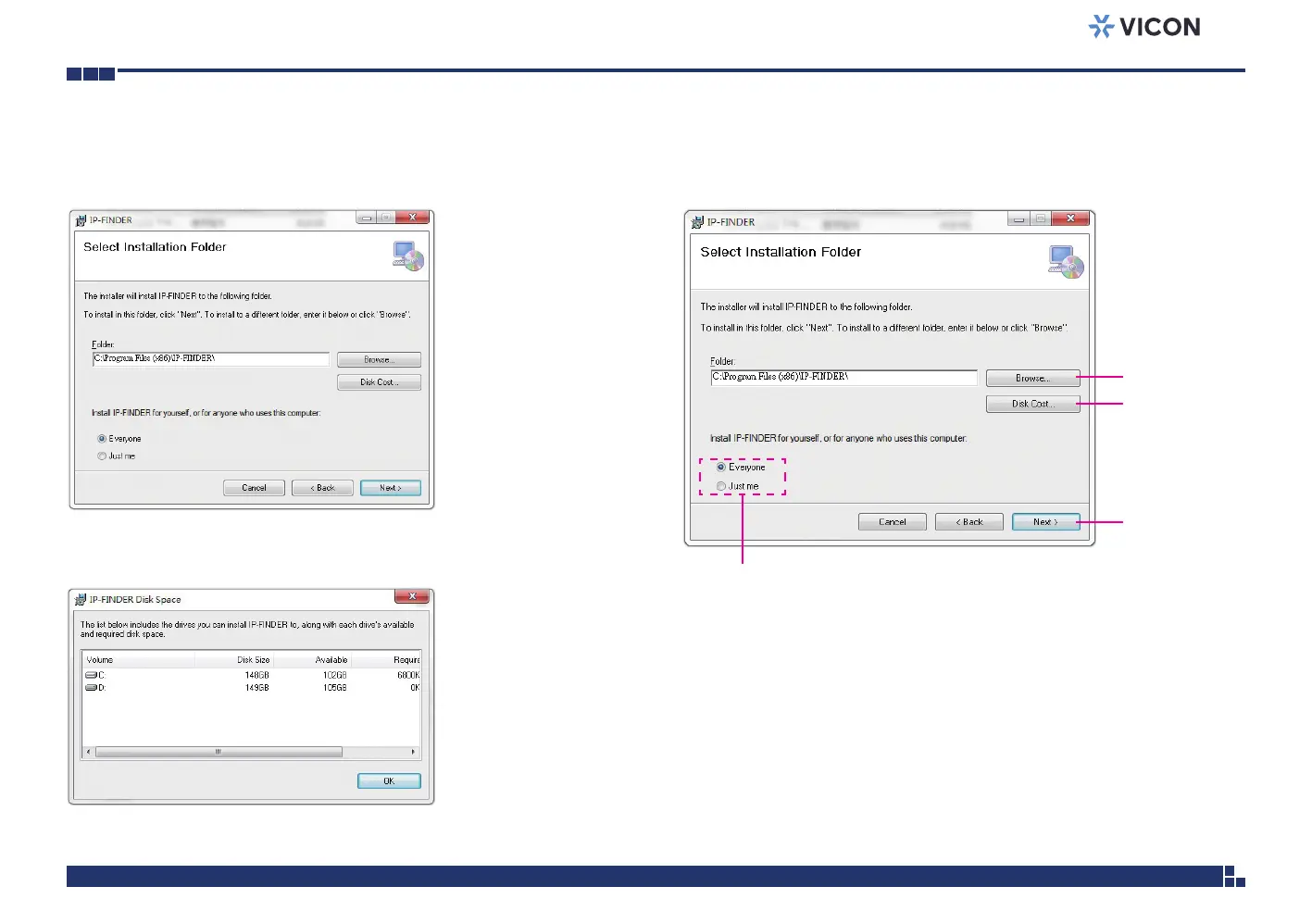
5. Confirm the directory that the program will be installed on. To specify
a different folder, please click on the Browse button and locate the
desired installation folder.
Next button
Browse button
Disk Cost
button
User accounts
8. Click on the Next button to continue.
6. To check the available drives you can install the software to and their
available and required disk space, please click on the Disk Cost button.
7. Specify which user accounts on the computer can access the program;
the options are Everyone and Just me.



 To Next Page