42
Multi-Sensor 360 User Manual
Chapter 2: Camera Configuration
Copyright © 2021 Vicon Industires Inc. All Rights Reserved.
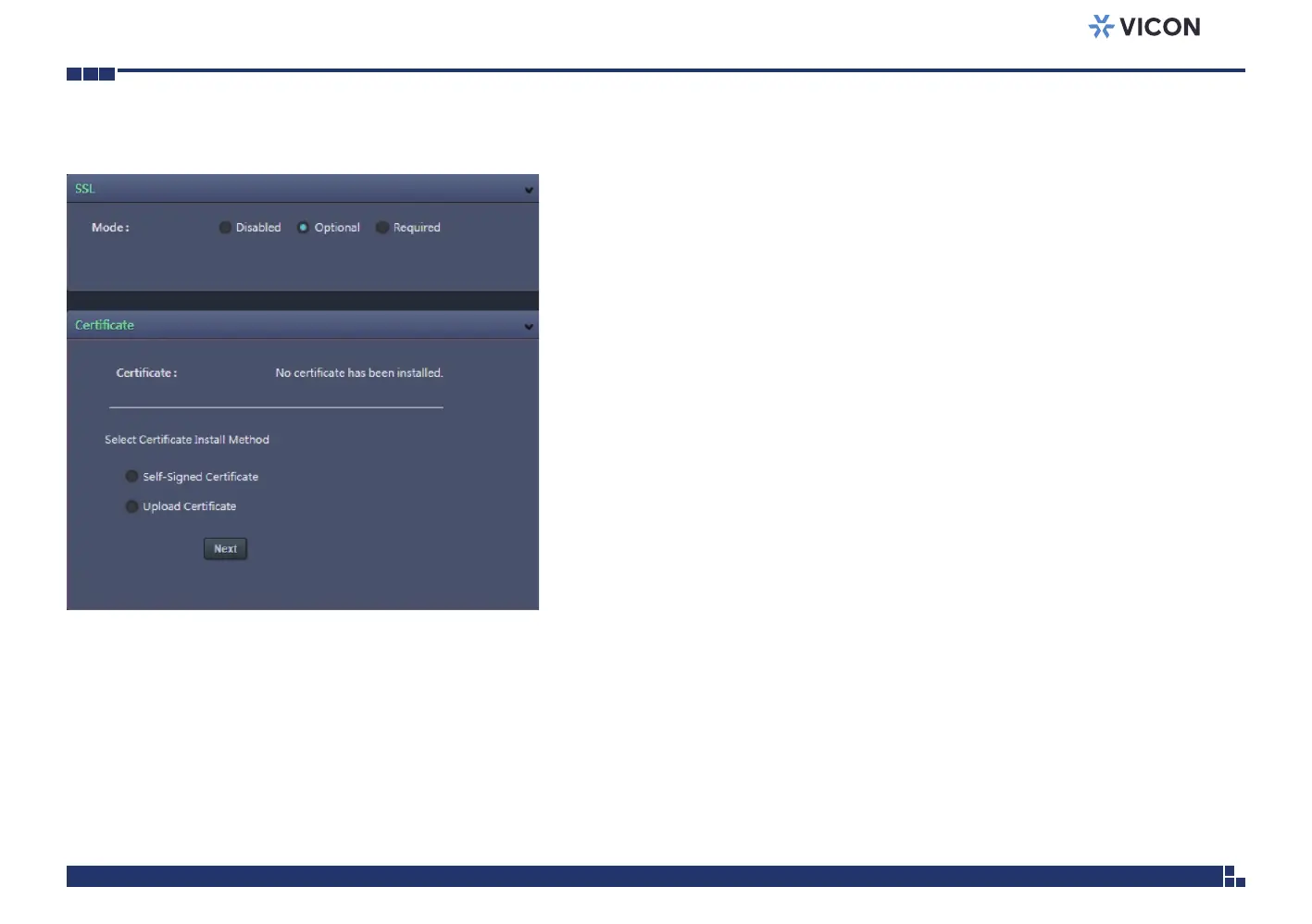
Network - SSL
SSL Configurations
Mode
Disabled: Support for http only.
Optional: Support for http & https.
Required: Support for https only.
Certificate
Certificate
Provides options to install a new CA certification.
Select Certificate Install Method
Selects the certificate installation method. The available options are Self-
Signed Certificate and Upload Certificate. Press Next after selecting the
installation method.
Save
Save button to apply the configurations; click on this button once and all the
settings are confirmed for the new changes to take effect.
Reset
Reset button to discard all the settings and revert to the previous settings.



 To Next Page