39
Multi-Sensor 360 User Manual
Chapter 2: Camera Configuration
Copyright © 2021 Vicon Industires Inc. All Rights Reserved.
Network - Basic
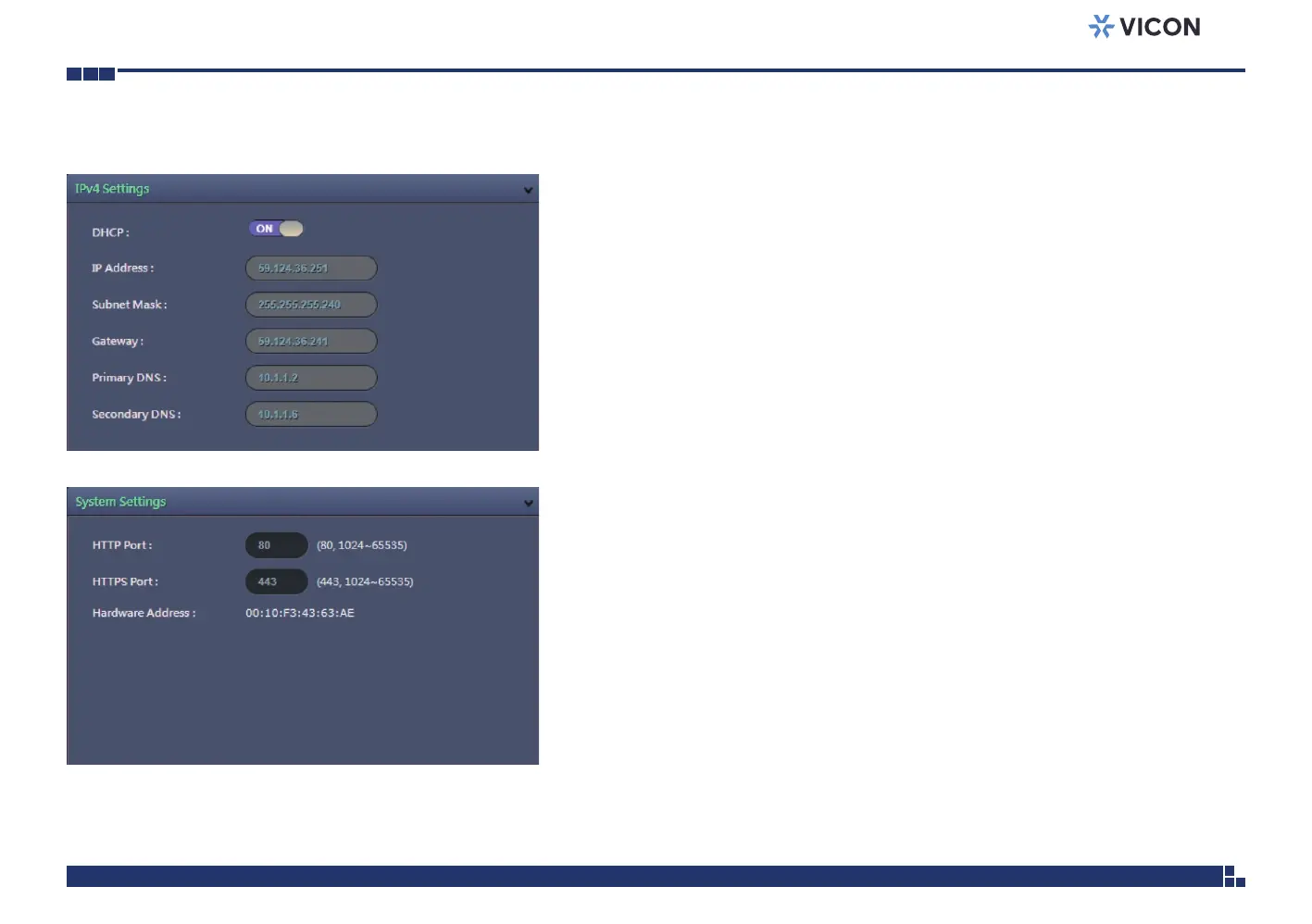
IPv4 Settings
DHCP
Enables or disables DHCP; use this feature if the camera is connected to a
network with DHCP server.
To manually configure an IP address, disable DHCP and input the IP address,
subnet mask, default gateway, primary and secondary DNS server address.
System Settings
HTTP Port
Configures the HTTP port number of the web configuration menu.
HTTPS Port
Configures the HTTPS port number of the web configuration menu.
Hardware Address
Unique MAC address for each camera device.



 To Next Page