54
Multi-Sensor 360 User Manual
Chapter 2: Camera Configuration
Copyright © 2021 Vicon Industires Inc. All Rights Reserved.
System - User Management
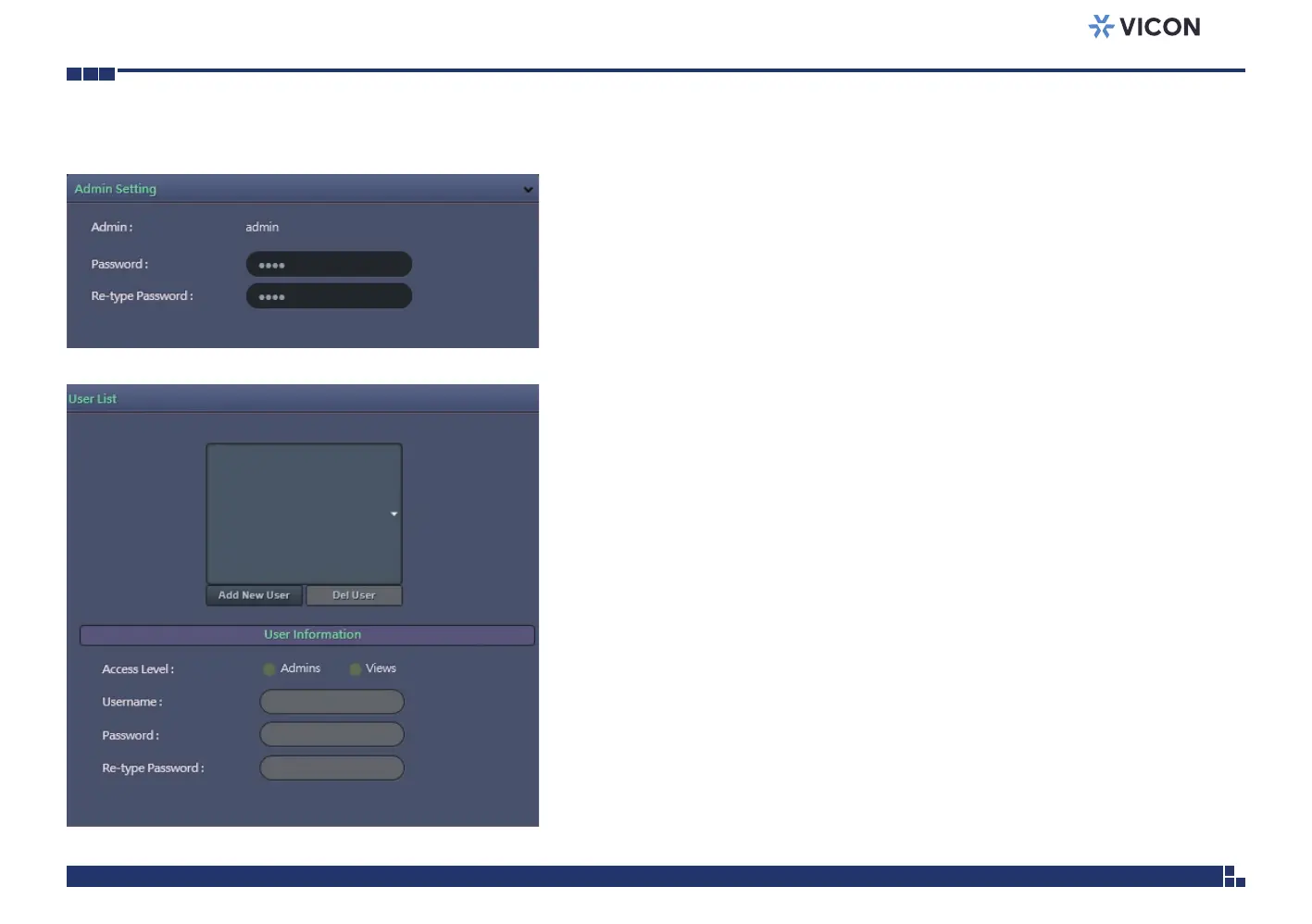
Admin Setting
Admin
The default username is ADMIN. Users cannot change it.
Password
Set up the password for administrator’s authorization.
Re-type Password
Retype the same password to confirm.
User List
Displays user accounts available on the camera.
Press Add New User to add a new account and set up the authorization
level of this user under User Information. Press Cancel to delete the new
user if you do not want to continue the setup.
To delete an account, press the Del User button.



 To Next Page