60
Multi-Sensor 360 User Manual
Chapter 2: Camera Configuration
Copyright © 2021 Vicon Industires Inc. All Rights Reserved.
Event - Video Analysis
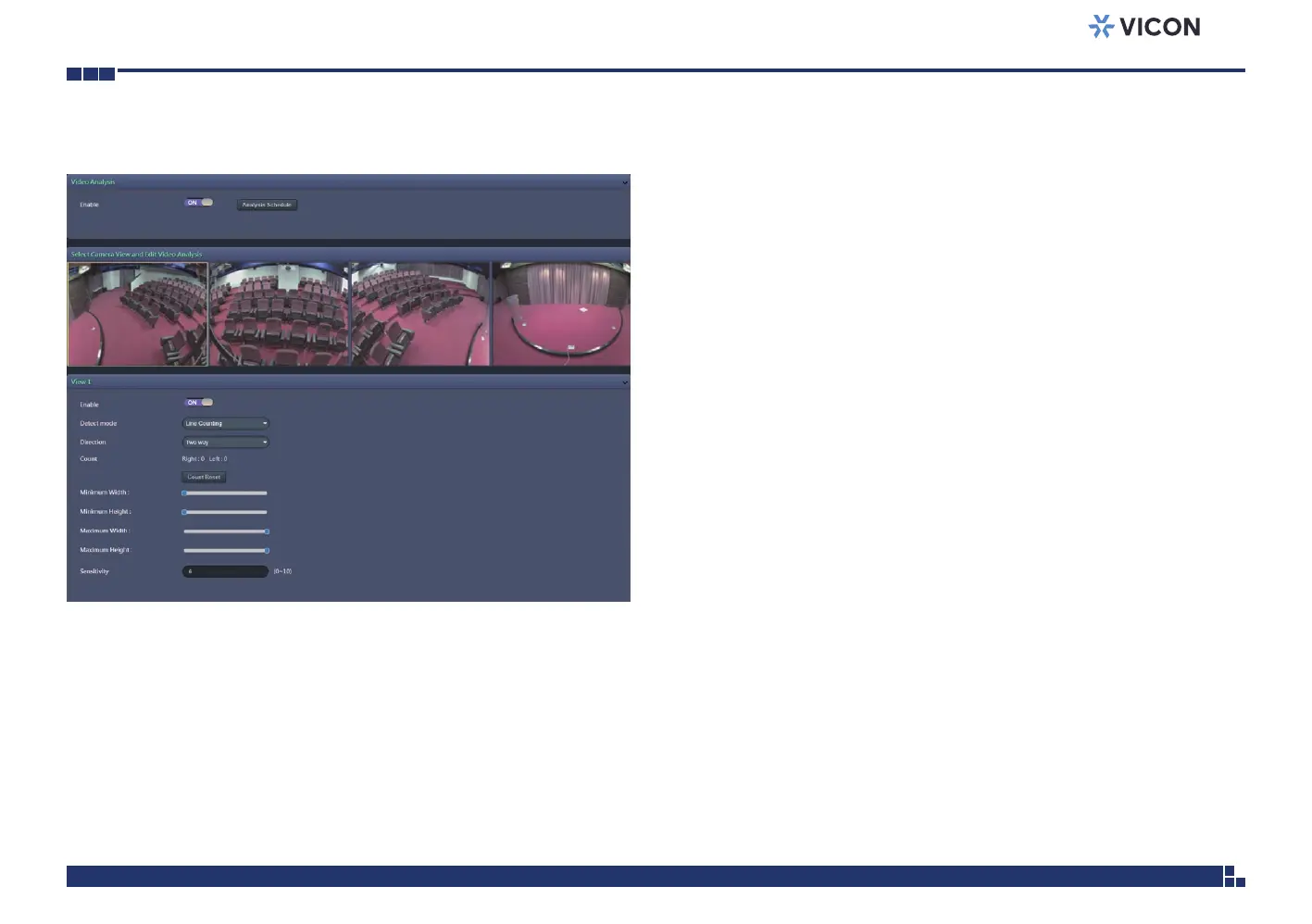
Video Analysis Configurations
Enable
Enables or disables object detection function.
Detect mode
Configures the methods of object detection; the options are Line Counting,
Line Crossing, Area Counting and Intrusion.
Line Counting: To create a Line Counting area for calculation (no event
trigger), on the live video screen, select the area by holding down the mouse
button and draw the Line Counting lines; release the button once the
desired area is covered. Then select the Two way or One way option
(calculation method) from the Direction drop-down menu.
Line Crossing: To create a Line Crossing area for triggering events, on the
live video screen, select the area by holding down the mouse button and
draw the Line Crossing lines; release the button once the desired area is
covered. Then select the Two way or One way option (trigger method)
from the Direction drop-down menu. (Note: Object detection function
must be enabled in the Network Storage menu to enable event triggers.)
Area Counting: To create an Area Counting area for calculation (no event
trigger), on the live video screen, select the area by clicking the mouse button
to specify the first anchor point; then draw a line to place the second anchor
point. Continue to draw lines for the third and fourth anchor points; finish
off the selection by clicking the first anchor point. A total of 4 anchor points
can be created. Select the Inside or Outside option (calculation method)
from the Direction drop-down menu.



 To Next Page