72
Multi-Sensor 360 User Manual
Chapter 2: Camera Configuration
Copyright © 2021 Vicon Industires Inc. All Rights Reserved.
SD Record Cont.
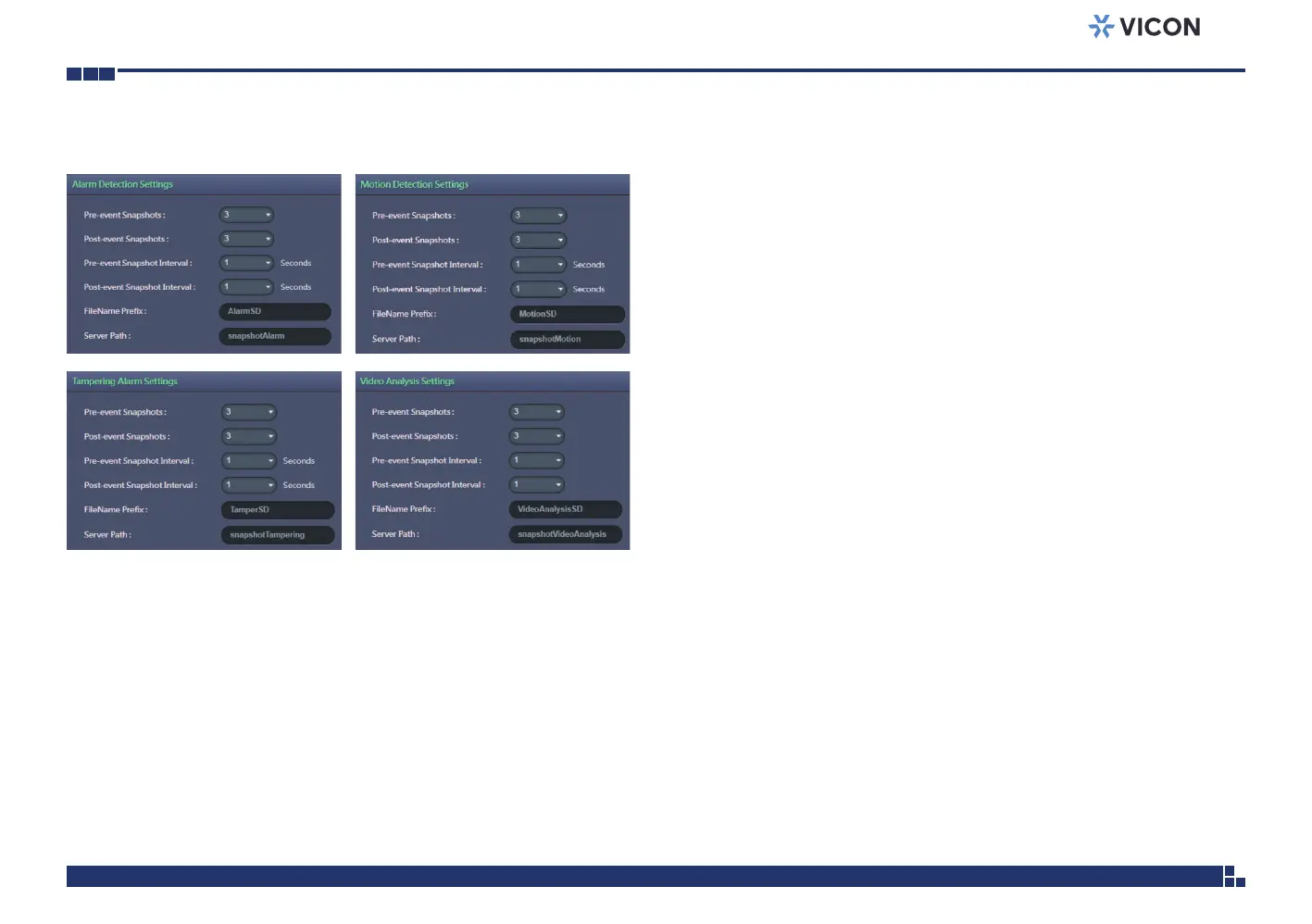
Alarm/Motion/Tampering/Video Analysis Settings
Record Type Selected: Snapshot
Pre-event Snapshots
Configures the number of pre-event snapshots to upload to SD card. The
options are 0, 1, 3, 5 and 10.
Post-event Snapshots
Configures the number of post-event snapshots to upload to SD card. The
options are 1, 3, 5, 10, 30 and 60.
Pre-event Snapshot Interval
Configures the interval of pre-event snapshots. The options are 1, 3, 5 and 10.
Post-event Snapshot Interval
Configures the interval of post-event snapshots. The options are 1, 3, 5 and 10.
FileName Prefix
Configures a prefix to append to the filename. The default prefixes for
Alarm, Motion, Tampering Detection and Video Analysis are Alarm,
Motion, Tampering and Video Analysis, respectively.
The format of the filenames:
Alarm_yyyymmddhhmmss
Motion_yyyymmddhhmmss
Tampering_yyyymmddhhmmss
Video Analysis_yyyymmddhhmmss
Server Path
Configures a folder name on the SD card. The default folder names for
Alarm, Motion, Tampering Detection and Video Analysis are Alarm,
Motion, Tampering and Video Analysis, respectively.



 To Next Page