74
Multi-Sensor 360 User Manual
Chapter 2: Camera Configuration
Copyright © 2021 Vicon Industires Inc. All Rights Reserved.
SD Record Cont.
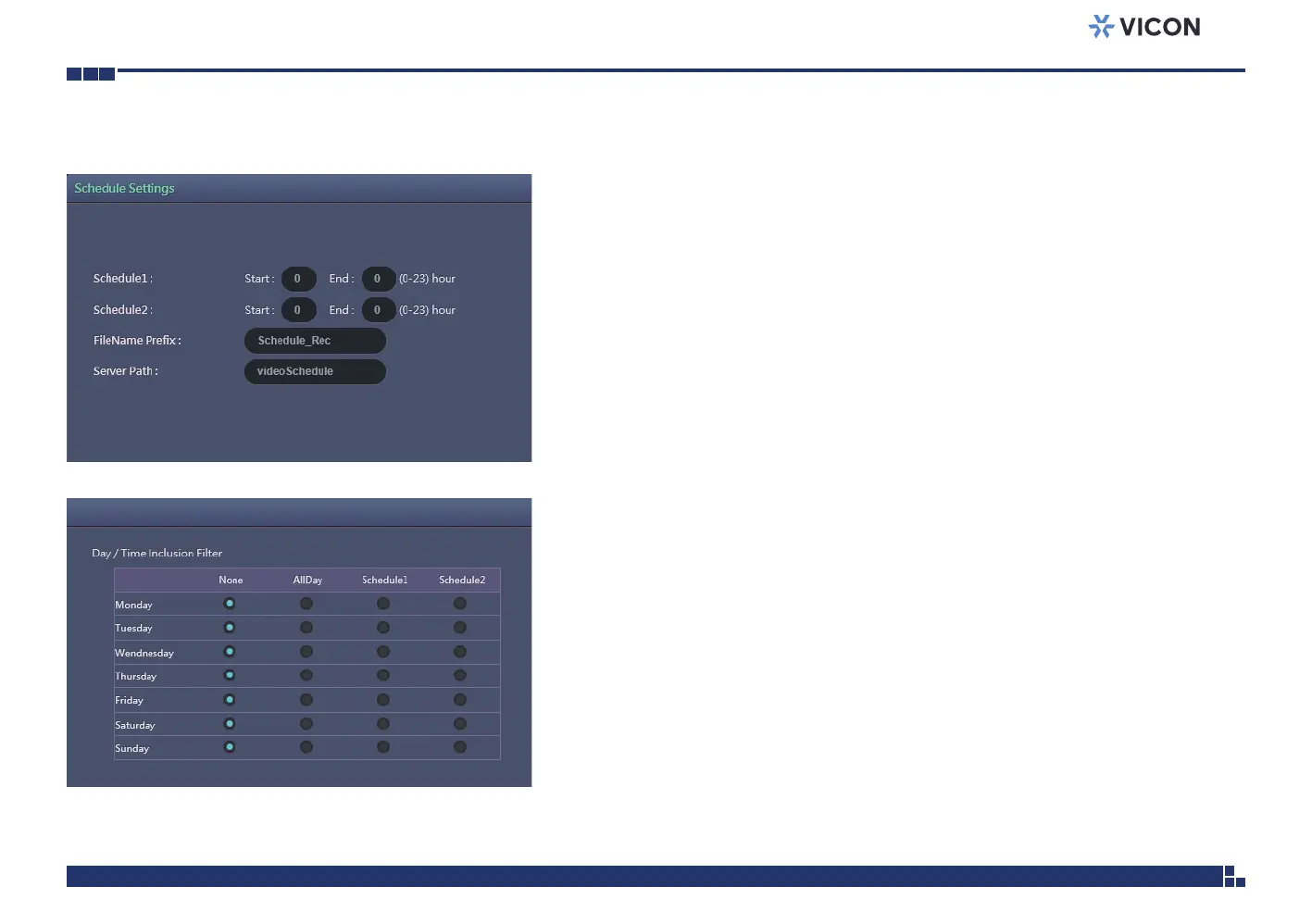
Trigger Scheduled Settings
Schedule1 and Schedule 2
Configures the Start time and End time to trigger the scheduled record
video or snapshot event. Two time slots (Schedule1 and Schedule2) are
available.
FileName Prefix
Configures a prefix to append to the filename.
Server Path
Configures a folder name on the SD card.
Day/Time Inclusion Filter
Select the day of the week to trigger the schedule. Schedule1 and
Schedule2 previously configured or AllDay for whole day recording can be
selected for each weekday.
Save
Save button to apply the configurations; click on this button once and all the
settings are confirmed for the new changes to take effect.
Reset
Reset button to discard all the settings and revert to the previous settings.



 To Next Page