Installation
VTM-2000 Installation and Operation Handbook
2-4
Ethernet Setup
1. Prior to the VTM-2000 Network configuration, obtain Transmission Control
Protocol/Internet Protocol (TCP/IP) addresses from the System Administrator or
from the Internet Service Provider (ISP).
These addresses are:
• A static IP address (unless Dynamic Host Configuration Protocol (DHCP) will
be used)
• A Subnet Mask
• An optional Gateway IP
Be sure to record all addresses. The Gateway address is only needed if the
VTM-2000 is routed to an outside network.
Record the addresses:
VTM-2000 Interface Static IP Address
VTM-2000 Interface Subnet Mask
Gateway IP Address
2. Identify a host PC to configure and test the VTM-2000.
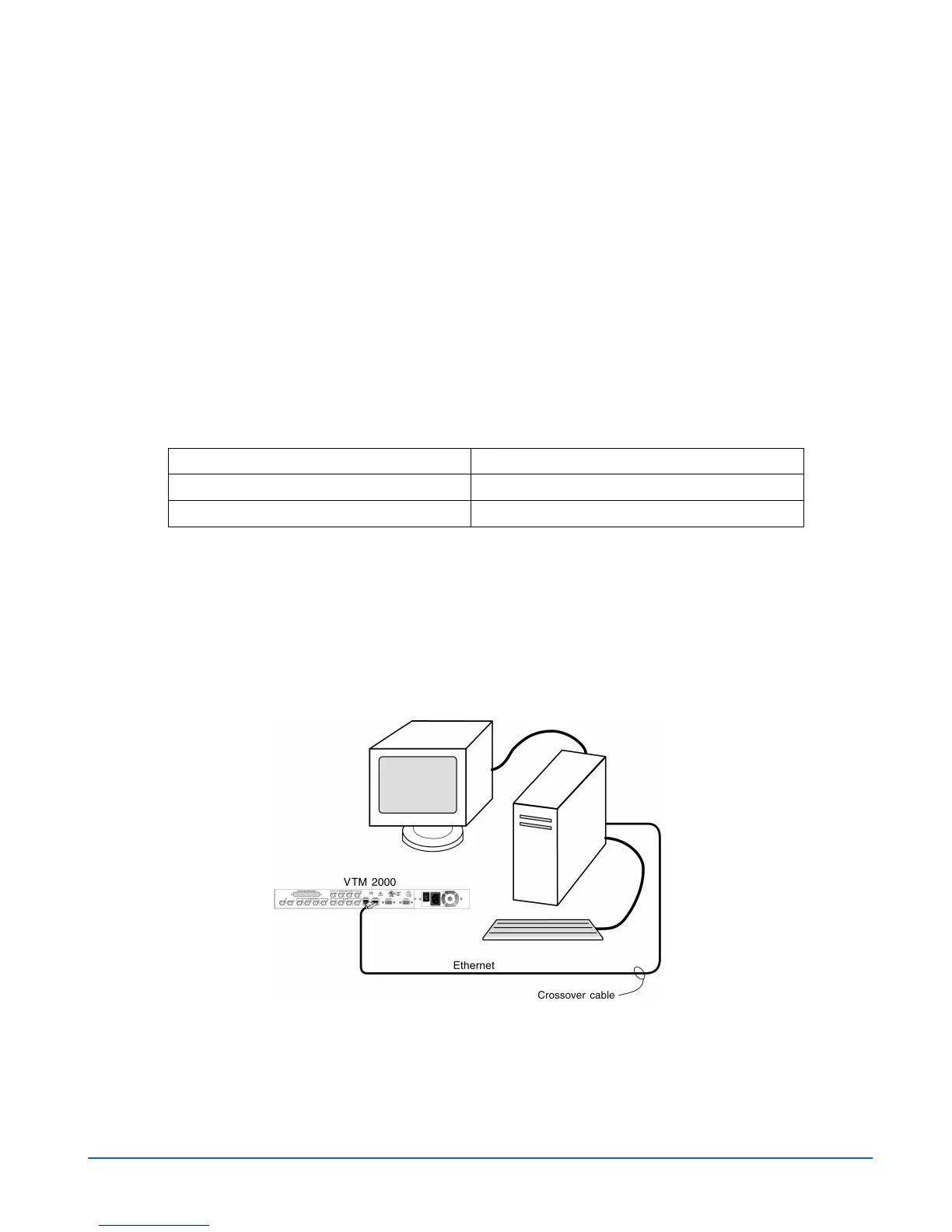
3a. For a dedicated PC connection, connect the host PC with a network card to the
“VFLASH” connector on the back panel of the VTM-2000, using a CAT5
crossover cable (not included). See Figure 2-3.
Figure 2-3. VTM-2000 Dedicated PC Connection
3b. For a network connection, connect the network hub to the back panel of the
VTM-2000 using a CAT5 network cable (not included). See Figure 2-4.



 To Next Page