General Operation
VTM-2000 Installation and Operation Handbook
3-12
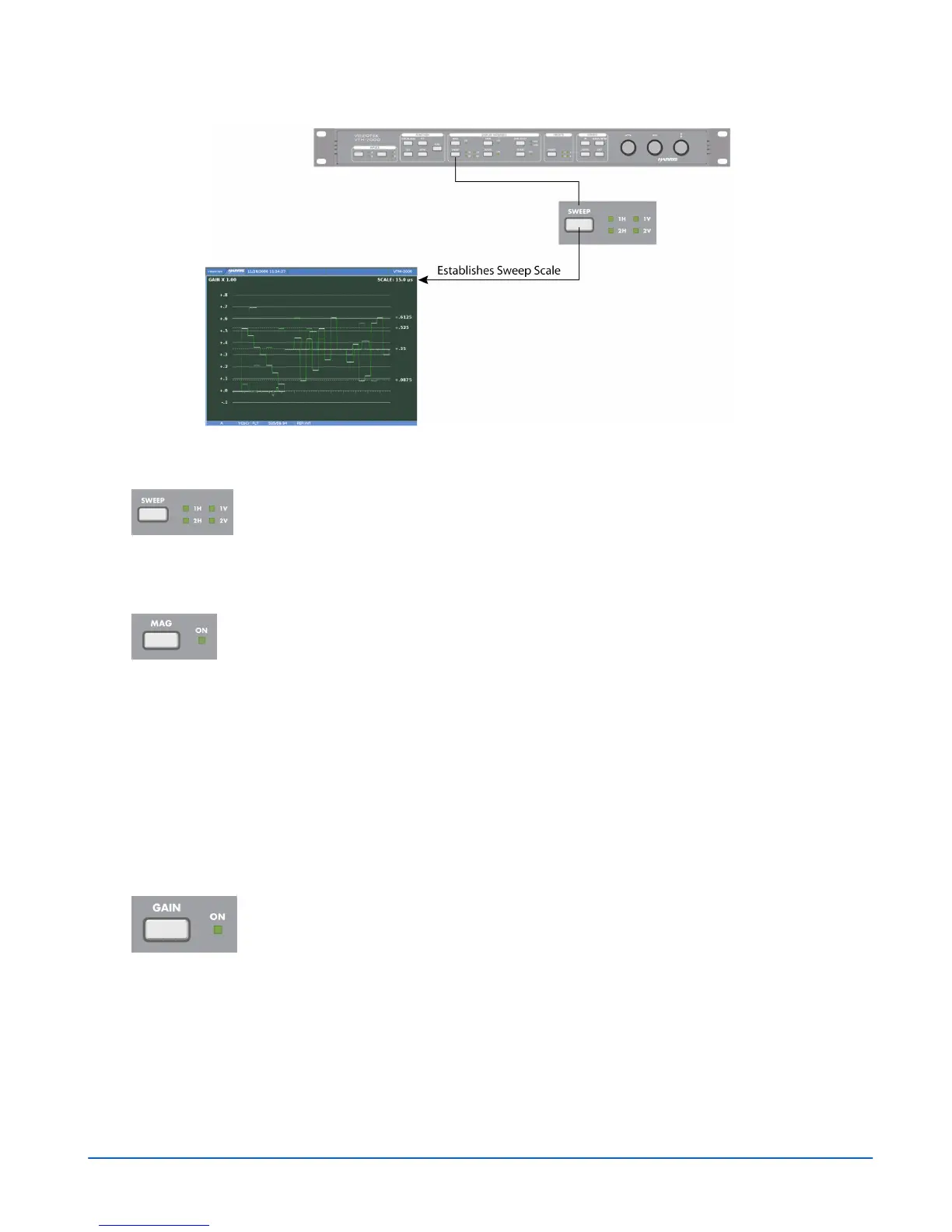
Figure 3-11. Establishing the Sweep Scale
NOTE: A menu selection is available to produce a 4H or 4V waveform.
For horizontal sweeps, press the SWEEP button to select 1H or 2H. For
vertical sweeps, press the SWEEP button to select 1V or 2V. 2H and 2V
are composite only. 1H or 1V SWEEP is possible when a single paraded
component has been selected for display.
Mag Button
Press the MAG button to change the horizontal magnification or to turn the
magnification OFF. The magnifications are shown below:
• Component 1H Sweep magnifications: 15.0 µS, 3.0 µS, and 1.5 µS
• Component 1V Sweep magnifications:15.0 ms, 3.0 ms, 1.5 ms, and 0.6 ms
• Composite 1H Sweep magnifications: 5.0 µS, 1.0 µS, 0.5 µS
• Composite 2H Sweep magnifications: 10.0 µS, 2.0 µS, 1.0 µS
• Composite 1V Sweep magnifications: 5.0 ms, 1.0 ms, 0.5 ms, and 0.2 ms
• Composite 2V Sweep magnifications: 10.0 ms, 2.0 ms, 1.0 ms, and 0.4 ms
Gain Button
Gain is used to set the range of the vertical amplification in the video
signal. The standard gain in the video signal is x1. The gain setting
appears in the upper-left portion of the waveform pane, as shown in
Figure 3-12. The Gain steps are x1, x2.5, and x5.



 To Next Page