General Operation
VTM-2000 Installation and Operation Handbook
3-6
Reference
Press and hold an input button to display and change the Internal or External reference
selection. The default reference selection is Internal. To change the reference
selection:
1. Press and hold the INPUT button to access the Reference pane menu. Table 3-3
shows the Reference menu selections.
2. When REFERENCE is highlighted, press the SETUP/ENTER button (or rotate the
RIGHT/LEFT NAVIGATION knob) to open the menu selections.
3. Press the UP or DOWN button (or rotate the UP/DOWN NAVIGATION knob) to
select the reference, and press the SETUP/ENTER button.
4. Press EXIT twice to exit the menu.
Table 3-3. Reference menu
INTERNAL (Default)
REFERENCE
EXTERNAL
Pane Overview
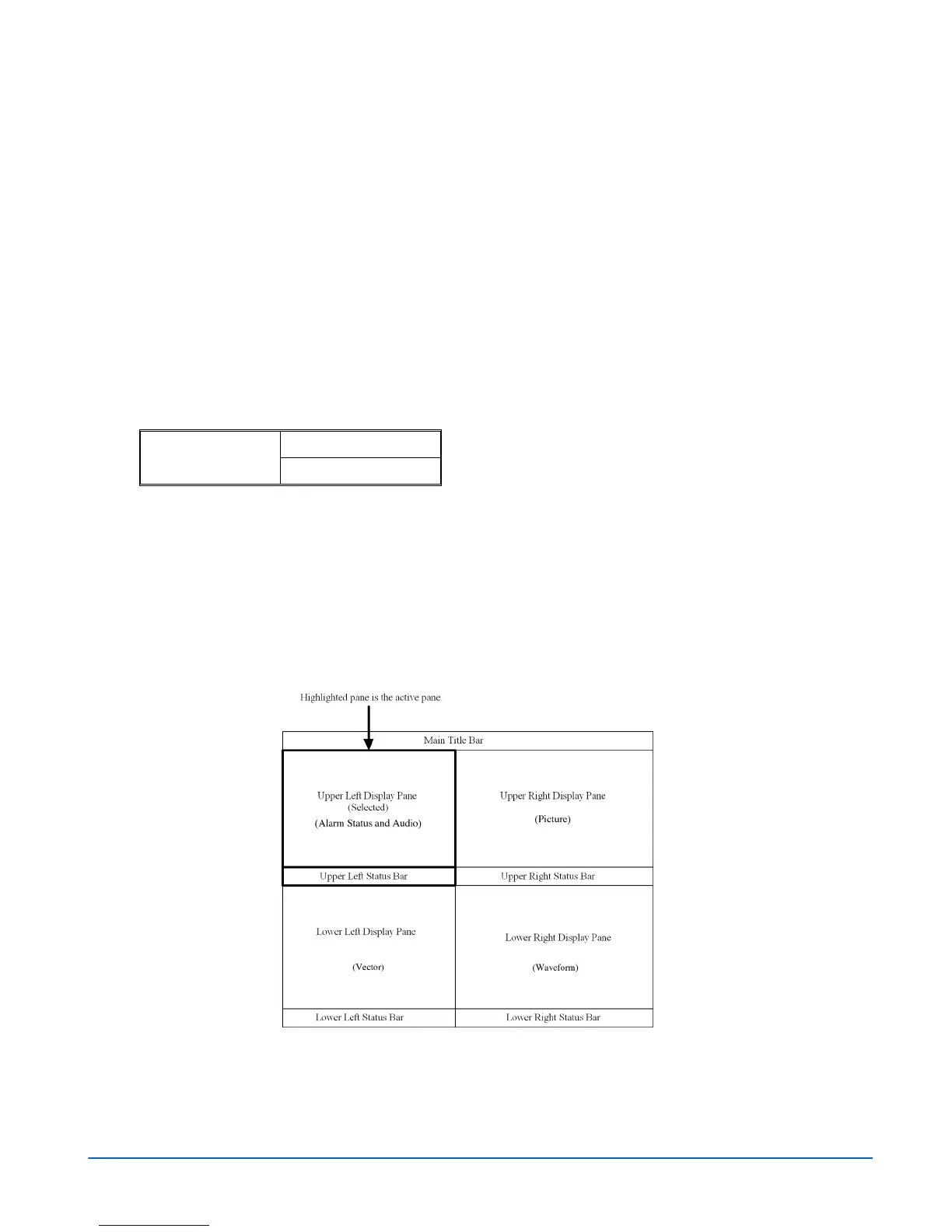
There are two screens for the VTM-2000: full-screen display or Quad (4 display
panes). Even if the screen is full screen or quad, the pane contains the Main Title Bar,
the display, and the status bar. A diagram of the quad display is shown in Figure 3-4.
A diagram of the full-screen display is shown in Figure 3-5.
Figure 3-4. Sample Quad Diagram



 To Next Page