General Operation
VTM-2000 Installation and Operation Handbook
3-17
Utilizing the Vector Display
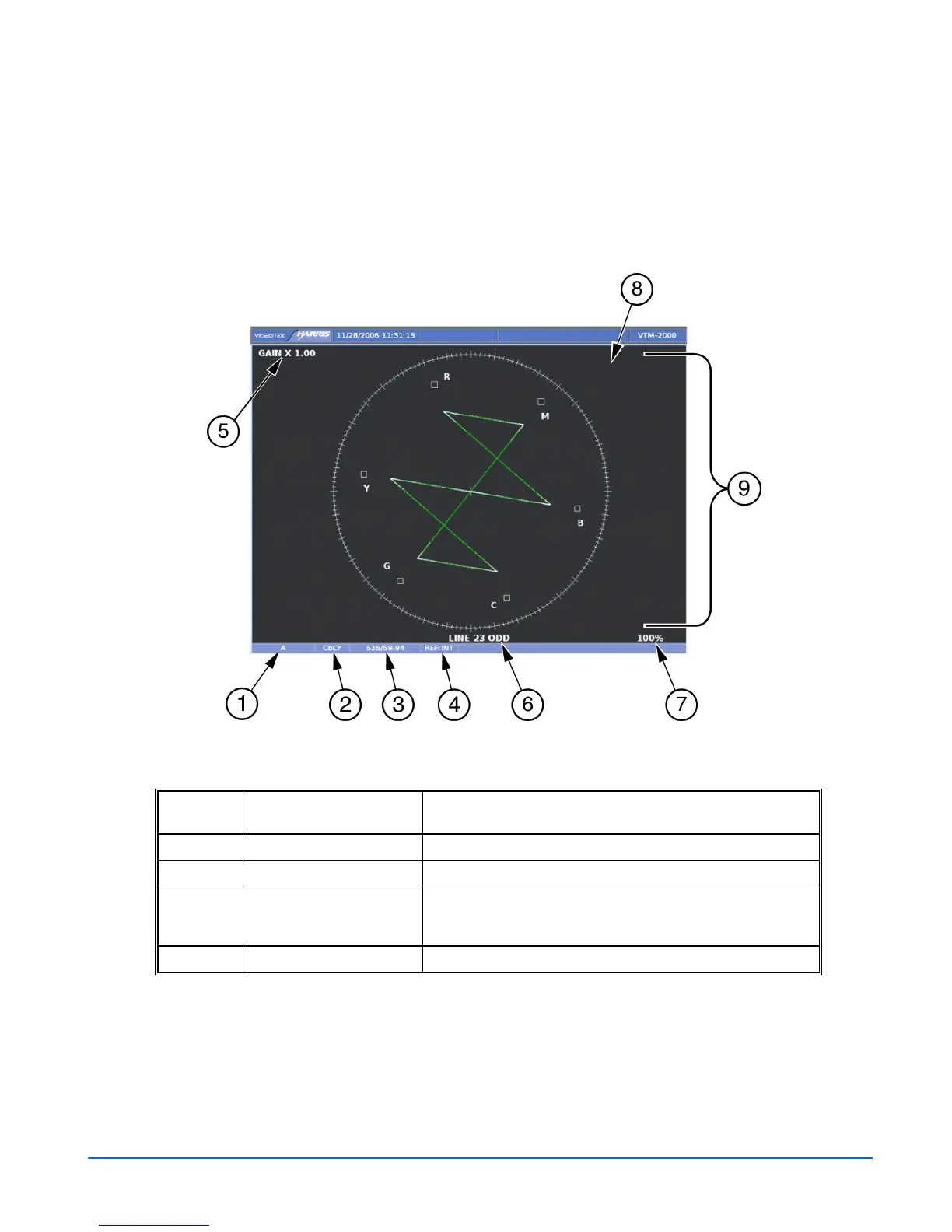
Pressing the VEC button highlights the Vector display in the lower-left pane. A vector
display is shown in Figure 3-14 and described in Table 3-10. This illustrates the
general location for the various vector fields.
Figure 3-14. Vector Display Diagram
Table 3-10. Description of Vector Display Diagram
Field
Identifier
Field information
Nomenclature
1
Input Displays the input.
2
Format Displayed as Composite and C
B
C
R
.
3
Standard Displays the Line Rate/Frame Rate [525/59.94]. This is
selected in the VIDEO FORMAT\VIDEO A THRU D
CONFIGURE menu.
4
Reference Displays the reference as INT (Internal), EXT (External).
(Table continues on next page)



 To Next Page